


Latest Version
August 25, 2026
Galixo.AI
Communication
Android
85
Free
com.secondphone.phonenumber.virtualnumber.calling.text
Report a Problem
More About Second Phone Number – 2nd Line
What is Second Phone Number – 2nd Line?
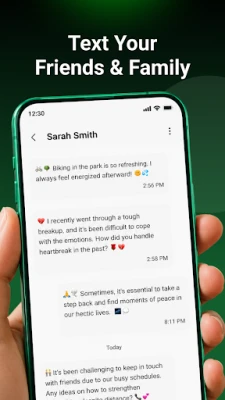
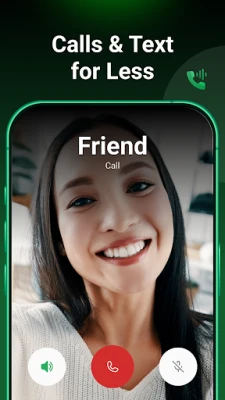
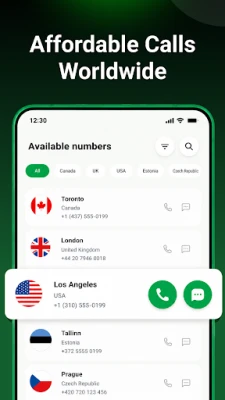
Second Phone Number – 2nd Line is a free Android app that lets you obtain a virtual phone number and use it for voice calls and text messages directly from your existing device. The app creates a separate line within the same handset, so you can keep personal and professional communications distinct.
Main features
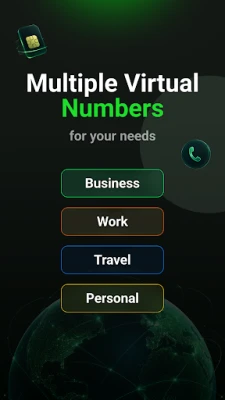
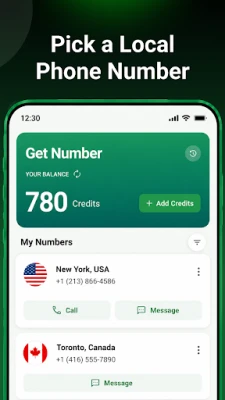
- Virtual numbers from several countries, allowing you to choose a local presence without a physical SIM.
- Calling and texting through the app using the virtual number, with rates displayed before each action.
- Credit‑based usage – you add credits to your balance and spend them on calls or SMS as needed.
- Separate inbox – messages and call logs for the second line are kept apart from your primary phone’s data.
- No extra hardware – everything runs on the same device, eliminating the need for a second phone.
How it works
- Select a virtual number from the list of available countries.
- Purchase credits within the app; the amount you add determines how many calls or messages you can send.
- Use the built‑in dialer or messaging interface to place calls or send SMS using the chosen second number.
Practical uses
The app is helpful for anyone who wants to keep work and personal communications separate, such as freelancers, small‑business owners, or travelers who need a local number abroad. It also provides a convenient way to protect your primary number when signing up for online services.
Installation information
Download the app from the Google Play Store, then follow the on‑screen prompts to grant the necessary permissions for phone and messaging functions. After installation, you can start the setup process immediately.
Things to know before installing
- The app requires internet access to manage credits and route calls/SMS.
- Call and message rates vary by destination; the app shows the cost before each transaction.
- Credits are purchased within the app and are consumed as you use the service.
Who may find it useful?
Anyone who needs a second line without buying another SIM card – including remote workers, entrepreneurs, travelers, and users who value privacy when sharing a phone number.
Frequently asked questions
Do I need a separate SIM card?
No. All calls and texts are routed through the virtual number inside the app.
Can I receive calls and messages on the second line?
Yes. Incoming calls and SMS are delivered to the app’s interface just like regular communications.
Is the app free to use?
The app itself is free to download. You pay only for the credits you add for calling or texting.
Rate the App
User Reviews















Popular Apps










 Games
 Entertainment
 Communication
 E-mail
 Security
 Tools
 Media
 Internet
 Finance
 Design
 Education
 Android Firmwares
 Travel & Local
 Android
 Windows
 Linux