

Latest Version
Latest
September 10, 2026
VIDEOSHOW Video Editor & Maker & AI Chat Generator
Media
Android
4
Free
screenrecorder.recorder.editor
Report a Problem
More About Screen Recorder Video Recorder – Capture & Edit Android Screens
What is Screen Recorder Video Recorder?
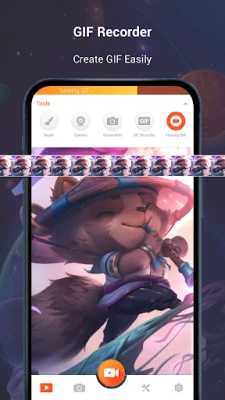
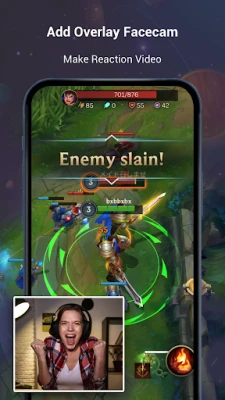
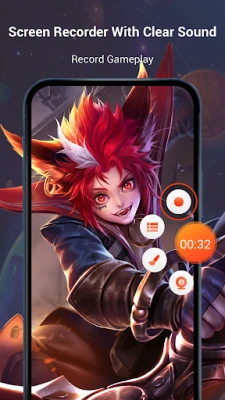
Screen Recorder Video Recorder is a free Android application that lets you capture everything that happens on your device’s display. Whether you need to record a game session, a tutorial, a video call, or any other on‑screen activity, the app provides a straightforward way to start, pause, and stop recordings with a single tap.
Main features
- One‑tap recording: Begin a capture instantly from a floating button that stays on top of other apps.
- Pause and resume: Control the recording without stopping the session, useful for cutting out unwanted moments.
- Internal and external audio: Record the sound coming from the device as well as microphone input, depending on your needs.
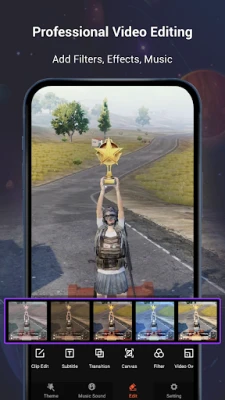
- Basic editing tools: Trim clips, add simple filters, and insert background music after the recording is finished.
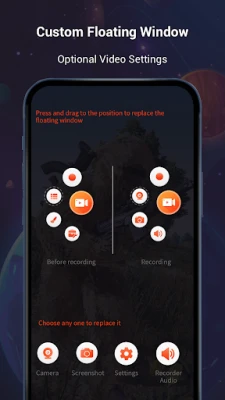
- Floating window: The control button can be moved around the screen for convenient access.
How it works
After installing the app, a small floating icon appears on your screen. Tap the icon to open the recording panel, choose your preferred audio source, and hit the record button. The app runs in the background while you continue using other apps, and you can pull down the notification shade to pause or stop the capture. Once you stop recording, the video is saved to your device’s gallery where you can launch the built‑in editor to make quick adjustments.
Practical uses
- Creating game highlights or walkthroughs.
- Recording step‑by‑step tutorials for apps or settings.
- Saving video calls or live streams for later reference.
- Capturing bugs or unexpected behavior to share with support teams.
Installation information
The app is available for free on the Appitika store. Simply tap the install button, grant the required permissions for screen capture and audio, and the app will be ready to use. No rooting or special configuration is needed.
Compatibility
Screen Recorder Video Recorder works on Android devices that support the standard screen‑recording API. The exact minimum Android version is not listed, but the app runs on most modern smartphones and tablets.
Things to know before installing
- The app requires permission to capture the screen and access audio; these are standard for any screen‑recording tool.
- Recorded videos are stored locally on your device; you may want to manage storage space if you record frequently.
- Advanced editing features such as multi‑track audio or complex transitions are not included; the focus is on quick capture and basic trimming.
Who may find it useful?
Anyone who needs a simple way to record what happens on their Android screen will benefit from this app. It is especially handy for gamers, educators, support technicians, and social media creators who prefer a lightweight solution without a steep learning curve.
Frequently asked questions
Do I need to root my device?
No. The app uses the built‑in screen‑recording capabilities provided by Android, so rooting is not required.
Can I record internal sound?
Yes, the app offers an option to capture the device’s internal audio where the Android version permits it.
Is there a limit on recording length?
The app does not impose a fixed time limit; recordings continue until you stop them or run out of storage.
Can I edit the video after recording?
Basic editing such as trimming, adding filters, and inserting background music is available directly within the app.
Rate the App
User Reviews















Popular Apps










 Games
Games Entertainment
 Communication
 E-mail
 Security
 Tools
Tools Media
Media Internet
 Finance
 Design
 Education
 IT Tools
 Travel & Local
 Android
 Windows
 Linux
Linux