
Latest Version
Latest
August 27, 2026
Samsung Electronics Co., Ltd.
Communication
Android
105
Free
com.sec.android.app.sbrowser.beta
Report a Problem
More About Samsung Browser Beta – Preview Android Web Browser
What is Samsung Browser Beta?
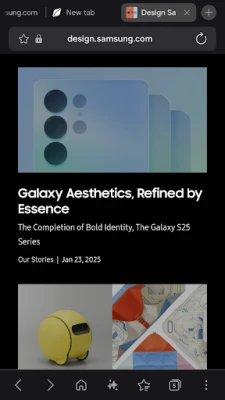
Samsung Browser Beta is a pre‑release version of Samsung’s Android web browser. It is offered by Samsung Electronics Co., Ltd. as a free app that lets users test new capabilities before they appear in the stable release. As a beta, the app may receive frequent updates and can include experimental features that are still being refined.
Main features
- Familiar Samsung interface – The browser keeps the look and feel of Samsung’s regular browser, making the transition smooth for existing users.
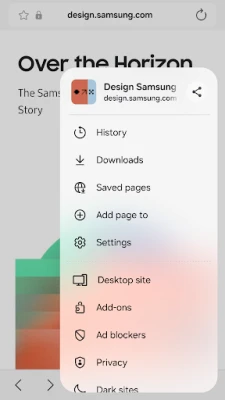
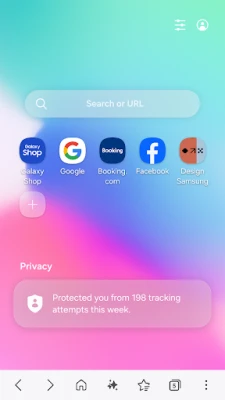
- Early access to upcoming tools – Users can try experimental functions such as enhanced privacy options, new UI tweaks, or performance improvements before they are rolled out to the general public.
- Integration with Samsung services – The browser works with Samsung’s ecosystem, including synchronization of bookmarks and tabs across Samsung devices when the feature is enabled.
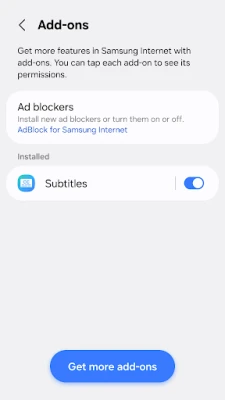
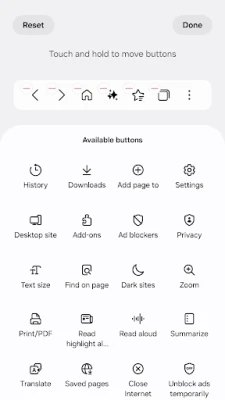
- Customizable settings – Users can adjust themes, manage extensions, and configure privacy controls to suit personal preferences.
How it works
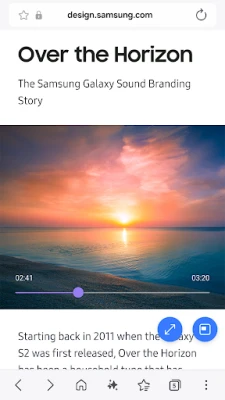
When installed, Samsung Browser Beta operates like any standard Android browser. It renders web pages, supports multiple tabs, and respects the device’s default language and regional settings. Because it is a beta, the app may request optional permissions (e.g., location or camera) only when a web page explicitly needs them, such as for location‑based services or QR‑code scanning.
Practical uses
The beta version is useful for users who want to:
- Experience upcoming privacy enhancements before they become mainstream.
- Provide feedback to Samsung developers on new features.
- Test web compatibility on a Samsung‑optimized browser.
Installation information
The app can be downloaded directly from the Google Play Store using the package name com.sec.android.app.sbrowser.beta. Installation follows the standard Android process: tap “Install,” grant any required permissions, and launch the app from the app drawer.
Compatibility
Samsung Browser Beta is designed for Android devices that meet the minimum requirements set by the Play Store. Specific version numbers are not disclosed, but the app typically supports devices running recent Android releases that are compatible with Samsung’s ecosystem.
Things to know before installing
- As a beta, the app may be less stable than the official Samsung Browser.
- Features are subject to change; some experimental tools might be removed or altered in future updates.
- Data such as bookmarks or saved passwords may not sync with the stable version until the beta graduates to a full release.
Who may find it useful?
Enthusiasts who enjoy trying new software, developers testing web content on a Samsung‑specific browser, and Samsung device owners who want tighter integration with their device’s services will benefit most from Samsung Browser Beta.
Frequently asked questions
Is Samsung Browser Beta safe to use?
Yes, the app is distributed through the official Play Store and is developed by Samsung Electronics. However, because it is a beta, occasional glitches may occur.
Can I switch back to the stable Samsung Browser?
Absolutely. Installing the stable version from the Play Store will replace the beta without affecting your device’s overall functionality.
Will my bookmarks sync with other Samsung devices?
Sync is available when you sign in with your Samsung account and enable the feature, but synchronization may be limited while the app remains in beta.
Rate the App
User Reviews















Popular Apps










 Games
 Entertainment
 Communication
 E-mail
 Security
 Tools
 Media
 Internet
 Finance
 Design
 Education
 Android Firmwares
 Travel & Local
 Android
 Windows
 Linux