

Latest Version
August 17, 2026
Samsung Electronics Co., Ltd.
Communication
Android
88
Free
com.sec.android.app.sbrowser
Report a Problem
More About Samsung Browser – Fast, Secure Web Browsing for Android
What is Samsung Browser?
Samsung Browser is a web browser developed by Samsung Electronics for Android devices. It is offered as a free application and aims to provide a responsive, secure, and customizable way to surf the internet directly from your phone or tablet.
Main Features
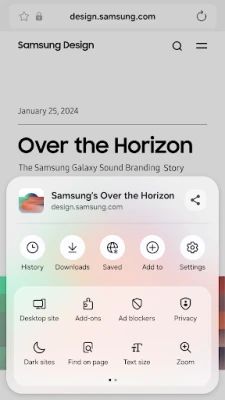
- Responsive design – The browser adapts to different screen sizes and orientations, delivering fast page loads and smooth scrolling.
- Dark mode – A system‑wide dark theme reduces eye strain in low‑light environments and can help conserve battery life on OLED displays.
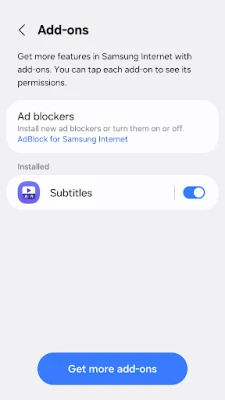
- Extensions support – Users can add useful extensions such as a translator, ad blocker, or other third‑party tools that integrate directly into the browsing experience.
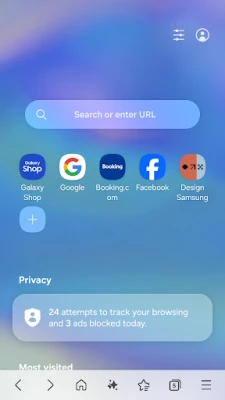
- Privacy tools – Features like Secret mode, Smart Anti‑Tracking, and Protected Browsing help limit data collection and warn about potentially harmful sites.
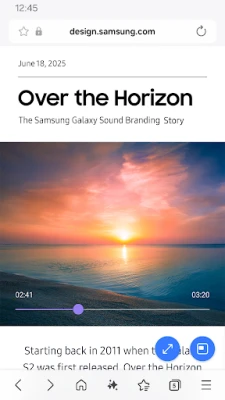
- Video Assistant – Built‑in controls make it easy to manage video playback, including picture‑in‑picture support on compatible devices.
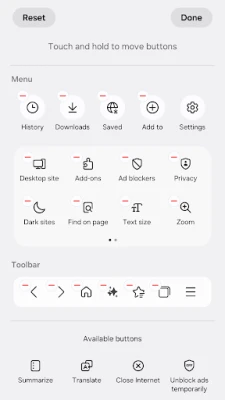
- Customizable menu – The toolbar and menu can be rearranged to prioritize the functions you use most often.
How It Works
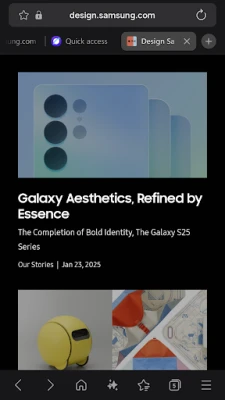
When you launch Samsung Browser, the home screen presents a clean address bar and quick access to your most visited sites. The browser uses Samsung’s rendering engine, which is optimized for Android hardware, to render pages quickly while conserving resources. You can open multiple tabs, switch between them, and use the built‑in search to find content without leaving the browser.
Practical Uses
- Reading articles or news feeds with dark mode enabled for comfortable night‑time browsing.
- Translating foreign‑language pages on the fly using the translator extension.
- Watching videos while multitasking, thanks to picture‑in‑picture support.
- Shopping online with added privacy protections that limit tracking cookies.
Installation Information
Samsung Browser is available through the Google Play Store. Search for "Samsung Browser" or use the package name com.sec.android.app.sbrowser to locate the official listing. The app is free to download and install. After installation, you may be prompted to set it as the default browser if you prefer it over other options.
Compatibility
The application is designed for Android devices that meet Samsung’s minimum system requirements. While specific version numbers are not disclosed here, the browser typically supports recent Android releases and works on a wide range of Samsung and non‑Samsung smartphones and tablets.
Things to Know Before Installing
- Some advanced features, such as certain extensions, may require additional permissions or compatible Android versions.
- The browser may request optional permissions (e.g., location, camera, microphone) to enable context‑aware content, QR code scanning, or media uploads. Granting these permissions is optional and does not affect core browsing functionality.
- Regular updates are released to improve performance, add new features, and address security concerns. Keeping the app up to date ensures the best experience.
Who May Find It Useful?
Anyone looking for a reliable Android browser with built‑in privacy controls and a flexible extension ecosystem will benefit from Samsung Browser. It is especially appealing to users who appreciate a dark theme, video playback enhancements, and seamless integration with Samsung devices.
Frequently Asked Questions
Is Samsung Browser safe to use?
Yes. The browser includes Smart Anti‑Tracking, Protected Browsing, and content‑blocking capabilities that help safeguard your data while you browse.
Can I use extensions?
Yes. The browser supports third‑party extensions, allowing you to add tools such as translators, ad blockers, and more.
How do I enable Dark Mode?
Dark Mode can be activated from the browser’s settings or follows the system‑wide dark theme setting on your device.
Does the browser work on non‑Samsung devices?
While optimized for Samsung hardware, the app is available to any Android device that meets the platform requirements.
Rate the App
User Reviews















Popular Apps










 Games
Games Entertainment
 Communication
 E-mail
 Security
 Tools
Tools Media
Media Internet
 Finance
 Design
 Education
 Android Firmwares
 Travel & Local
 Android
 Windows
 Linux
Linux