

Latest Version
Latest
September 05, 2026
Rune AI Inc.
Communication
Android
32
Free
ai.rune.tincan
Report a Problem
More About Rune – Play, Talk, Hang Out
What is Rune?
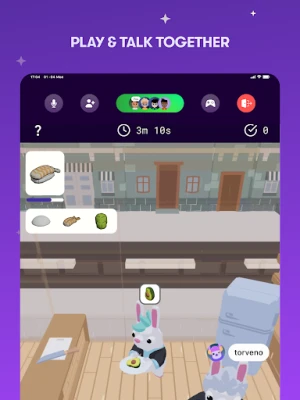
Rune is a free Android app that combines voice chat with a collection of multiplayer games. It is designed for people who want to stay connected with friends while playing together, without needing separate messaging or gaming apps.
Main features
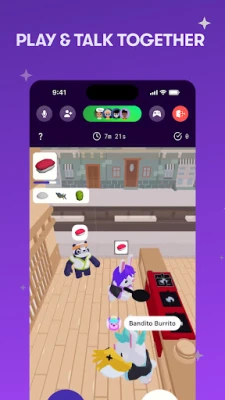
- Integrated voice chat – Talk to friends in real time while a game is running, so you can coordinate strategies or just share a laugh.
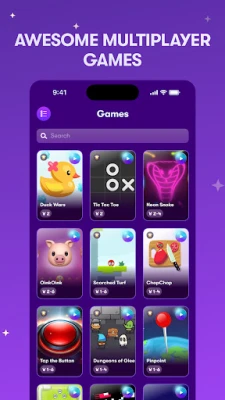
- Built‑in games – A rotating selection of multiplayer titles is available directly inside the app, eliminating the need for additional downloads.
- Custom avatars and profiles – Create a personal avatar, add interests, and let others see what you’re playing.
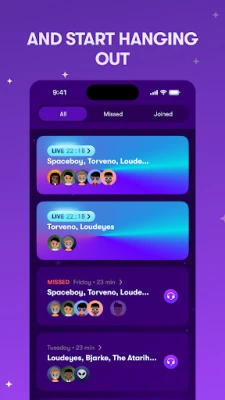
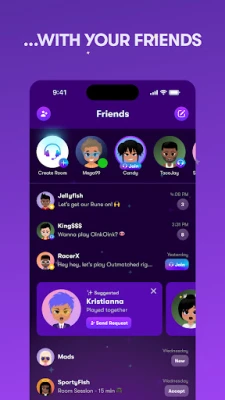
- Friend presence – See who is online, what they are playing, and receive push notifications when they become available.
- Group chat – Organize friends into groups for scheduled game sessions, with both text and voice channels.
How it works
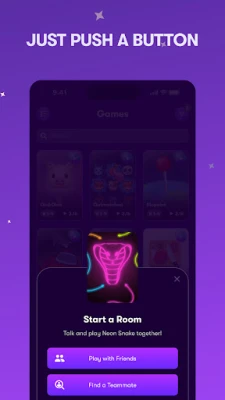
After installing Rune, you sign in with a simple account and can immediately start a voice channel. From the main screen you can browse the current game catalog, select a title, and invite friends to join. The game runs inside the app, and the voice channel stays active throughout the session. When a game ends, you can switch to another title or continue chatting.
Practical uses
- Casual hang‑outs – Gather a group of friends for a quick game and chat without switching apps.
- Co‑op strategy – Use the voice channel to coordinate moves in more competitive multiplayer games.
- Social discovery – Meet new players through the online list, see what games are popular, and join spontaneous matches.
Who may find Rune useful?
Anyone who enjoys multiplayer gaming and wants a seamless way to talk with friends will benefit from Rune. It is especially handy for:
- Friends who live in different locations but want to play together.
- Groups that prefer voice communication over text.
- Players looking for a single hub that hosts both chat and games.
Things to know before installing
Rune is free to download and use. Because the app hosts its own games, you do not need to install additional titles from the Play Store. The app requires an internet connection for both voice and gameplay. As with any social platform, you should be comfortable sharing a profile and avatar with other users.
Frequently asked questions
Do I need a separate account for each game?
No. Your Rune account works across all games available within the app.
Can I use Rune without a microphone?
Voice chat is a core feature, but you can still join games and use text chat if you prefer.
Is there any cost for in‑app purchases?
The app itself is free; any optional purchases are limited to avatar customisation and are not required to play the core games.
Rate the App
User Reviews















Popular Apps










 Games
Games Entertainment
 Communication
 E-mail
 Security
 Tools
Tools Media
Media Internet
 Finance
 Design
 Education
 Android Firmwares
 Travel & Local
 Android
 Windows
 Linux
Linux