

Latest Version
September 16, 2026
Komparato
Communication
Android
11
Free
com.komparato.reply
Report a Problem
More About Rocket Reply – Smart Messaging for Hands‑Free Replies
What is Rocket Reply?
Rocket Reply is a free Android utility that helps you stay connected without taking your eyes off the road. By reading incoming messages aloud and offering quick‑reply options, it lets you respond safely while your hands remain on the wheel.
Main Features
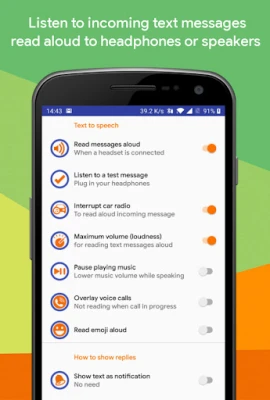
- Voice read‑out: Incoming SMS and messages from supported chat apps are spoken through your headphones or car audio.
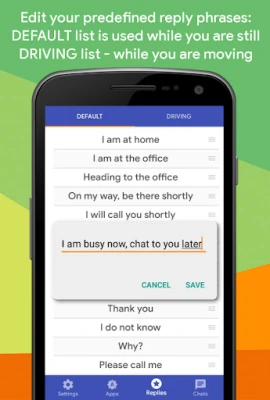
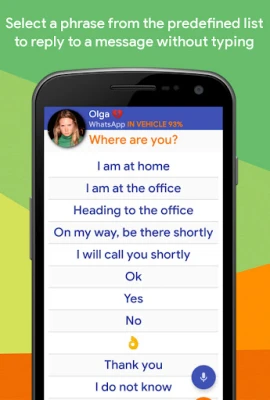
- Predefined replies: Choose from a list of custom phrases you create, enabling one‑tap responses.
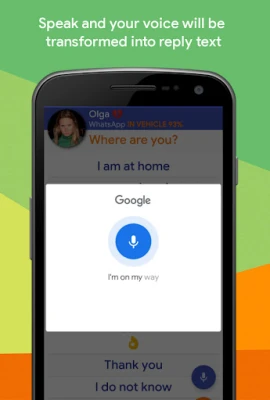
- Speech‑to‑text replies: Speak your answer and have it converted into text for the selected conversation.
- Automatic driving detection: When the app senses you are in a moving vehicle, it switches to a simplified reply interface.
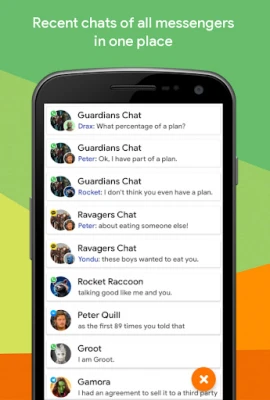
- Home‑screen widget: Access recent chats and quick‑reply options without opening the full app.
How It Works
After installing Rocket Reply, you enable the service in the app’s settings. The app monitors incoming notifications from supported messaging platforms. When a new message arrives, Rocket Reply reads the content aloud. If you are driving, the app automatically presents a compact list of your predefined replies. You can tap a phrase to send it instantly, or tap the microphone icon to dictate a custom response.
Practical Uses
- Driving safely: Keep your focus on the road while staying informed about important messages.
- Hands‑free environments: Use the app while cooking, exercising, or handling any task that limits screen interaction.
- Quick communication: Respond to routine queries with a single tap, saving time during busy moments.
Installation Information
Download Rocket Reply from the Google Play Store, then grant the required notification access so the app can read incoming messages. For devices with aggressive battery management (e.g., Xiaomi MIUI or Huawei), you may need to allow the app to auto‑start or run in the background via the system settings.
Things to Know Before Installing
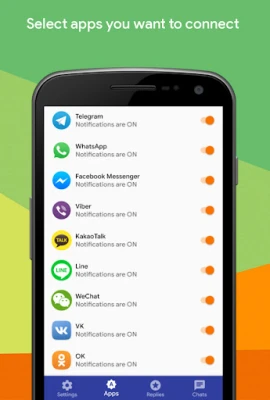
- The app works with a range of popular messaging services, including WhatsApp, Facebook Messenger, Viber, Telegram, Hangouts, Threema, Textra, KakaoTalk, Line, and WeChat.
- To hear messages, you’ll need headphones, earbuds, or a connected car audio system.
- Custom reply phrases are managed in the phrase editor, where you can add, edit, and reorder entries to suit your communication style.
Who May Find It Useful?
Anyone who spends time driving, commuting, or performing tasks that limit screen use can benefit from Rocket Reply. It is especially handy for professionals who need to stay reachable without compromising safety, as well as for parents managing family communications while on the go.
Frequently Asked Questions
Does Rocket Reply work without Android Auto?
Yes. The app uses the device’s audio output, so it functions with any standard headphone or car Bluetooth connection.
Can I add my own reply phrases?
Absolutely. The phrase editor lets you create unlimited custom responses and arrange them in the order you prefer.
What should I do if the app stops reading messages while driving?
Check that notification access is still enabled and that the app is allowed to run in the background under your device’s battery‑optimization settings.
Rate the App
User Reviews













Popular Apps










 Games
Games Entertainment
 Communication
 E-mail
 Security
 Tools
Tools Media
Media Internet
 Finance
 Design
 Education
 IT Tools
 Travel & Local
 Android
 Windows
 Linux
Linux