


Latest Version
Latest
August 13, 2026
Rocket.Chat
Communication
Android
610
Free
chat.rocket.android
Report a Problem
More About Rocket.Chat – Open‑Source Team Messaging for Android
What is Rocket.Chat?
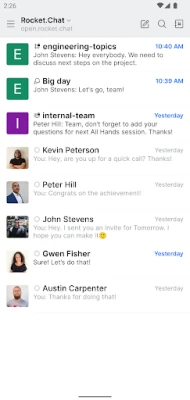
Rocket.Chat is an open‑source communication platform that provides a mobile client for Android devices. It lets individuals and teams exchange text messages, share files, and start voice or video calls without relying on a proprietary service. Because the core software is open source, organizations can host their own server or use a hosted instance, giving them full control over data storage and privacy.
Main features
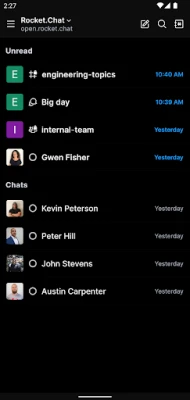
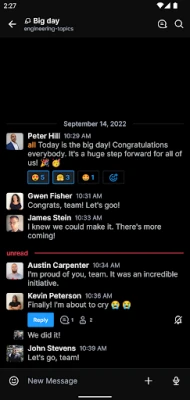
- Text chat and channels – Create public or private rooms, direct messages, and threaded conversations.
- Voice and video calls – Initiate one‑to‑one or group calls directly from the app.
- File sharing – Attach images, documents, and other files to messages.
- Push notifications – Receive real‑time alerts for mentions, direct messages, and channel activity.
- Cross‑platform sync – Conversations stay in sync with the web client and desktop applications.
- Customizable themes – Choose light or dark appearance to suit personal preference.
- Open‑source licensing – The MIT license allows free use, modification, and redistribution.
How it works
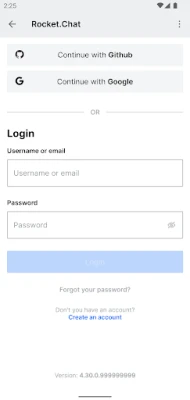
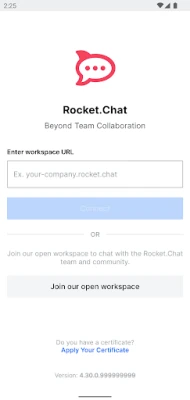
After installing the app, you connect to a Rocket.Chat server by entering its URL and your login credentials. The server can be a public instance provided by a service provider or a self‑hosted installation that you manage on your own infrastructure. Once connected, the app synchronizes your account, channels, and message history. All communication is routed through the selected server, which handles authentication, message storage, and optional encryption.
Practical uses
Rocket.Chat is suitable for a range of scenarios:
- Remote teams – Keep project discussions organized in dedicated channels.
- Community groups – Offer a free, self‑hosted chat space for members.
- Educational settings – Enable teachers and students to collaborate securely.
- Small businesses – Replace commercial messaging services with a cost‑free alternative.
Installation information
The app is available through the standard Android package distribution. Open the Google Play Store, search for “Rocket.Chat”, and tap Install. After installation, launch the app and follow the on‑screen prompts to add your server address and log in.
Compatibility
Rocket.Chat runs on Android devices that support the Google Play services framework. Because the client is built with standard Android components, it works on a wide range of smartphones and tablets, regardless of manufacturer.
Things to know before installing
- You will need the URL of a Rocket.Chat server to sign in. If your organization does not provide one, you can create a free account on a public instance.
- Data storage and retention policies depend on the server you connect to. Review the server’s privacy settings if data handling is a concern.
- Some advanced features, such as end‑to‑end encryption or single sign‑on, require server‑side configuration.
Who may find it useful?
Anyone who prefers an open‑source alternative to mainstream messaging apps can benefit from Rocket.Chat. This includes developers, NGOs, educational institutions, and businesses that need to keep communication under their own administrative control.
Frequently asked questions
Is Rocket.Chat free?
Yes. The Android client is free to download and use. The underlying platform is released under the MIT license, which permits free use and modification.
Can I use Rocket.Chat without a server?
The client requires a server endpoint to function. You can either join an existing public server or set up your own.
Does the app support push notifications?
Yes. When connected to a server that has push notification support enabled, the app will deliver real‑time alerts for new messages and mentions.
Is the communication encrypted?
Encryption depends on the server configuration. Many deployments enable TLS for data in transit, and some support end‑to‑end encryption for messages.
Rate the App
User Reviews















Popular Apps










 Games
Games Entertainment
 Communication
 E-mail
 Security
 Tools
Tools Media
Media Internet
 Finance
 Design
 Education
 Android Firmwares
 Travel & Local
 Android
 Windows
 Linux
Linux