

Latest Version
Latest
September 09, 2026
Mosaic Srl
Communication
Android
32
Free
com.robokiller.app
Report a Problem
More About Robokiller – Spam Call Blocker for Android
What is Robokiller?
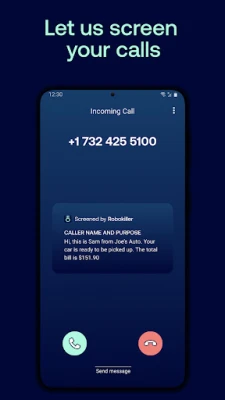
Robokiller is a mobile application designed to reduce the number of spam calls and unwanted text messages you receive on your Android device. Developed by Mosaic Srl, the app works as a call‑screening tool that identifies and blocks calls that are likely to be automated or fraudulent.
Main features
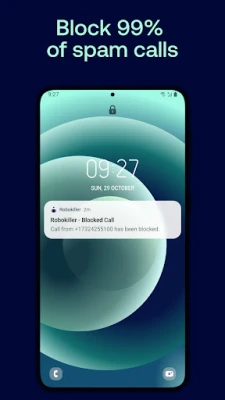
- Call blocking – Detects and blocks incoming calls that match known spam patterns.
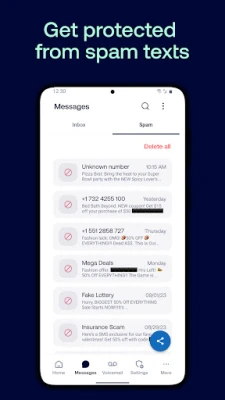
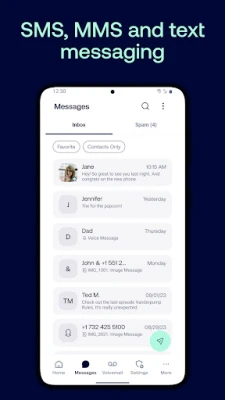
- SMS filtering – Filters text messages that appear to be spam or scam.
- Custom blocklist – Lets you add specific numbers to a personal blocklist.
- Allowlist management – Ensures that contacts you trust can always reach you.
- Temporary pause – You can suspend blocking for a short period if you expect a call from an unknown number.
How it works
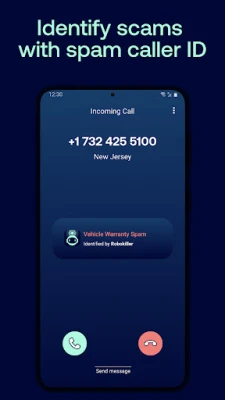
Robokiller relies on a continuously updated database of phone numbers that have been reported as spam. When a call arrives, the app checks the caller ID against this database and applies its filtering rules. If the number is identified as spam, the call is blocked before it reaches your phone screen. The same principle applies to incoming SMS messages.
Practical uses
Many users find value in Robokiller when they receive frequent robocalls from telemarketers, debt collectors, or scammers. By reducing these interruptions, the app can help protect personal time and limit exposure to potential fraud attempts.
Installation information
Robokiller is available as a free download from the Google Play Store. After installing, you will need to grant the app permission to access your phone’s call and messaging functions. Once enabled, you can set Robokiller as the default call‑screening app in your device’s settings.
Things to know before installing
- The app requires permission to read incoming calls and messages in order to filter them.
- Blocking is based on a database that is updated automatically; however, new spam numbers may appear before they are added.
- Robokiller does not replace the native phone or messaging apps; it works alongside them.
Who may find it useful?
Anyone who receives a noticeable amount of unwanted calls or texts—such as professionals who rely on a clear phone line, seniors who are targeted by scams, or anyone simply looking to reduce interruptions—may benefit from using Robokiller.
Frequently asked questions
Do I need to be online for the app to block calls?
Robokiller uses an online database that updates regularly. An internet connection is required for the latest updates, but the app can still block numbers that are already stored locally.
Can I block only specific types of calls?
Yes. You can customize the blocklist and allowlist to fine‑tune which numbers are blocked and which are always allowed.
Will legitimate calls be blocked by mistake?
The app aims to minimize false positives, but occasional misclassifications can occur. You can review blocked calls in the app’s log and unblock numbers if needed.
Rate the App
User Reviews















Popular Apps










 Games
Games Entertainment
 Communication
 E-mail
 Security
 Tools
Tools Media
Media Internet
 Finance
 Design
 Education
 Android Firmwares
 Travel & Local
 Android
 Windows
 Linux
Linux