

Latest Version
Latest
September 01, 2026
Goodwy
Communication
Android
7
Free
com.goodwy.smsmessenger
Report a Problem
More About Right Messages – Simple, Private SMS Messenger
What is Right Messages?
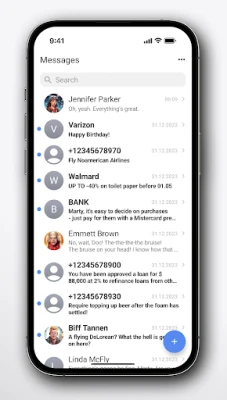
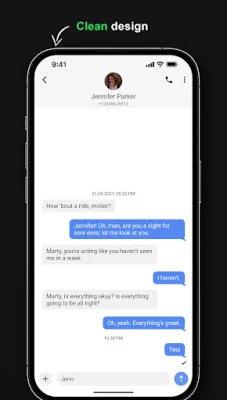
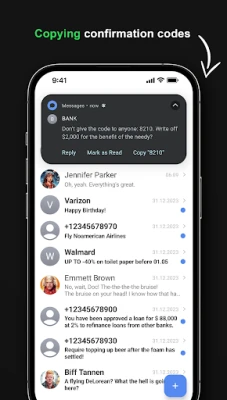
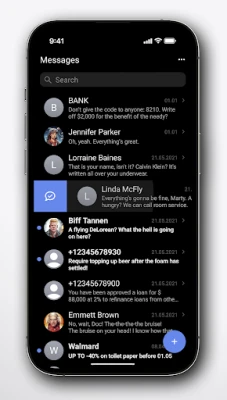
Right Messages is a free SMS messenger for Android devices, developed by Goodwy. It focuses on delivering a straightforward texting experience while respecting user privacy. The app adopts a modern iOS‑inspired design, making it feel familiar to users who prefer a minimalist look.
Main Features
- Dual‑SIM handling – Seamlessly send and receive messages from both SIM cards without switching settings.
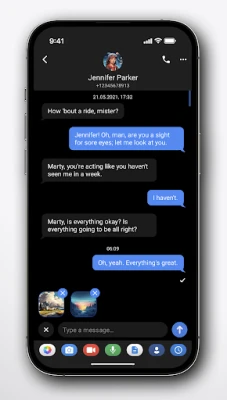
- Customizable appearance – Adjust background colors, text shades and icon tones to match your personal style.
- Privacy‑first design – The app requests only the permissions needed for SMS functionality and does not require internet access.
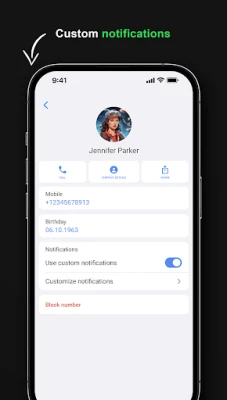
- Number blocking – Block unwanted callers or senders directly from the conversation view.
- No advertisements – Enjoy an uninterrupted messaging experience.
How It Works
After installation, Right Messages becomes the default SMS application if you choose. It reads incoming messages through the standard Android SMS provider and displays them in the customized interface. When you compose a new message, you can select which SIM card to use, and the app handles delivery reports automatically.
Practical Uses
- Managing personal and work contacts on separate SIMs.
- Keeping a tidy inbox with color‑coded threads.
- Blocking spam numbers without needing a separate app.
Installation Information
The app can be installed from the Google Play Store. It requires the standard SMS permissions to read and send messages. No additional storage or network permissions are requested.
Things to Know Before Installing
- Because the app does not connect to the internet, features that rely on cloud services (such as backup or sync) are not available.
- All customizations are stored locally on the device.
- Battery usage is comparable to other native messaging apps.
Who May Find It Useful?
Anyone who wants a clean, ad‑free texting app with dual‑SIM support will appreciate Right Messages. It is especially suitable for users who are conscious about privacy and prefer to keep their messaging data on the device only.
Frequently Asked Questions
Do I need an internet connection to use Right Messages?
No. The app works entirely offline, using only the SMS capabilities of your device.
Can I back up my messages?
Since the app does not include cloud integration, you would need to use Android’s built‑in backup tools or a third‑party solution to export messages.
Is the app open source?
The developer emphasizes a privacy‑focused approach, but no public source repository is linked from the available information.
Rate the App
User Reviews















Popular Apps










 Games
Games Entertainment
 Communication
 E-mail
 Security
 Tools
Tools Media
Media Internet
 Finance
 Design
 Education
 IT Tools
 Travel & Local
 Android
 Windows
 Linux
Linux