

Latest Version
Latest
August 25, 2026
Goodwy
Communication
Android
148
Free
com.goodwy.dialer
Report a Problem
More About Right Dialer – Customizable Phone Dialer for Android
What is Right Dialer?
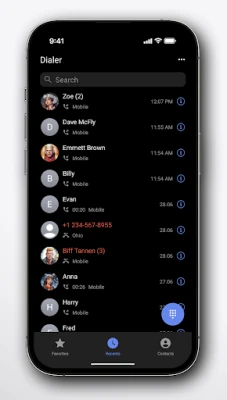
Right Dialer is a free Android application developed by Goodwy that replaces the standard phone dialer with a more flexible, user‑focused experience. It aims to give users control over the look and feel of their calling screen while keeping the core functionality straightforward and reliable.
Main Features
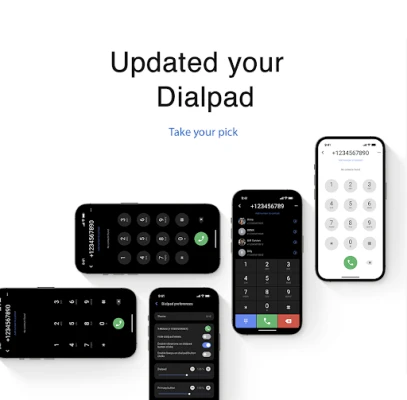
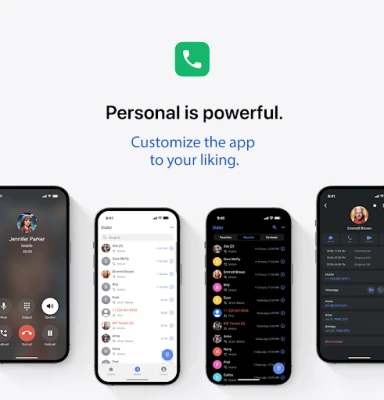
- Theme and color customization – Choose from a selection of built‑in themes or adjust colors to match your device’s aesthetic.
- Speed‑dial shortcuts – Assign frequently called numbers to a single tap for faster access.
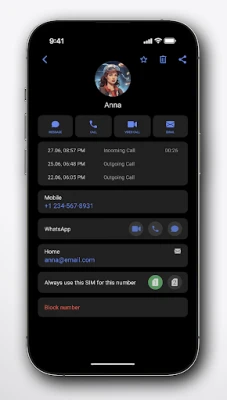
- Dual‑SIM support – Easily select which SIM to use for each call when your device has two active SIM cards.
- Simple, ad‑free interface – The app focuses on essential dialing functions without disruptive advertisements.
How It Works
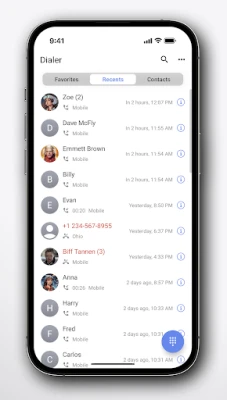
After installation, Right Dialer becomes the default dialing app if you choose to set it that way in your system settings. The home screen displays a numeric keypad surrounded by your chosen theme. Long‑pressing a number opens a menu where you can add a contact to a speed‑dial slot or edit an existing entry. The app pulls contact information from your phone’s address book, so any changes you make to contacts are reflected automatically.
Practical Uses
- Personalized look – Users who enjoy matching their phone’s UI can adjust the dialer’s colors to complement wallpapers or other apps.
- Quick access to frequent calls – Assigning speed‑dial slots reduces the steps needed to call family, work numbers, or services you contact often.
- Managing two SIM cards – When traveling or using separate personal and business lines, the dual‑SIM selector makes it clear which line will be used for each call.
Installation Information
Right Dialer is distributed as a free APK. To install, download the file from a reputable source, enable installation from unknown sources if required, and follow the standard Android installation prompts. After the app appears in your app drawer, you can open it and follow the on‑screen instructions to set it as the default dialer.
Things to Know Before Installing
- The app does not request unnecessary permissions beyond those needed to place calls and read contacts.
- Because it replaces the default dialer, you may need to grant additional permissions for call logs and phone state during the first run.
- All customizations are stored locally on the device; no cloud account is required.
Who May Find It Useful?
Anyone who wants a more personalized calling experience will benefit from Right Dialer. It is especially handy for users with dual‑SIM devices, people who rely on speed‑dial for routine calls, and those who prefer an ad‑free environment without extra bloat.
Frequently Asked Questions
Can I revert to the stock dialer?
Yes. Go to your device’s Settings → Apps → Default apps and select the original phone app as the default.
Does Right Dialer support call blocking?
The current version focuses on dialing and customization; call‑blocking features are not included.
Is my contact data safe?
The app only reads contacts to display them in the dialer. It does not transmit data to external servers.
Rate the App
User Reviews















Popular Apps










 Games
 Entertainment
 Communication
 E-mail
 Security
 Tools
 Media
 Internet
 Finance
 Design
 Education
 Android Firmwares
 Travel & Local
 Android
 Windows
 Linux