

Latest Version
September 07, 2026
SMS tools
Communication
Android
31
Free
com.jb.receivesms
Report a Problem
More About Receive SMS Temporary Number – Private Messaging Made Simple
What is Receive SMS Temporary Number?
Receive SMS Temporary Number is a free Android tool that lets you obtain a short‑lived phone number for receiving text messages. The app acts as a bridge between online services that require SMS verification and your real phone, helping you protect your personal number from exposure.
Main Features
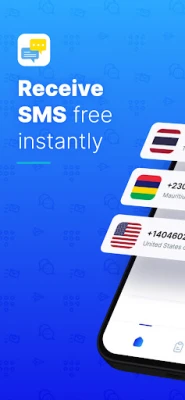
- Disposable numbers – Get a temporary number that can receive SMS without linking to your own device.
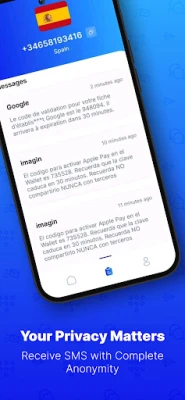
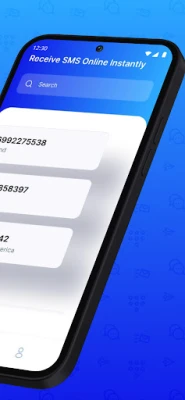
- Simple inbox – View incoming messages directly inside the app’s clean interface.
- Privacy focus – Keep your real phone number hidden when signing up for websites, apps, or social platforms.
How It Works
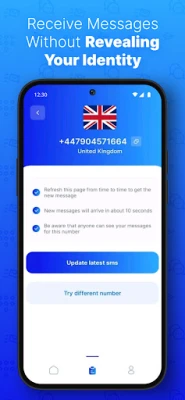
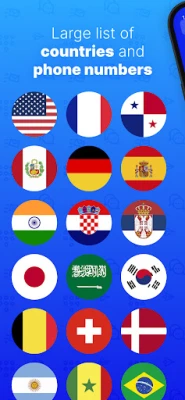
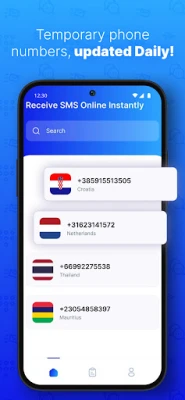
When you launch the app, it presents a list of available temporary numbers. Choose a number that matches the country code you need, then use that number during the verification step of the service you are registering for. Any SMS sent to the selected number appears in the app’s inbox, allowing you to read verification codes or messages without exposing your personal contact information.
Practical Uses
- Signing up for social media accounts that require phone verification.
- Completing online purchases that send order confirmations via SMS.
- Registering for temporary services, contests, or newsletters.
- Testing apps that need SMS input during development.
Installation Information
The app is distributed as a free download from the Google Play Store. Installation follows the standard Android process: tap Install, grant any required permissions, and launch the app from your app drawer.
Things to Know Before Installing
- The app may request permission to read SMS messages so it can display incoming texts.
- Temporary numbers are shared resources; messages are visible only to you while the number is active.
- Numbers are recycled after a period of inactivity, which means they are not suitable for long‑term contacts.
Who May Find It Useful?
Anyone who values privacy when interacting with online services can benefit from this tool. It is especially handy for users who frequently create new accounts, developers testing SMS workflows, or anyone who wants to avoid giving out their personal phone number.
Frequently Asked Questions
Is the app safe to use?
The app operates within Android’s permission framework and does not require root access. It only reads SMS messages that are directed to the temporary numbers it provides.
Can I keep a number for a long time?
Numbers are intended for short‑term use. They may be reclaimed after a period of inactivity, so they are best suited for one‑time verification steps.
Do I need an internet connection?
Yes. The app retrieves available numbers and receives messages through an online service, so a data connection is required.
Rate the App
User Reviews















Popular Apps










 Games
Games Entertainment
 Communication
 E-mail
 Security
 Tools
Tools Media
Media Internet
 Finance
 Design
 Education
 Android Firmwares
 Travel & Local
 Android
 Windows
 Linux
Linux