



Latest Version
September 11, 2026
Quetta Networks
Communication
Android
12
Free
net.quetta.browser
Report a Problem
More About Quetta – Private Video‑Enabled Android Browser
What is Quetta?
Quetta is a free Android browser developed by Quetta Networks. Built on the Chromium engine, it aims to give users a fast, customizable browsing experience while keeping ads and trackers to a minimum. In addition to standard web navigation, Quetta includes a video‑download feature that lets you save supported media for offline viewing.
Main Features
- Chromium foundation – Offers the familiar performance and compatibility of Chrome on Android.
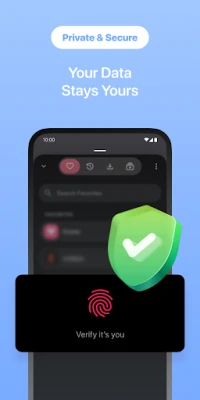
- Privacy‑focused tools – An ad blocker and tracker protection are enabled by default, helping pages load quicker and reducing unwanted data collection.
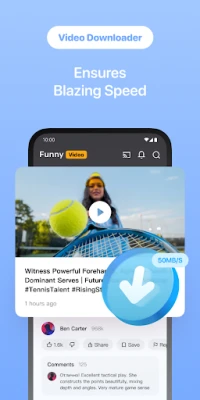
- Video downloader – Allows you to download videos from sites that permit saving, with a built‑in manager for easy organization.
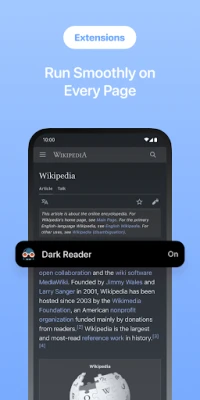
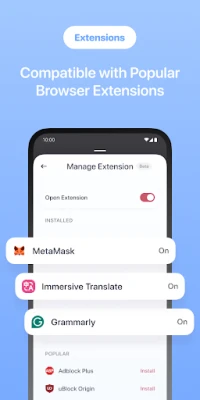
- Extension support – You can install extensions from the Chrome Web Store or compatible Edge add‑ons, extending the browser’s functionality.
- Gesture controls – Simple gestures let you adjust brightness or volume while watching media.
How It Works
When you open Quetta, the browser loads web pages using Chromium’s rendering engine, which means most modern sites display correctly. The integrated ad blocker scans page elements and blocks known ad networks and tracking scripts before the page renders. If a page contains a video that the site’s terms allow downloading, the download button appears, and the file is saved to Quetta’s internal download manager.
Practical Uses
- Browsing news or social media without intrusive pop‑ups.
- Saving tutorial videos or lectures for offline study.
- Using familiar desktop extensions on a mobile device.
- Keeping a lower profile online thanks to built‑in anti‑tracking measures.
Installation Information
Quetta can be installed from the Google Play Store. Search for the package name net.quetta.browser or the app name “Quetta – Video Private Browser.” The download size and required Android version are not listed, so ensure your device has sufficient storage and runs a recent Android release.
Things to Know Before Installing
- Because the app includes a video downloader, downloading copyrighted material without permission may violate local laws.
- Extension compatibility depends on the specific add‑on; not all Chrome extensions work perfectly on mobile.
- Ad‑blocking may occasionally interfere with site functionality, especially on sites that rely on ads for content delivery.
Who May Find Quetta Useful?
Quetta is suited for users who want a Chrome‑like experience but prefer more control over privacy and media handling. It appeals to students, frequent travelers, and anyone who watches videos on the go and wants an easy way to keep them offline.
Frequently Asked Questions
Is Quetta free to use?
Yes, the application is offered free of charge.
Does Quetta require a Google account?
No special account is needed; the browser works independently of Google services.
Can I sync bookmarks with other browsers?
Quetta does not provide built‑in sync features, so you would need to export or import bookmarks manually.
Are my downloads stored securely?
Downloads are saved within the app’s private storage area. Access to those files follows Android’s standard file‑permission model.
Rate the App
User Reviews
Other Apps in This Category














Popular Apps










 Games
Games Entertainment
 Communication
 E-mail
 Security
 Tools
Tools Media
Media Internet
 Finance
 Design
 Education
 IT Tools
 Travel & Local
 Android
 Windows
 Linux
Linux