

Latest Version
Latest
August 22, 2026
Moez Bhatti
Communication
Android
197
Free
com.moez.QKSMS
Report a Problem
More About QKSMS – Open‑source, ad‑free messaging for Android
What is QKSMS?
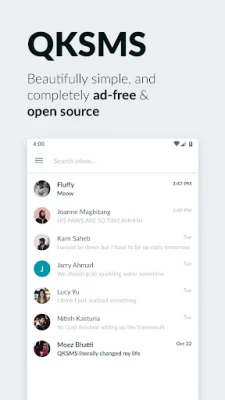
QKSMS is a free Android messaging client developed by Moez Bhatti. It replaces the default SMS app with a modern, ad‑free interface that respects user privacy. The app is open source, meaning its code is publicly available for review and contribution.
Main features
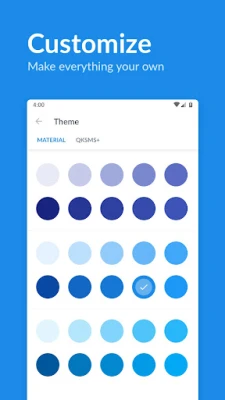
- Customizable appearance – Choose from a wide palette of colors to theme the whole app or individual conversations.
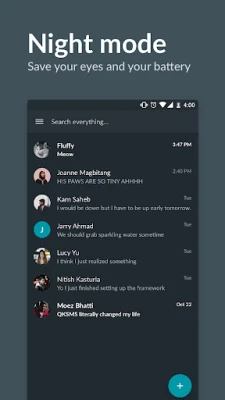
- Night mode – Switch manually or let the app follow the system’s dark‑theme setting.
- Per‑contact notifications – Assign distinct tones or vibration patterns to specific contacts for easier prioritisation.
- MMS support – Send photos, stickers and other media within group chats.
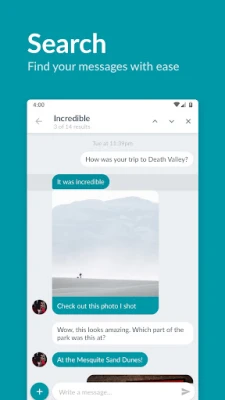
- Conversation search – Locate past messages quickly with a built‑in search function.
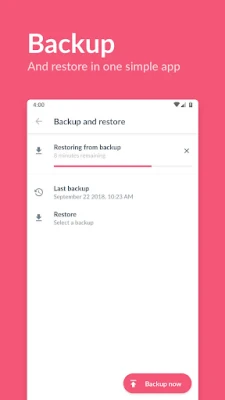
- Backup and restore – Export your message history and import it later without needing a separate utility.
- Spam filtering – Integrates with the “Should I Answer?” service to identify potential spam messages.
- Reply shortcuts – Respond from the notification shade, a floating popup, or a Wear OS watch.
- Accessibility – Includes a high‑contrast theme and full TalkBack support.
How it works
After installation, QKSMS becomes the default SMS handler when you grant the required permissions. The app reads incoming messages from the system’s SMS provider and displays them in a conversation‑based view. Outgoing messages are sent through the same provider, ensuring compatibility with any carrier‑supported SIM configuration, including dual‑SIM devices.
Practical uses
- People who prefer a clutter‑free texting experience without ads.
- Users who like to personalise the look of their messaging app.
- Anyone needing reliable backup of their SMS history.
- Individuals who want built‑in spam detection for unwanted texts.
Installation information
QKSMS can be installed directly from the Google Play Store. The app requires standard SMS permissions to read and send messages. No additional configuration is needed for basic operation, though you can enable optional features such as night mode or custom notification sounds in the settings menu.
Things to know before installing
- The app does not include advertisements or in‑app purchases.
- Because it is open source, updates are driven by community contributions and the developer’s roadmap.
- Backup files are stored locally; you should copy them to external storage or cloud services if you need an off‑device copy.
Who may find QKSMS useful?
QKSMS appeals to users who value privacy, customisation, and a straightforward messaging interface. It is also a good fit for developers or enthusiasts who appreciate open‑source software and may want to inspect or modify the code.
Frequently asked questions
Is QKSMS compatible with dual‑SIM phones?
Yes. The app detects multiple SIM slots and lets you choose which line to use for each message.
Can I use QKSMS on Android 7.0 or newer?
QKSMS works on Android versions that support the standard SMS provider API. Specific minimum version details are listed on the Play Store page.
How are backups performed?
Backups are created as local files that you can export from the app’s settings. Restoring simply involves selecting the backup file and confirming the operation.
Is the app safe to use?
Because QKSMS is open source, its code can be audited by anyone. It does not contain third‑party advertising SDKs.
Rate the App
User Reviews















Popular Apps










 Games
 Entertainment
 Communication
 E-mail
 Security
 Tools
 Media
 Internet
 Finance
 Design
 Education
 Android Firmwares
 Travel & Local
 Android
 Windows
 Linux