

Latest Version
Latest
September 06, 2026
PureBrowser
Communication
Android
8
Free
pure.lite.browser
Report a Problem
More About Pure Web Browser – Ad Blocker & Video Downloader
What is Pure Web Browser‑Ad Blocker?
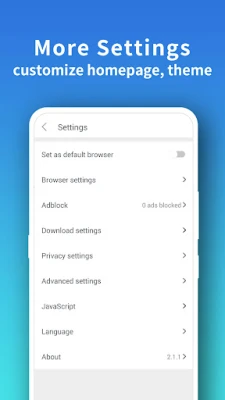
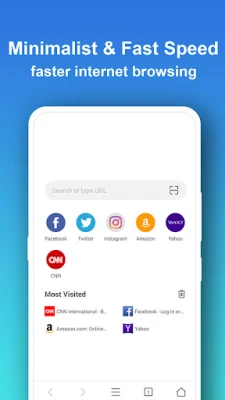
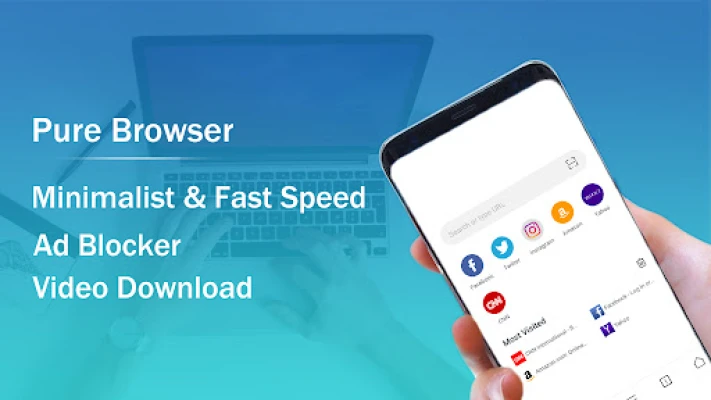
Pure Web Browser‑Ad Blocker is a free Android browser designed for devices with limited storage or modest hardware. It combines basic web‑navigation tools with an integrated ad‑blocking engine and a built‑in video downloader, offering a smoother, less cluttered browsing experience.
Main features
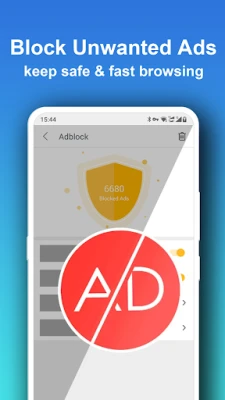
- Ad blocking – Filters most banner and pop‑up ads while you browse, reducing page load times and data usage.
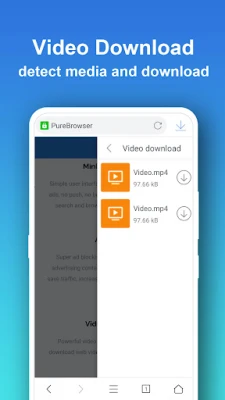
- Video download – Detects video streams on supported sites and lets you save them to your device for offline viewing.
- Incognito mode – Opens pages without storing history, cookies or form data.
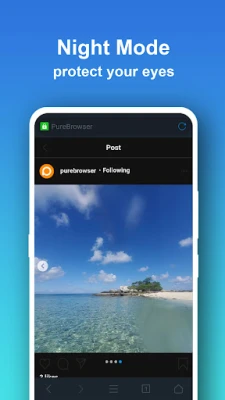
- Night mode – Dark colour scheme that eases eye strain in low‑light environments.
- Screenshot capture – One‑tap capture of the current page.
- QR‑code scanner – Scan codes to open URLs instantly.
- Offline pages – Save a page for later reading without an internet connection.
- Bookmarks and history – Simple management of favourite sites and recent visits.
- Page translation – Quick translation of web content using the device’s language services.
- Find in page – Search for specific text within the current page.
How it works
The browser uses the Android WebView component as its rendering engine. When a page loads, the built‑in ad‑blocking filter checks each request against a lightweight rule set and blocks matches before they reach the screen. The video downloader monitors network activity for recognizable media streams; when a downloadable video is detected, a download button appears in the toolbar.
Practical uses
- Browsing on older phones where full‑size browsers feel sluggish.
- Saving data by preventing unwanted ads and reducing page weight.
- Downloading tutorials, music videos or short clips for offline playback.
- Reading articles at night without bright backgrounds.
- Keeping browsing sessions private on shared devices.
Installation information
The app is distributed as a free APK. After downloading, enable installation from unknown sources (if required) in your device settings, then follow the standard installation prompts.
Things to know before installing
- The app does not claim to be an official browser from any major platform.
- Ad‑blocking effectiveness depends on the rule set bundled with the app; some newer ad formats may not be blocked.
- Video downloading works on many popular sites, but may not support every streaming service.
- Because the browser is lightweight, it may lack advanced developer tools or extensive extension support found in larger browsers.
Who may find it useful?
Users with low‑end Android devices, those who want a simple browser without extra bloat, and anyone who frequently needs to save online videos for later viewing will benefit from Pure Web Browser‑Ad Blocker.
Frequently asked questions
Does the browser collect personal data?
Pure Web Browser‑Ad Blocker does not advertise any data‑collection practices. It operates locally on the device and does not require an account.
Can I use multiple themes?
The interface includes a default light and dark theme; additional colour schemes are not advertised.
Is the video downloader legal?
Downloading content is permissible only for material you have the right to save. Users should respect copyright and the terms of the source website.
Rate the App
User Reviews














Popular Apps










 Games
Games Entertainment
 Communication
 E-mail
 Security
 Tools
Tools Media
Media Internet
 Finance
 Design
 Education
 IT Tools
 Travel & Local
 Android
 Windows
 Linux
Linux