

Latest Version
Latest
August 17, 2026
Maple Media
Communication
Android
58
Free
xyz.klinker.messenger
Report a Problem
More About Pulse SMS – Free Messaging App for Android
What is Pulse SMS?
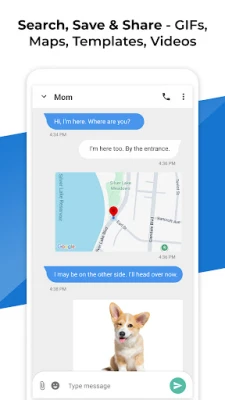
Pulse SMS is a free text‑messaging application for Android phones and tablets. Developed by Maple Media, it replaces the default messaging client with a more customizable experience while keeping the core functions of sending and receiving SMS and MMS.
Main features
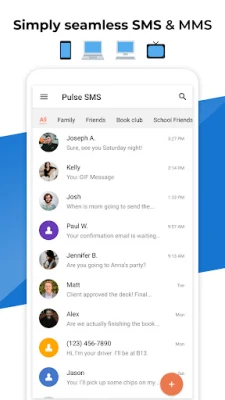
- Clean design – The app uses a modern layout with smooth transitions that make reading and composing messages feel natural.
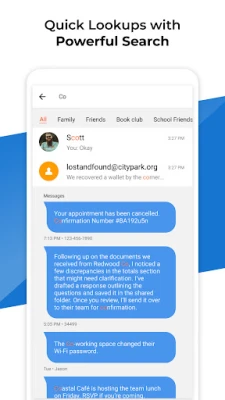
- Conversation organization – Users can pin important threads, archive old chats, and search within messages to find past information quickly.
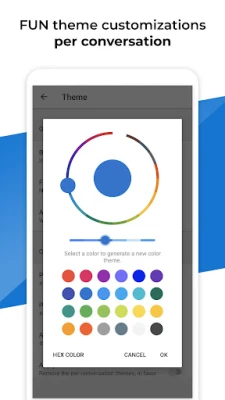
- Basic customization – Color themes, bubble styles, and font sizes can be adjusted to match personal preferences.
- Device sync option – Pulse SMS offers an optional account‑based sync that lets you view your messages on multiple Android devices.
- Smart replies – Suggested short replies appear while you type, helping you respond faster.
How it works
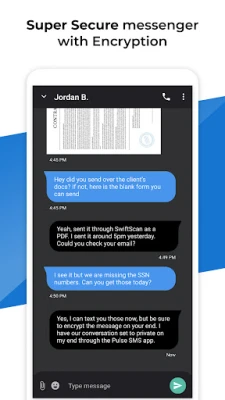
After installing Pulse SMS, the app registers as the default messaging handler. It reads incoming SMS/MMS from the system and stores them in its own database. When you compose a new message, the app uses the standard Android SMS APIs to deliver it to the carrier. If you enable the optional sync feature, the app encrypts your messages and uploads them to a secure cloud store linked to your Pulse account, making them available on any other device where you sign in.
Practical uses
- Keep personal and work conversations separate by assigning different colors or bubble styles.
- Search for a phone number or keyword across all chats without opening each thread.
- Access your recent messages from a tablet or secondary phone when you’re on the go.
Installation information
Pulse SMS can be downloaded directly from the Google Play Store. The installation process follows the standard Android flow: tap Install, grant the required permissions for SMS and storage, and set Pulse SMS as the default messaging app when prompted.
Compatibility
The app is built for Android devices that support the standard messaging APIs. It works on both phones and tablets, and it can run on devices with multiple SIM cards.
Things to know before installing
- Because the app handles SMS, it requires permission to read and send messages as well as access to storage for media attachments.
- The optional sync feature creates a cloud backup; using it is optional and can be disabled at any time in the settings.
- Pulse SMS is free to use, but some advanced customization options may be offered as in‑app purchases.
Who may find it useful?
Anyone who wants a more flexible alternative to the stock messaging app will appreciate Pulse SMS. It is especially handy for users who manage multiple conversations daily, need quick search capabilities, or prefer a unified view of messages across several Android devices.
Frequently asked questions
Is Pulse SMS safe to use?
The app stores messages locally on your device and encrypts any data that is synced to the cloud. It does not share your message content with third parties.
Can I use Pulse SMS with two SIM cards?
Yes, the app supports dual‑SIM devices and lets you choose which SIM to use for each outgoing message.
Do I need an internet connection to send SMS?
No. Sending SMS uses your carrier’s network. An internet connection is only required for optional features such as cloud sync or downloading smart reply suggestions.
Rate the App
User Reviews















Popular Apps










 Games
Games Entertainment
 Communication
 E-mail
 Security
 Tools
Tools Media
Media Internet
 Finance
 Design
 Education
 Android Firmwares
 Travel & Local
 Android
 Windows
 Linux
Linux