




Latest Version
Latest
August 28, 2026
CloudMosa Inc
Communication
Android
121
Free
com.cloudmosa.puffinFree
Report a Problem
More About Puffin Web Browser – Cloud‑Accelerated Mobile Browser
What is Puffin Web Browser?
Puffin Web Browser is a free Android browser developed by CloudMosa Inc. It distinguishes itself by routing web pages through remote servers, which handle most of the processing before delivering a compressed view to your device. This approach can make page loads feel quicker, especially on slower connections.
Main features
- Cloud‑powered rendering – Web pages are rendered on Puffin’s servers, reducing the workload on your phone’s CPU and often resulting in faster load times.
- Built‑in ad blocker – Unwanted ads are filtered out before the page reaches your screen, helping to keep the browsing experience cleaner.
- Flash support – Puffin continues to support Adobe Flash content by processing it in the cloud, allowing you to view legacy Flash videos and games that many modern browsers no longer handle.
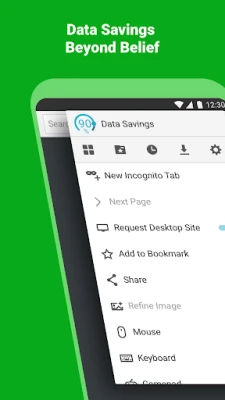
- Data compression – The service compresses web data before it is sent to your device, which can lower bandwidth usage on limited data plans.
- Desktop and mobile view modes – Switch between a mobile‑optimized layout and a full desktop view for sites that require a larger screen.
- Virtual trackpad and gamepad – When using the desktop mode, a virtual trackpad appears to make navigation and gaming more comfortable on a touch screen.
How it works
When you enter a URL, Puffin sends the request to its cloud infrastructure located in several data centers. The remote server fetches the page, runs JavaScript, renders Flash, and compresses the visual output. The compressed stream is then sent back to your phone, where the app decodes it and displays the result. Because the heavy lifting happens off‑device, the browser can run smoothly even on older hardware.
Practical uses
- Traveling on limited data – The compression can stretch a modest data allowance further.
- Using public Wi‑Fi – Encrypted connections between the app and the cloud add a layer of privacy on unsecured networks.
- Accessing Flash‑based tools – Educational or legacy web applications that still rely on Flash remain usable.
- Browsing on low‑end devices – Users with modest processors benefit from the off‑loaded rendering.
Installation information
The app is available through the Google Play Store. Search for “Puffin Web Browser” or use the package name com.cloudmosa.puffinFree. Installation follows the standard Android process: tap Install, grant any required permissions, and launch the app from your app drawer.
Compatibility
Puffin is listed as a free application for Android. Specific OS version requirements are not disclosed, but the Play Store will prevent installation on devices that do not meet the minimum criteria.
Things to know before installing
- Because browsing is performed on remote servers, a stable internet connection is required for optimal performance.
- Some websites may detect the cloud‑based proxy and restrict content based on the server’s location.
- Regional restrictions can affect availability; the service may be unavailable in certain countries or on some institutional networks.
Who may find it useful?
Anyone who wants a faster browsing experience on a limited‑performance Android device, users who need occasional Flash support, and those looking to reduce mobile data consumption can benefit from Puffin.
Frequently asked questions
Is Puffin safe to use on public Wi‑Fi?
The connection between your device and Puffin’s servers is encrypted, which adds protection when you are on unsecured networks.
Do I need to pay for the browser?
The base version of Puffin is free to download and use. Additional subscription options may be offered within the app, but the core browsing experience remains available without charge.
Can I download files through Puffin?
Yes, the browser supports downloading files. Large files are transferred through the cloud, so download speed depends on both your network and the server’s capacity.
Rate the App
User Reviews















Popular Apps










 Games
 Entertainment
 Communication
 E-mail
 Security
 Tools
 Media
 Internet
 Finance
 Design
 Education
 Android Firmwares
 Travel & Local
 Android
 Windows
 Linux