




Latest Version
Latest
September 01, 2026
CloudMosa Inc
Communication
Android
2
Free
com.cloudmosa.puffinIncognito
Report a Problem
More About Puffin Incognito Browser – Private Mobile Browsing
What is Puffin Incognito Browser?
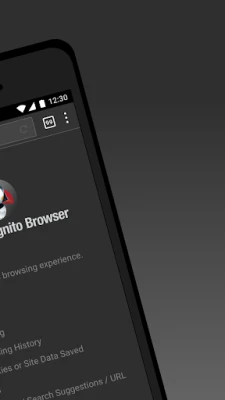
Puffin Incognito Browser is a mobile web browser designed for Android devices that prioritises privacy. Developed by CloudMosa Inc, it runs in a mode that does not retain browsing history, cookies, or site data after the session ends. The goal is to give users a straightforward way to browse the web without leaving traces on the device.
Main features
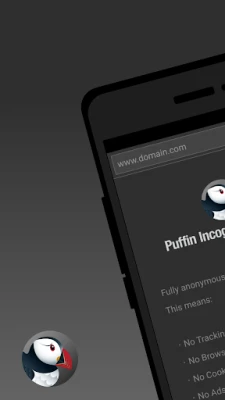
- No IP tracking – The browser routes traffic through remote servers, helping to mask the device’s public IP address.
- No location tracking – It does not request or store location information.
- Automatic data clearing – When you close a tab or become inactive, the session is terminated and any temporary data is removed.
- Minimal permissions – The app requests only the permissions required for basic browsing, avoiding unnecessary access to contacts, storage, or other sensitive areas.
How it works
When you open a page, Puffin Incognito forwards the request to its cloud servers, which fetch the content and render it before sending a compressed view back to your device. This architecture reduces the amount of data stored locally and helps keep your browsing activity private from apps or system logs on the phone.
Practical uses
The browser is useful in situations where you need a quick, private look‑up without signing into a regular account, such as checking public information, researching topics on a shared device, or browsing while traveling. Because it does not retain cookies, each session starts with a clean slate, which can also help avoid personalized ads.
Installation information
To install Puffin Incognito Browser, locate it in the Google Play Store, tap Install, and follow the standard Android installation prompts. The app is offered free of charge, and there are no mandatory in‑app purchases required to use the core private browsing functionality.
Things to know before installing
- The browsing experience depends on the performance of Puffin’s remote servers; a stable internet connection provides the best results.
- Because traffic is routed through external servers, some websites that block proxy or VPN traffic may not load correctly.
- Regional restrictions may apply; the service can be unavailable in certain countries or on networks that block cloud‑based browsing.
Who may find it useful?
Anyone who values on‑device privacy can benefit from Puffin Incognito Browser. This includes frequent travelers, students using shared computers, journalists, or anyone who simply prefers not to leave a browsing footprint on their phone.
Frequently asked questions
Does the browser store any data locally?
By design, it clears session data automatically. No persistent cookies or history are saved after you close a tab or become inactive.
Is an internet connection required?
Yes. Since the browser relies on cloud servers to fetch and render pages, a data or Wi‑Fi connection is necessary for operation.
Can I use extensions or add‑ons?
The incognito mode focuses on simplicity and privacy, so third‑party extensions are not supported.
Rate the App
User Reviews















Popular Apps










 Games
Games Entertainment
 Communication
 E-mail
 Security
 Tools
Tools Media
Media Internet
 Finance
 Design
 Education
 IT Tools
 Travel & Local
 Android
 Windows
 Linux
Linux