Latest Version
Latest
August 13, 2026
Proton AG
Communication
Android
409
Free
ch.protonmail.android
Report a Problem
More About Proton Mail: Encrypted Email
What is Proton Mail?
Proton Mail is an email service that focuses on privacy and security. The Android app lets you access a Proton Mail account, create a new @proton.me or @protonmail.com address, and communicate with end‑to‑end encryption built into the client.
Main features
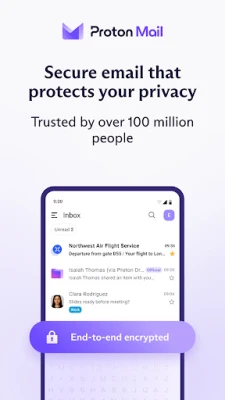
- End‑to‑end encryption – messages are encrypted on your device before they leave, and only the intended recipient can decrypt them.
- Multiple accounts – you can add and switch between several Proton Mail accounts without leaving the app.
- Secure attachments – files are encrypted alongside the email content.
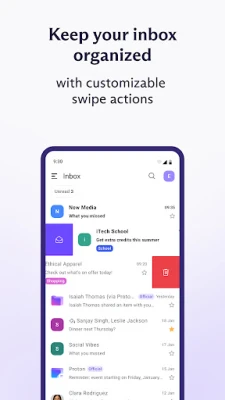
- Folder and label organization – keep your inbox tidy with custom folders, labels, and swipe gestures.
- Dark mode – a system‑aware dark theme reduces eye strain in low‑light environments.
- Notifications – receive push notifications for new messages as they arrive.
How it works
The app generates encryption keys locally on your device. When you compose a message, the content and any attachments are encrypted before they are sent to Proton’s servers. Recipients who also use Proton Mail can read the message directly; non‑Proton recipients receive a password‑protected link that they can unlock with a shared password.
Practical uses
- Protecting personal correspondence from unwanted eyes.
- Sending confidential work documents without relying on corporate VPNs.
- Managing separate personal and professional email identities in one place.
Installation information
The app is distributed as a free download from the Google Play Store. After installation, you can either sign in with an existing Proton Mail account or create a new address directly within the app.
Things to know before installing
- The app requires an Android device with a recent version of the operating system; exact minimum version is listed on the Play Store page.
- While the core email functions are free, Proton offers paid plans that add extra storage and advanced features.
- Because encryption keys are stored locally, losing access to your device may require a recovery process using your account’s recovery email or phone number.
Who may find it useful?
Anyone who values privacy in their digital communications – journalists, activists, business professionals, or everyday users who simply want to keep their email content private – will benefit from Proton Mail’s approach.
Frequently asked questions
Do I need a Proton account to use the app?
Yes. The app works with Proton Mail accounts; you can create one during the onboarding process.
Can I send encrypted email to non‑Proton users?
Yes. The app can generate a password‑protected link that non‑Proton recipients can open with a shared password.
Is the app free?
The basic version is free to download and use. Optional paid plans provide additional storage and features.
Rate the App
User Reviews















Popular Apps










 Games
Games Entertainment
 Communication
 E-mail
 Security
 Tools
Tools Media
Media Internet
 Finance
 Design
 Education
 Android Firmwares
 Travel & Local
 Android
 Windows
 Linux
Linux