

Latest Version
Latest
August 13, 2026
rafalense
Communication
Android
258
Free
org.telegram.plus
Report a Problem
More About Plus Messenger – Customizable Telegram‑based Chat App
What is Plus Messenger?
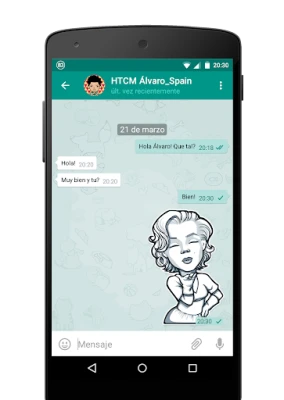
Plus Messenger is an unofficial Android client that works with the Telegram API. It lets you access all standard Telegram functions—messaging, groups, channels and bots—while offering a range of optional customizations that are not available in the official app.
Main features
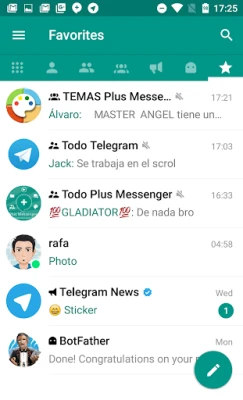
- Separate tabs for different chat types: Users, groups, channels, bots, favorites and unread messages each have their own tab, making navigation quicker.
- Customizable tab layout: You can reorder, rename or hide tabs to match your workflow.
- Multi‑account support: Switch between up to ten Telegram accounts without logging out.
- Chat categories: Group chats into personal collections such as family, work or hobbies, and save those groupings for later use.
- Extended pinning and favorites: Pin up to 100 chats and keep up to 20 favorite stickers.
- Floating online status: Optional notifications show when contacts are typing or online.
- Bulk actions: Select multiple chats to mark as read, mute, archive or delete in one step.
- Forwarding improvements: Forward messages without quoting and edit captions before sending.
- Media handling: Save documents with their original filenames and view download progress directly in the chat.
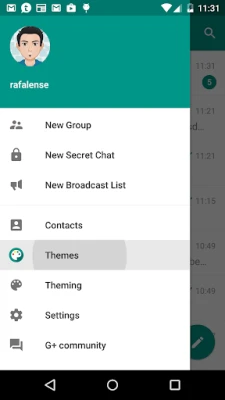
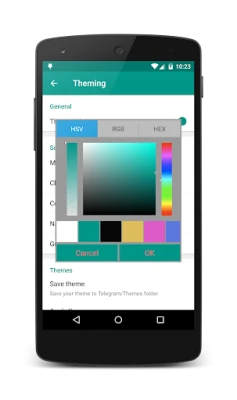
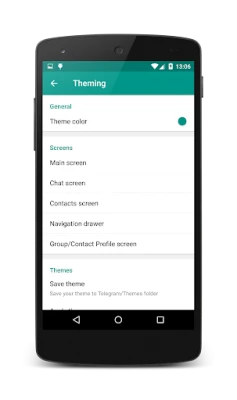
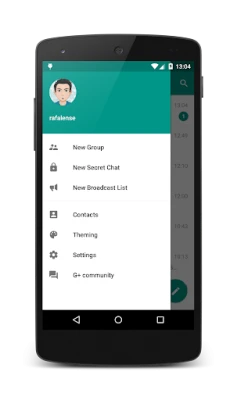
- Appearance tweaks: Choose from more than ten bubble styles, switch night mode, adjust photo quality before sending, and replace the mobile number with a username in the navigation drawer.
How it works
After installing Plus Messenger, you log in with your existing Telegram phone number. The app communicates with Telegram’s servers in the same way the official client does, so all your chats, contacts and settings are synchronized. The additional interface options are applied locally, so you can tailor the look and behavior without affecting other devices.
Practical uses
- Power users who manage several Telegram accounts can keep them all in one place.
- People who belong to many groups benefit from separate tabs and custom categories, reducing clutter.
- Users who prefer a personalized visual style can experiment with different bubble designs and night‑mode settings.
Installation information
Plus Messenger is distributed as a free APK. To install, enable "Install unknown apps" for the source you use, download the file, and follow the standard Android installation prompts. No additional configuration is required beyond the initial login.
Compatibility
The app runs on Android devices that support the Telegram API. Specific minimum Android version information is not published, but the client works on most modern smartphones and tablets.
Things to know before installing
- Because it is an unofficial client, updates are released independently of Telegram’s official releases.
- All core messaging functions rely on Telegram’s servers, so any service outage affecting Telegram will also affect Plus Messenger.
- The app does not claim any special security guarantees beyond those provided by Telegram itself.
Who may find Plus Messenger useful?
Anyone who enjoys Telegram’s messaging platform but wants more control over how chats are organized and displayed will appreciate Plus Messenger. It is especially handy for users who juggle multiple accounts or participate in large numbers of groups and channels.
Frequently asked questions
Is Plus Messenger safe to use?
It uses the same encrypted connection as the official Telegram client. However, because it is not an official product, you should keep the app updated and review any permissions it requests.
Can I use Plus Messenger alongside the official Telegram app?
Yes. Both apps can be installed simultaneously, and each maintains its own settings and appearance preferences.
Do my messages stay private?
Message encryption is handled by Telegram’s servers. Plus Messenger does not alter that process, so privacy is comparable to using the official client.
Rate the App
User Reviews















Popular Apps










 Games
Games Entertainment
 Communication
 E-mail
 Security
 Tools
Tools Media
Media Internet
 Finance
 Design
 Education
 Android Firmwares
 Travel & Local
 Android
 Windows
 Linux
Linux