

Latest Version
Latest
September 18, 2026
PingMe
Communication
Android
4
Free
tel.pingme
Report a Problem
More About PingMe – Second Phone Number for Android
What is PingMe?
PingMe is a free Android app that creates a virtual second phone number on your device. The additional number works like a regular mobile line for receiving text messages, especially verification codes, without exposing your primary number.
Main features
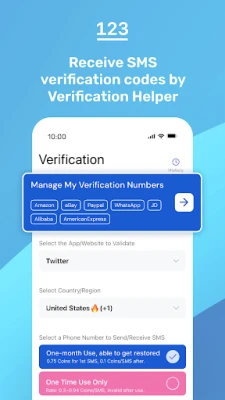
- Separate number for verification – Use the virtual line to receive one‑time passwords (OTPs) from services that require SMS confirmation.
- Privacy‑focused – Keep your personal number private when signing up for new apps, websites, or online services.
- Multiple numbers – The app can manage more than one virtual number, allowing you to allocate a different line for different purposes.
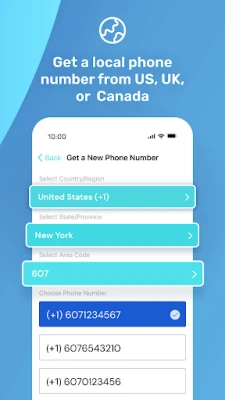
- Easy activation – Numbers are provisioned through the app and become usable within minutes.
How it works
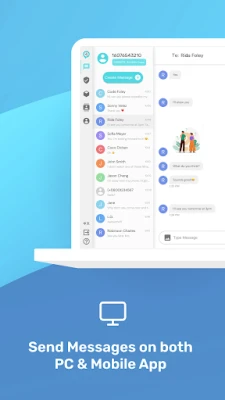
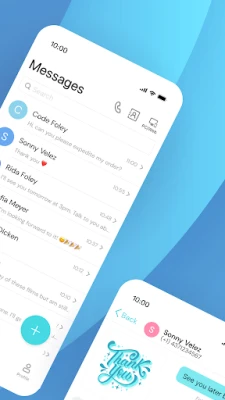
When you launch PingMe, the app contacts its backend service to allocate a virtual phone number from the pool of available numbers. Once the number is assigned, incoming SMS messages are routed to the app and displayed in a simple inbox view. You can copy the code or forward the message as needed. The virtual number behaves like a regular mobile line for receiving texts, but it does not support voice calls.
Practical uses
- Signing up for social media, gaming, or e‑commerce platforms that require SMS verification.
- Testing an app’s registration flow without using your personal number.
- Keeping work‑related accounts separate from personal contacts.
- Traveling abroad and needing a local number for verification without changing your SIM.
Installation information
PingMe is available as a free download from the Google Play Store. After installing, open the app and follow the on‑screen prompts to request a virtual number. No additional configuration is required; the app handles all network communication automatically.
Compatibility
The app runs on Android devices that meet the standard Google Play requirements for modern apps. Specific version numbers are not listed, but the app is designed for recent Android releases and should work on most smartphones released in the last several years.
Things to know before installing
- The virtual number is intended for receiving SMS only; voice calls are not supported.
- Depending on the provider’s policies, some services may reject numbers that are known to be virtual or used for verification.
- Retention of messages is managed by the app; you may need to export or save important codes before they are cleared.
Who may find PingMe useful?
Anyone who frequently creates new online accounts, developers testing authentication flows, travelers who need a temporary local number, or users who simply want to keep their personal phone number private will benefit from PingMe.
Frequently asked questions
Is PingMe really free?
Yes, the app can be downloaded and used without a purchase. Some optional premium features may be offered inside the app, but the core functionality of receiving SMS verification codes is free.
Can I use the virtual number for voice calls?
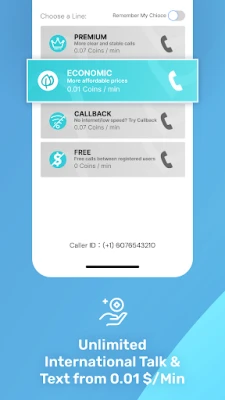
No. The service is limited to SMS reception. For voice calls you would need a separate solution.
Do I need a SIM card to use PingMe?
No physical SIM is required. The virtual number works over data connections, so any internet‑enabled Android device can use it.
How long does a virtual number stay active?
Activation periods vary by provider. The app will indicate when a number is about to expire, and you can request a new one if needed.
Rate the App
User Reviews





![[US] Social Network – Real‑time local connections](https://www.appitika.com/images/17896840845838641.webp)









Popular Apps










 Games
Games Entertainment
 Communication
 E-mail
 Security
 Tools
Tools Media
Media Internet
 Finance
 Design
 Education
 IT Tools
 Travel & Local
 Android
 Windows
 Linux
Linux