

Latest Version
Latest
August 28, 2026
PhoneLeash: Auto-forward SMS, MMS & more to email!
Communication
Android
83
Free
com.gearandroid.phoneleashfree
Report a Problem
More About PhoneLeash: SMS Auto Forwarder – Email Your Texts
What is PhoneLeash?
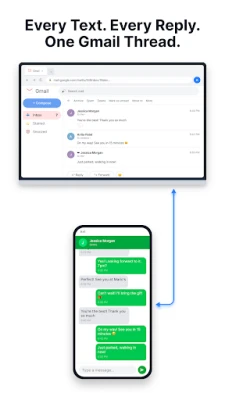
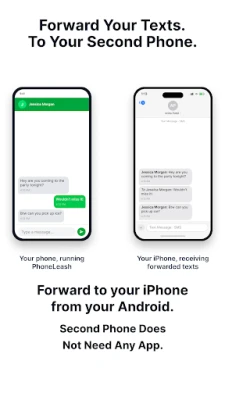
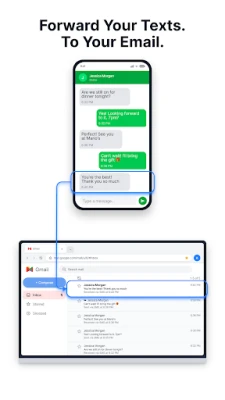
PhoneLeash is a free Android utility that mirrors your text messaging activity to an email account. Every SMS or MMS you send or receive is delivered to your inbox, where it appears as a regular email thread.
Main capabilities
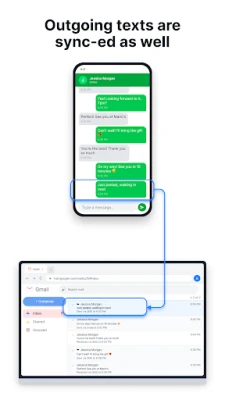
- Two‑way forwarding – both incoming and outgoing messages are sent to email.
- Group chat support – group conversations retain all participants in the forwarded email.
- Media handling – picture messages arrive as email attachments.
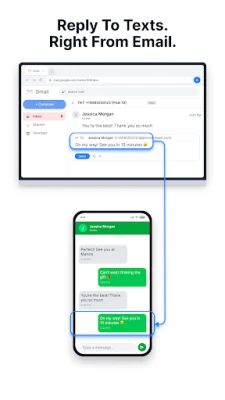
- Reply from email – compose a reply in your mail client and PhoneLeash will transmit it as an SMS or MMS from your phone.
- New messages from email – start a fresh text by emailing a special address with the recipient’s number or contact name.
- Filtering options – forward only messages that match chosen keywords or contacts, and an OTP‑only mode for verification codes.
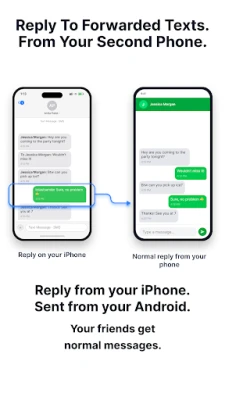
- Dual‑SIM awareness – when a device has two SIM cards, replies are sent from the SIM that originally received the message.
How it works
After installing the app, you configure the email address that will receive the forwarded messages. The app runs in the background, listening for SMS, MMS and supported RCS messages. When a message meets your filtering criteria, it is packaged as an email and sent via the device’s internet connection. Replies are captured from your email client, converted back into a text, and dispatched through the appropriate SIM.
Practical uses
- Keep a searchable archive of all your texts without needing a separate backup tool.
- Access conversations from a computer or tablet where the phone itself may not be handy.
- Never miss one‑time passwords – they can be forwarded instantly to your email.
- Maintain a record of important work‑related SMS exchanges for reference.
Installation notes
The app is available through the standard Android app store. Installation follows the usual process: download, grant the required permissions for reading messages and sending email, and then enable the forwarding service in the app’s settings.
Who might benefit?
Anyone who prefers to manage text communication from an email client – such as professionals who already organize work in Gmail, travelers who want a backup of messages on a laptop, or users who rely on OTP codes delivered by SMS.
Frequently asked questions
- Do I need a specific email provider? No. Any email address that can receive standard messages works.
- Will group replies go to the whole group? Yes, replies to forwarded group texts are sent back to all participants.
- Can I stop forwarding temporarily? A simple text command to the app can pause or resume the service.
- Is the app compatible with dual‑SIM phones? It detects both SIMs and uses the correct one for each reply.
Rate the App
User Reviews















Popular Apps










 Games
 Entertainment
 Communication
 E-mail
 Security
 Tools
 Media
 Internet
 Finance
 Design
 Education
 Android Firmwares
 Travel & Local
 Android
 Windows
 Linux