
Latest Version
September 15, 2026
DIDWW
Communication
Android
22
Free
systems.phone.mobile
Report a Problem
More About phone.systems – Cloud‑Based Business VoIP Softphone
What is phone.systems?
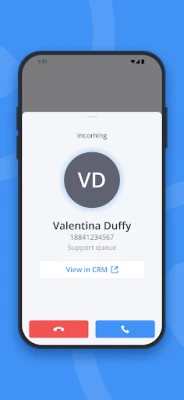
phone.systems is a mobile softphone application developed by DIDWW. It provides a cloud‑based interface for Voice over IP (VoIP) calling, allowing businesses and professionals to place and receive calls through an internet connection rather than traditional telephone lines.
Main features
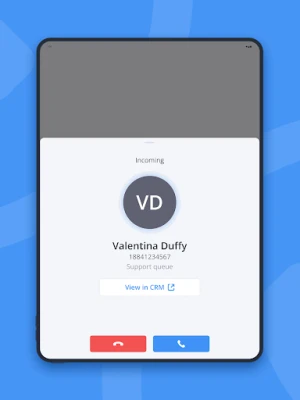
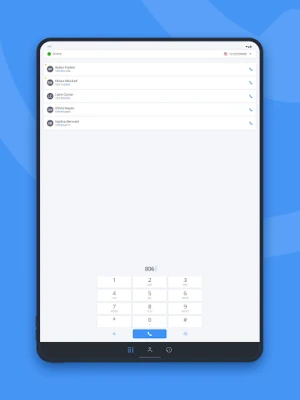
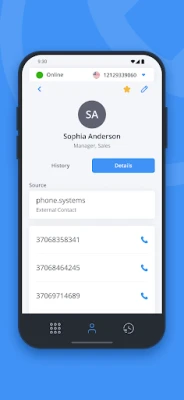
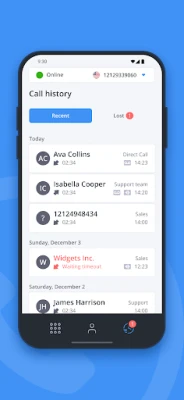
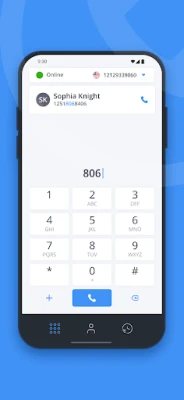
- Softphone interface – A built‑in dialer and contact list that works directly on your Android device.
- Multi‑device sync – Your account settings, contacts and call history are available on any device where you install the app and log in.
- Multiple caller IDs – Assign more than one number to a single line, useful for teams that need separate outbound identities.
- In‑app call recording and voicemail – Record conversations and access voicemail without leaving the application.
- Lost‑call tracking – Calls that were missed are logged so you can follow up later.
How it works
The app itself does not provide a telephone service. After installing phone.systems you must create an account with a compatible VoIP service provider. Once the provider has provisioned your credentials, you enter them into the app. The application then connects to the provider’s servers over the internet and routes calls through that connection.
Practical uses
Because it runs on Android, phone.systems is handy for sales teams, support staff, and remote workers who need a reliable business line without installing desk phones. The shared contact directory lets team members keep a common address book, and the ability to use several caller IDs helps differentiate departments or individual reps.
Installation information
Download the APK from a trusted source, install it, and grant the permissions required for microphone and network access. After launch, follow the on‑screen prompts to add your VoIP provider credentials. No additional hardware is needed; the app works over Wi‑Fi or mobile data.
Things to know before installing
- VoIP traffic may be restricted or billed by some mobile carriers. Check your carrier’s policy before relying on cellular data for calls.
- The app requires an active internet connection; call quality depends on network stability and bandwidth.
- Since the softphone is not a standalone service, you must maintain an account with a VoIP provider that supports the app.
Who may find it useful?
Small and medium‑size businesses that want a flexible, hardware‑free phone solution, freelancers who need a professional outbound number, and any organization that already uses a DIDWW‑compatible VoIP service can benefit from phone.systems.
Frequently asked questions
Do I need a SIM card for this app?
No. The app uses data connections (Wi‑Fi or cellular data) to reach your VoIP provider.
Can I use the app with any VoIP provider?
The app works with providers that support standard SIP credentials. Check with your provider for compatibility.
Is call quality the same as a regular phone line?
Quality depends on your internet connection. A stable, high‑bandwidth network typically provides clear audio, while congested or low‑speed connections may affect clarity.
Is there a cost to use phone.systems?
The application itself is free. Any charges come from your VoIP service plan or data usage.
Rate the App
User Reviews















Popular Apps










 Games
Games Entertainment
 Communication
 E-mail
 Security
 Tools
Tools Media
Media Internet
 Finance
 Design
 Education
 Android Firmwares
 Travel & Local
 Android
 Windows
 Linux
Linux