

Latest Version
Latest
August 18, 2026
drupe - Contacts & Caller ID
Communication
Android
180
Free
mobi.drupe.app
Report a Problem
More About Phone Dialer & Contacts: drupe – Smart Call Management
What is drupe?
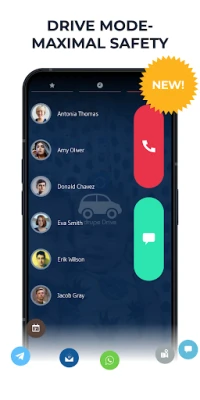
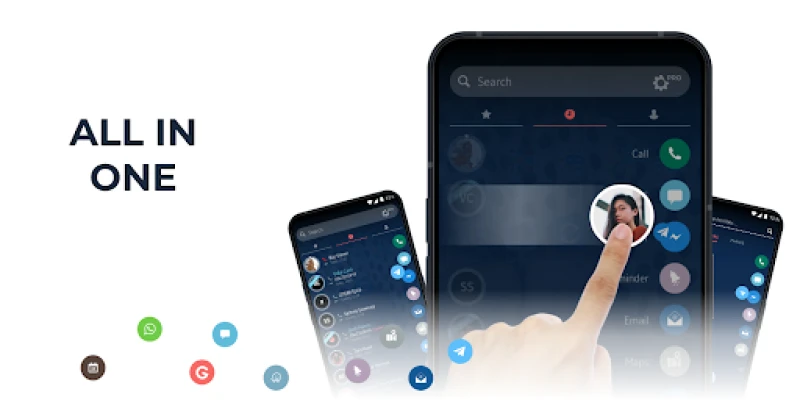
drupe is a free Android application that replaces the standard phone screen with a unified interface for dialing, messaging and managing contacts. It brings together the most common communication tools—phone calls, SMS, and popular messaging apps—so you can reach anyone from a single place.
Main features
- Integrated dialer – Quickly place calls using a searchable list of contacts or by typing a number.
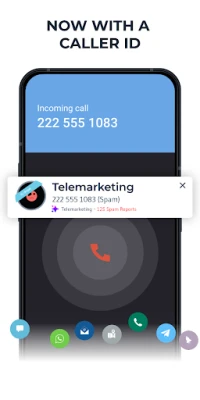
- Caller ID and spam hints – When an incoming call appears, drupe shows the stored name (if any) and can indicate whether the number is likely to be spam, based on its own lookup.
- Contact consolidation – The app merges duplicate entries and lets you edit contact details without leaving the dialer.
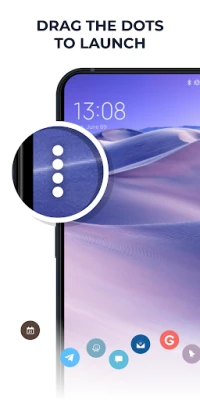
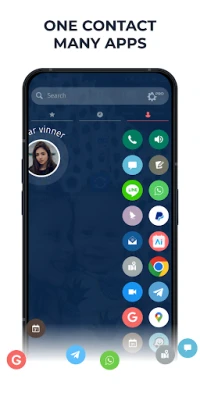
- Cross‑app shortcuts – Swipe a contact to choose the preferred app (phone, WhatsApp, Telegram, etc.) for the next interaction.
- Unified recent activity feed – Calls, SMS and supported messaging apps appear together, making it easy to see the latest communication.
- Block list – Add numbers you do not wish to hear from to a personal blacklist directly from the call screen.
How it works
When you open drupe, the home screen displays a clean list of your contacts. The search bar at the top filters contacts in real time, allowing you to type a name or number and tap the result to call or message. Incoming calls trigger a custom overlay that replaces the default Android call screen; the overlay shows the caller’s name (if saved) and any spam warning. From there you can answer, reject, or add the number to the block list.
For messaging, drupe detects which apps are installed on your device. Swiping a contact reveals icons for the available apps, so you can launch a chat without navigating away from the dialer.
Practical uses
- Keep your contact list tidy by merging duplicates and editing entries in one place.
- Identify unknown callers quickly, reducing the risk of answering unwanted calls.
- Switch between phone, SMS and third‑party messaging apps without opening each app separately.
- Set up a personal block list to silence telemarketers or persistent spam numbers.
Installation information
The app is distributed through the Google Play Store under the package name mobi.drupe.app. Installation follows the standard process: tap “Install,” grant the requested permissions (such as contacts and phone), and launch the app from your app drawer.
Things to know before installing
- The app requires access to your contacts and phone state to provide caller ID and block functionality.
- Because it replaces the default call screen, you may need to set it as the preferred dialer in Android’s system settings.
- Features that rely on external messaging apps will only appear if those apps are installed on your device.
Who may find it useful?
Anyone who wants a more organized phone experience—especially users who receive frequent unknown calls, manage many contacts, or prefer to handle calls and messages from a single interface—will benefit from drupe.
Frequently asked questions
Does drupe work with all Android versions?
The app is designed for modern Android devices. Compatibility details are listed on the Play Store page.
Can I use drupe without an internet connection?
Basic dialing and contact lookup work offline. Spam identification and any online lookup features require an internet connection.
Is my data safe?
drupe stores contacts locally on your device and does not share personal information without your consent.
Rate the App
User Reviews















Popular Apps










 Games
Games Entertainment
 Communication
 E-mail
 Security
 Tools
Tools Media
Media Internet
 Finance
 Design
 Education
 Android Firmwares
 Travel & Local
 Android
 Windows
 Linux
Linux