


Latest Version
August 31, 2026
voice memo
Communication
Android
8
Free
com.smart.dialer.contacts.phone
Report a Problem
More About Phone Call – Default Dialer
What is Phone Call – Default Dialer?
Phone Call – Default Dialer is a lightweight Android application that replaces the system dialer with a clean, easy‑to‑use interface. It focuses on core calling functions: dialing numbers, storing contacts, and reviewing call history. The app is offered by the developer "voice memo" and is available at no cost.
Main features
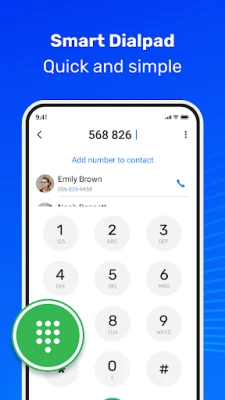
- Dial pad – A responsive numeric keypad lets you enter numbers quickly.
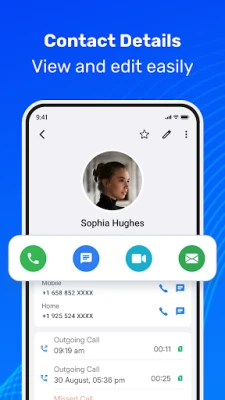
- Contact creation – Add new contacts directly from the dialer and keep them organized.
- Favorites – Pin frequently called numbers for one‑tap access.
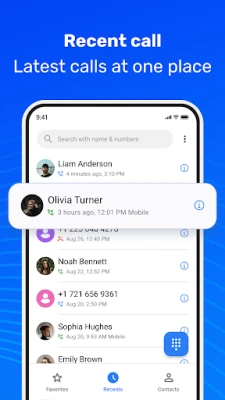
- Recent calls – View incoming, outgoing and missed calls with timestamps.
- Search – Locate a contact or a phone number by typing any part of the name or number.
- Swipe gestures – Swipe right on a number to call, swipe left to open a messaging app.
- Call blocking – Hide unwanted numbers from your call log and prevent them from ringing.
How it works
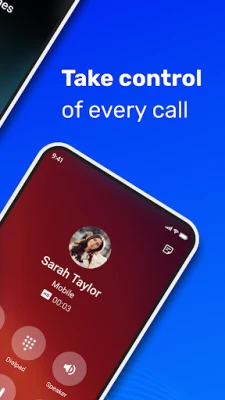
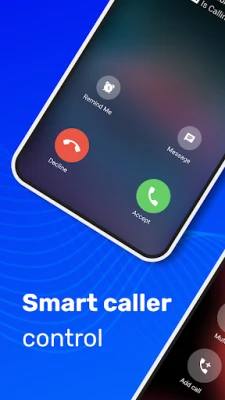
When you set Phone Call as the default handler, all call‑related actions—dialing from the home screen, answering incoming calls, and opening the call log—are routed through this app. The interface is built around a single activity that displays the dial pad at the bottom and a list of recent calls at the top. Tapping a recent entry opens a small overlay with options to call back, send a text, or delete the entry.
Practical uses
- Quickly call a saved contact without opening the full contacts app.
- Block persistent telemarketers while keeping the rest of your call experience unchanged.
- Use the swipe gestures to answer a call or send a quick SMS without leaving the dialer.
Installation information
The app can be installed from the Appitika store. After installation, Android will prompt you to choose a default phone app; select "Phone Call – Default Dialer" to enable its features. No additional configuration is required.
Compatibility
Phone Call – Default Dialer is built for Android devices that support the standard telephony framework. It does not rely on specific hardware features, so it should run on most smartphones running a recent version of Android. Exact version requirements are not listed, but the app works on devices that can install apps from Appitika.
Things to know before installing
- The app does not include a built‑in messaging client; it only provides a shortcut to your existing SMS app.
- Call blocking is limited to numbers stored in the app’s block list; it does not integrate with carrier‑level blocking.
- Because the app replaces the system dialer, any custom dialer extensions you previously used will no longer be active.
Who may find it useful?
Users who prefer a minimalistic calling experience, those who want an easy way to block unwanted numbers, and anyone looking for a straightforward alternative to the pre‑installed dialer will benefit from Phone Call – Default Dialer.
Frequently asked questions
Can I use the app alongside my existing contacts?
Yes. The app reads the device’s contact database, so all existing contacts are available for search and dialing.
Does the app store my call history?
Call logs are kept locally on the device. The app does not transmit call data to external servers.
How do I unblock a number?
Open the block list from the settings menu, locate the number, and tap the unblock option.
Is the app safe to use as the default dialer?
It uses standard Android telephony APIs and does not request unnecessary permissions beyond those required for calling and contact access.
Rate the App
User Reviews















Popular Apps










 Games
Games Entertainment
 Communication
 E-mail
 Security
 Tools
Tools Media
Media Internet
 Finance
 Design
 Education
 IT Tools
 Travel & Local
 Android
 Windows
 Linux
Linux