




Latest Version
Latest
June 27, 2026
Colorful Point
Communication
Android
535
Free
com.transsion.phoenix
Report a Problem
More About Phoenix – Fast & Safe Android Browser
What is Phoenix?
Phoenix is a mobile web browser developed by Colorful Point for Android devices. It is offered as a free application and aims to provide a browsing experience that feels quick and secure, while also giving users extra utilities such as file downloading and ad reduction.
Main features
- Speed‑focused rendering – The browser is built to load pages promptly, helping users navigate the web without noticeable lag.
- Data‑saving options – Phoenix includes settings that can reduce the amount of mobile data used while browsing, which is useful on limited plans.
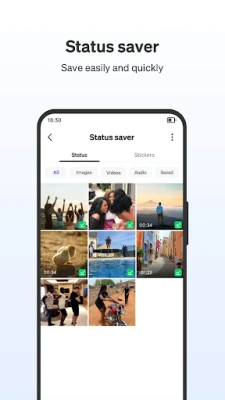
- Integrated downloader – Users can save videos, audio files and documents directly from web pages without needing a separate app.
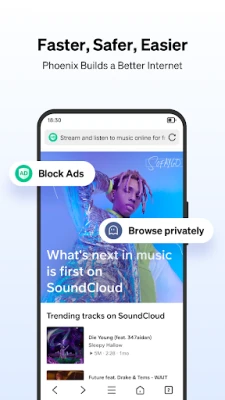
- Ad blocking – Built‑in filters help block intrusive ads and pop‑ups, leading to cleaner pages and faster load times.
- Incognito mode – A private browsing tab lets users surf without storing history, cookies or cache.
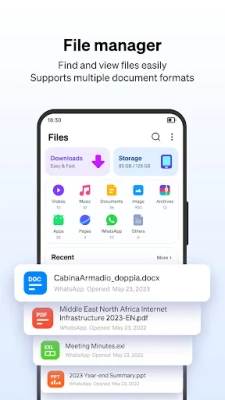
- File manager support – The app provides basic file‑handling capabilities, allowing users to organize downloaded content.
How it works
When you open Phoenix, the interface presents a familiar address bar and tab system. As you navigate, the browser applies its speed and data‑saving algorithms automatically. If a page contains downloadable media, Phoenix detects the link and offers a one‑tap download option. The ad‑blocking component runs in the background, filtering known ad sources before the page renders.
Practical uses
- Quickly browse news sites or social feeds on a slow connection.
- Save videos or documents from websites for offline viewing.
- Reduce data consumption while streaming music or watching short clips.
- Browse privately when you don’t want the device to keep a record of your activity.
Installation information
The app can be installed from the Google Play Store using the package name com.transsion.phoenix. Because it is free, no purchase is required, and the installation follows the standard Android process.
Things to know before installing
- Permissions requested will relate to internet access, storage for downloads, and optional location services for certain web features.
- As with any browser, the security of downloaded files depends on the source website; exercise usual caution.
Who may find Phoenix useful?
Anyone who wants a straightforward Android browser with built‑in download tools and ad reduction will likely appreciate Phoenix. It is especially handy for users on limited data plans or those who frequently save online media for later use.
Frequently asked questions
Is Phoenix safe to use?
The app follows standard Android security practices. It does not request root access and operates within the sandboxed environment provided by the operating system.
Can I download videos from any website?
Phoenix attempts to detect downloadable media on most sites, but availability can vary depending on the website’s policies and technical restrictions.
Does the ad blocker affect all ads?
The built‑in filter blocks many common ad formats, though some sites may still display content that is not classified as advertising.
Rate the App
User Reviews















Popular Apps










 Games
Games Entertainment
 Communication
 E-mail
 Security
 Tools
Tools Media
Media Internet
 Finance
 Design
 Education
 Android Firmwares
 Travel & Local
 Android
 Windows
 Linux
Linux