

Latest Version
Latest
June 27, 2026
Opera
Communication
Android
551
Free
com.opera.mini.native
Report a Problem
More About Opera Mini – Fast, Lightweight Web Browser
What is Opera Mini?
Opera Mini is a mobile web browser designed to load pages quickly even on slower connections. Developed by Opera, the app focuses on reducing data usage while keeping the browsing experience smooth and secure.
Main Features
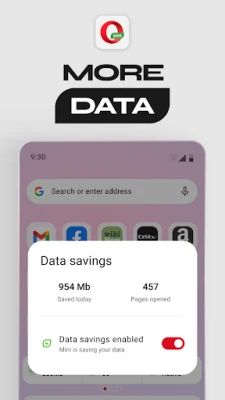
- Data‑saving engine – Compresses web content to lower bandwidth consumption.
- Built‑in ad blocker – Removes most advertisements, speeding up page loads and decluttering the view.
- Private browsing – Opens tabs that do not retain history, cookies or temporary files.
- Night theme – Dark colour scheme that eases eye strain in low‑light environments.
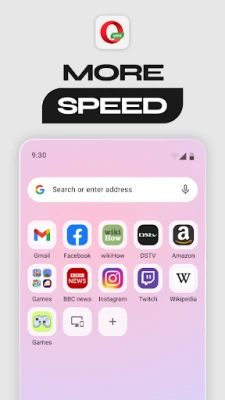
- Quick access shortcuts – Allows users to pin frequently visited sites for one‑tap opening.
How It Works
When you request a page, Opera Mini routes the request through Opera’s servers, where the content is compressed before reaching your device. This process shortens load times and reduces the amount of data transferred. The ad‑blocking component works in the same pipeline, stripping out common ad scripts before the page is rendered.
Practical Uses
- Traveling on limited data plans – The compression technology helps you stay online without quickly exhausting your allowance.
- Browsing on slow networks – Pages render faster, making it easier to read articles or check information when connectivity is poor.
- Privacy‑focused sessions – Use private tabs for searches you don’t want saved on the device.
- Night‑time reading – Switch to the night theme to reduce glare on the screen.
Installation Information
The app is available through the standard Android marketplace. After downloading, follow the on‑screen prompts to grant the necessary permissions for network access and storage, which are required for page loading and optional offline saving.
Compatibility
Opera Mini runs on Android devices that meet the platform’s minimum requirements for the Play Store. Specific version numbers are not listed, but the app is regularly updated to support recent Android releases.
Things to Know Before Installing
- Because pages are processed on remote servers, some highly interactive sites may behave differently compared to a full‑desktop browser.
- Ad blocking is enabled by default, but you can adjust settings if you prefer to view certain ads.
- Private tabs are isolated from the regular browsing session, but they still rely on the same compression service.
Who May Find It Useful?
Anyone who needs a fast, low‑data browser—students, frequent travelers, users with limited data caps, or anyone who prefers a cleaner browsing interface—will benefit from Opera Mini.
Frequently Asked Questions
Does Opera Mini store my browsing history?
In normal mode, the browser keeps a local history that you can clear at any time. Private tabs do not record history, cookies or cache.
Can I download files through the browser?
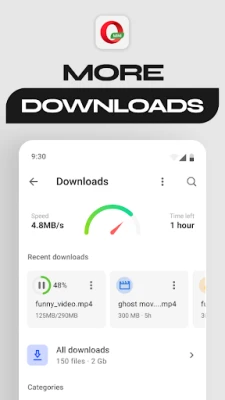
Yes, the app supports downloading files and saving them to your device’s storage.
Is the night theme automatic?
You can enable the night theme manually, and some devices allow it to switch based on system‑wide dark mode settings.
Rate the App
User Reviews















Popular Apps










 Games
Games Entertainment
 Communication
 E-mail
 Security
 Tools
Tools Media
Media Internet
 Finance
 Design
 Education
 Android Firmwares
 Travel & Local
 Android
 Windows
 Linux
Linux