

Latest Version
August 22, 2026
Opera
Communication
Android
103
Free
com.opera.mini.native.beta
Report a Problem
More About Opera Mini Browser Beta – Preview Upcoming Features
What is Opera Mini Browser Beta?
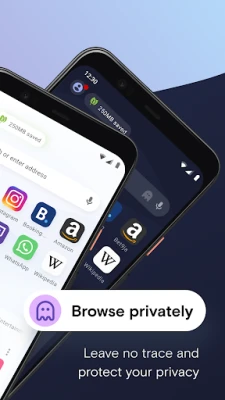
Opera Mini Browser Beta is a pre‑release build of Opera’s lightweight web browser for Android devices. It gives users early access to experimental features and design tweaks before they appear in the stable version. As a beta, the app is intended for users who are comfortable trying new functionality and providing feedback to improve the final product.
Main Features
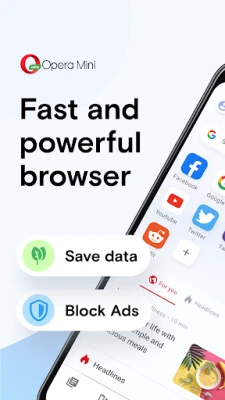
- Data‑saving engine – Like the regular Opera Mini, the beta continues to compress web pages to reduce data usage.
- Native Android look – The interface follows Android design guidelines, offering a familiar feel on phones and tablets.
- Speed‑focused rendering – Optimized page loading aims to deliver a quick browsing experience even on slower connections.
- Early access to upcoming tools – Users can test new navigation gestures, UI layouts, and experimental settings before they are released publicly.
How It Works
The browser routes web traffic through Opera’s compression servers, which shrink images, strip unnecessary code, and deliver a lighter version of each page to the device. This process helps conserve mobile data and can speed up loading times, especially on limited networks. Because the beta is built on the same core technology as the stable app, it retains the familiar tab management, bookmark syncing, and privacy controls users expect from Opera.
Practical Uses
Anyone who frequently browses on a limited data plan or in areas with slower mobile networks will benefit from the compression features. The beta also appeals to power users who enjoy testing new UI concepts and providing feedback that influences the final release. Developers and designers can observe how upcoming features behave on a range of Android hardware.
Installation Information
The beta is distributed as an APK that can be installed directly on Android devices. Users should enable “Install unknown apps” for the source they download from, then follow the standard installation prompts. Because the app is a beta, updates may be released more often than the stable version, and each update could introduce new features or adjustments.
Compatibility
Opera Mini Browser Beta is designed for Android smartphones and tablets. While the exact minimum Android version is not specified, the stable Opera Mini supports devices running Android 2.3 and newer, so the beta is likely to work on a similar range. Users should ensure their device has sufficient storage space for the installation.
Things to Know Before Installing
- The beta may contain bugs or unfinished features that could affect stability.
- Feedback is encouraged; users can report issues through Opera’s community forums or in‑app feedback tools.
- Data‑saving compression means some web elements (e.g., high‑resolution images) may appear lower quality compared to a full‑resolution browser.
- Because it is a pre‑release, the app may request permissions similar to the stable version, such as access to storage for downloads and network access for browsing.
Who May Find It Useful?
• Android users with limited data plans who want to test the latest compression improvements.
• Enthusiasts who like to explore new UI designs before they become mainstream.
• Users who enjoy contributing to product development by providing feedback.
• Developers interested in how a compressed‑traffic browser handles modern web content.
Frequently Asked Questions
Is the beta free?
Yes, the beta version is offered at no cost.
Can I switch back to the stable version?
Yes. Installing the stable Opera Mini from the official store will replace the beta without affecting saved bookmarks or settings.
Will my browsing data be saved?
The browser includes standard privacy controls. Data saved locally, such as bookmarks and history, remains on the device unless you clear it manually.
How do I provide feedback?
Opera encourages beta testers to share their experience on the official Opera forums or through any feedback option built into the app.
Rate the App
User Reviews















Popular Apps










 Games
 Entertainment
 Communication
 E-mail
 Security
 Tools
 Media
 Internet
 Finance
 Design
 Education
 Android Firmwares
 Travel & Local
 Android
 Windows
 Linux