
Latest Version
Latest
August 29, 2026
Opera
Communication
Android
148
Free
com.opera.gx
Report a Problem
More About Opera GX – Gaming‑Focused Browser for Android
What is Opera GX?
Opera GX is a mobile web browser designed with gamers in mind. It blends the speed of a modern browser with visual elements and tools that cater to the gaming community. The app is free to download and is developed by Opera, the company behind the well‑known desktop browsers.
Main Features
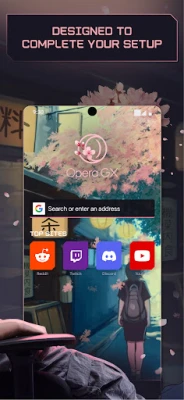
Gaming‑themed interface
The browser offers several built‑in themes that reflect popular gaming aesthetics. Users can switch between dark, neon‑styled skins or a more subdued classic look, allowing the UI to match personal taste or the look of a gaming rig.
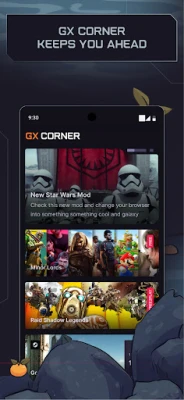
GX Corner
GX Corner is a dedicated hub that aggregates gaming‑related content. It provides quick access to daily news, upcoming release calendars, trailers and occasional free‑to‑play titles. The section is updated regularly, so gamers can stay informed without leaving the browser.
Link syncing with Flow
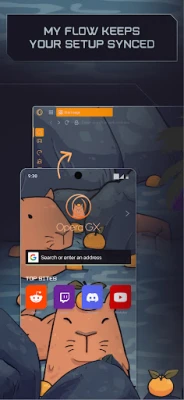
Flow lets you connect your Android device to a desktop Opera browser. By scanning a QR code, you can send links, videos, files or notes between devices instantly, without needing an account or password. This makes it easy to continue browsing on a larger screen.
Privacy and performance tools
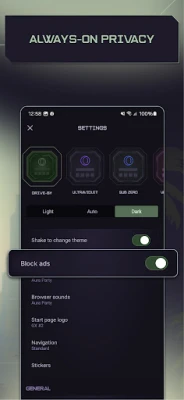
Opera GX includes an integrated ad blocker and a cookie‑dialog blocker that help pages load faster and reduce visual clutter. The browser also offers basic protection against cryptojacking, preventing background scripts from using device resources for cryptocurrency mining.
How It Works
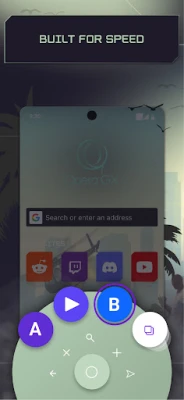
After installing the app, you are presented with a home screen that highlights the selected theme and provides shortcuts to GX Corner and Flow. Navigation follows the standard Android pattern with back, forward and refresh controls, plus an optional floating action button that can be positioned for thumb‑friendly access.
When you open a webpage, the built‑in ad blocker runs automatically, filtering common ad networks and trackers. If you enable Flow, a QR code appears in the desktop version of Opera; scanning it links the two browsers securely, allowing you to push content back and forth.
Practical Uses
- Stay updated on gaming releases: Use GX Corner to glance at upcoming titles and watch trailers without opening separate apps.
- Quickly share resources: Send a game guide link from your phone to your PC for a larger view.
- Browse with fewer interruptions: The ad blocker reduces page load times and visual noise, which can be helpful during gameplay streams.
Installation Information
The app can be installed from the Google Play Store. Search for "Opera GX" or use the package name com.opera.gx. The download size and required Android version are not specified in the public listing, so the Play Store will indicate compatibility during installation.
Who May Find It Useful?
Anyone who spends a lot of time reading gaming news, watching trailers, or needs a reliable way to move links between a phone and a computer will benefit from Opera GX. The themed UI also appeals to users who enjoy customizing the look of their apps.
Things to Know Before Installing
- The browser is free, but it may include optional in‑app purchases for additional themes or features.
- While it offers privacy tools, it does not replace a full‑featured VPN service.
- Performance may vary on older devices; the floating action button can be disabled if it impacts responsiveness.
Frequently Asked Questions
Is a separate Opera account required for Flow?
No. Flow works by scanning a QR code and establishing an encrypted connection without the need for a login.
Can I disable the ad blocker?
Yes. Settings include a toggle to turn the ad blocker on or off for individual sites.
Does Opera GX support extensions?
The mobile version does not currently support third‑party extensions, but it includes built‑in features such as the ad blocker and cryptojacking protection.
Rate the App
User Reviews















Popular Apps










 Games
 Entertainment
 Communication
 E-mail
 Security
 Tools
 Media
 Internet
 Finance
 Design
 Education
 Android Firmwares
 Travel & Local
 Android
 Windows
 Linux