




Latest Version
Latest
August 26, 2026
Opera
Communication
Android
89
Free
com.opera.browser.beta
Report a Problem
More About Opera Browser Beta with AI – Test the Next‑Gen Android Browser
What is Opera Browser Beta with AI?
Opera Browser Beta with AI is a pre‑release version of Opera’s Android web browser that incorporates an experimental artificial‑intelligence assistant. The beta is intended for users who want to try upcoming features early and provide feedback directly to the development team.
Main Features
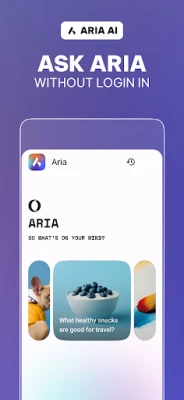
- AI‑driven assistance – An integrated AI helper can suggest shortcuts, summarize pages, and adapt to your browsing habits.
- Fast rendering engine – Built on the same core as the stable Opera browser, it aims to load pages quickly while keeping data usage low.
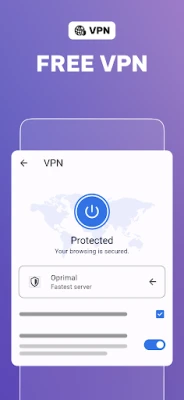
- Built‑in VPN option (beta) – A limited‑time VPN feature is available for testing secure, encrypted connections across devices.
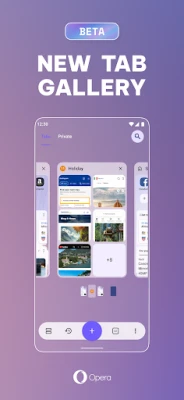
- Customizable UI – Users can experiment with new layout options, themes, and gesture controls before they reach the public release.
How It Works
When you launch the beta, the AI assistant appears as a small overlay that can be invoked from the address bar or a dedicated button. It learns from the sites you visit and can offer context‑aware suggestions, such as quick answers to queries, automatic form filling, or shortcuts to frequently used actions. Because it is a beta, the assistant may still be refined, and occasional inaccuracies are expected.
Practical Uses
- Explore new browsing shortcuts that could speed up daily web tasks.
- Test the AI’s ability to summarize long articles, helping you decide whether to read the full content.
- Evaluate the VPN’s impact on speed and privacy on your Android device.
- Provide direct feedback to Opera’s developers through the built‑in reporting tools.
Installation Information
The beta is distributed as an APK that can be downloaded from Opera’s official beta channel. After downloading, enable installation from unknown sources (or allow the specific source) in your device’s security settings, then follow the on‑screen prompts to install.
Compatibility
The app targets modern Android smartphones. Specific version requirements are not listed, but the beta is optimized for recent Android releases and devices with at least 2 GB of RAM. Users on older hardware may experience slower performance or occasional crashes.
Things to Know Before Installing
- Being a beta, the app may contain bugs, occasional crashes, or incomplete features.
- Data from the AI assistant may be sent to Opera for analysis to improve the service.
- Feedback is encouraged; use the built‑in “Send Feedback” option to report issues or suggest improvements.
- The VPN feature is experimental and may not provide the same level of protection as a full‑featured VPN service.
Who May Find It Useful?
Enthusiasts who enjoy trying cutting‑edge software, developers interested in AI‑enhanced browsing, and power users who want to influence the future direction of Opera’s mobile browser will benefit most from this beta.
Frequently Asked Questions
Is the beta free?
Yes, participation in the Opera Browser Beta with AI is free of charge.
Can I switch back to the stable Opera browser?
Yes. Installing the stable version from the Play Store will replace the beta without affecting your saved bookmarks or passwords.
How do I provide feedback?
Use the “Send Feedback” option within the app’s settings menu. You can also join Opera’s Android forum for more detailed discussions.
Will my data be safe?
The beta follows Opera’s standard privacy policies, but because it is a test build, some data may be used for debugging and improvement purposes.
Rate the App
User Reviews















Popular Apps










 Games
 Entertainment
 Communication
 E-mail
 Security
 Tools
 Media
 Internet
 Finance
 Design
 Education
 Android Firmwares
 Travel & Local
 Android
 Windows
 Linux