

Latest Version
Latest
September 05, 2026
Ooma
Communication
Android
5
Free
com.ooma.mobile2
Report a Problem
More About Ooma Home Phone – Make Calls with Your Ooma Number on Android
What is Ooma Home Phone?
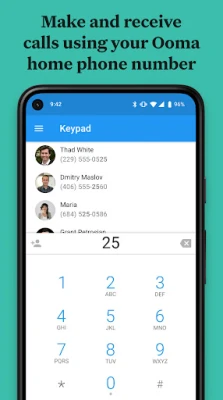
Ooma Home Phone is the companion Android application for Ooma’s residential VoIP service. It lets you extend the functionality of your Ooma home phone system to your smartphone, so you can stay reachable with your existing Ooma number even when you’re away from the house.
Main Features
- Call from your Ooma number – Place outgoing calls using the same phone number linked to your Ooma service, without tapping into your cellular minutes.
- Receive calls on the go – Incoming calls to your Ooma line ring in the app, allowing you to answer them wherever you have an internet connection.
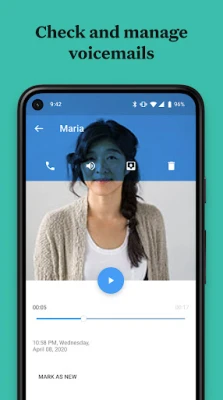
- Voicemail access – Listen to, delete, or organize voicemail messages directly from the app.
- Call history – Review recent inbound and outbound calls, complete with timestamps.
- Favorites and contacts – Quickly dial numbers from your phone’s contact list or set up a personal favorites list for one‑tap calling.
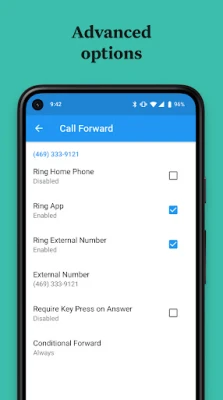
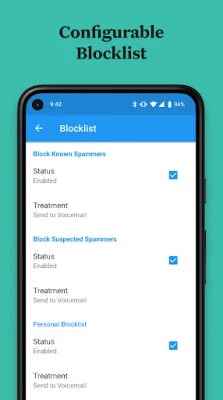
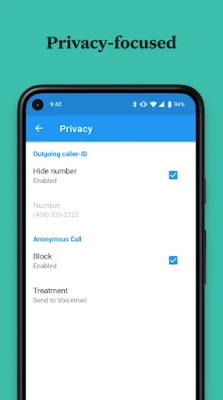
- Privacy controls – Adjust basic privacy settings such as call blocking and caller ID display.
How It Works
The app connects to Ooma’s cloud servers over the internet, using Voice over IP (VoIP) technology. When you place a call, the audio is transmitted through your Wi‑Fi or mobile data connection rather than the cellular voice network. This means you can make calls without consuming your mobile plan’s voice minutes, provided you have a stable internet connection.
Practical Uses
- Traveling or working remotely – Keep your home phone number active without carrying a separate device.
- Saving mobile minutes – Use the app for domestic calls when you have limited cellular voice allowance.
- Managing voicemail – Check and organize messages without needing a separate answering machine.
Installation Information
Search for “Ooma Home Phone” in the Google Play Store, then tap Install. After the download completes, open the app and sign in with the phone number and password associated with your Ooma account. The app works with the primary number on the account; additional lines are not supported through the mobile client.
Compatibility and Requirements
The app is designed for Android devices that can run recent versions of the operating system and have internet connectivity. For optimal call quality, a strong Wi‑Fi network or a reliable 4G/5G data connection is recommended. Some mobile carriers may restrict or charge for VoIP traffic; be sure to review your carrier’s policy if you plan to use the app over cellular data.
Things to Know Before Installing
- Internet connection is required for both making and receiving calls.
- The app does not replace your cellular voice service; it works alongside it.
- International calling rates and plans are managed through your Ooma online account, not within the app.
Who May Find It Useful?
Anyone who already uses Ooma’s home phone service and wants the flexibility of answering calls on a smartphone will benefit from this app. It is especially handy for frequent travelers, remote workers, and households that prefer a single phone number for both landline and mobile reach.
Frequently Asked Questions
Do I need a separate Ooma subscription for the app?
No. The app works with the existing Ooma service tied to your home phone number. You only need to log in with your current credentials.
Can I use the app on multiple Android devices?
Yes, you can install the app on more than one device, but each device must be logged in with the same Ooma account credentials.
What happens if my internet connection drops during a call?
The call will be disconnected, similar to a regular VoIP call. Re‑dialing will reconnect you using the available network.
Is there a cost for using the app?
The app itself is free to download and use. Any charges related to international calls or additional calling plans are managed through your Ooma online account.
Rate the App
User Reviews














Popular Apps










 Games
Games Entertainment
 Communication
 E-mail
 Security
 Tools
Tools Media
Media Internet
 Finance
 Design
 Education
 IT Tools
 Travel & Local
 Android
 Windows
 Linux
Linux