



Latest Version
Latest
September 05, 2026
Omega Tech.
Communication
Android
7
Free
ly.omegle.android
Report a Problem
More About Omega – Live Video Chat
What is Omega?
Omega is a free Android app that focuses on live video communication. Developed by Omega Tech., it provides a platform where users can start face‑to‑face video calls and continue the conversation with private text messages. The app is built around spontaneous, real‑time interaction, allowing you to meet people from different cultures and backgrounds without leaving your device.
Main features
- Live video calls – Initiate video chats instantly with other users who are looking to talk.
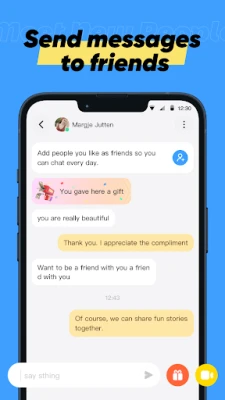
- Private text messaging – Switch to text at any time, keep a written record of the conversation, or continue chatting when video isn’t convenient.
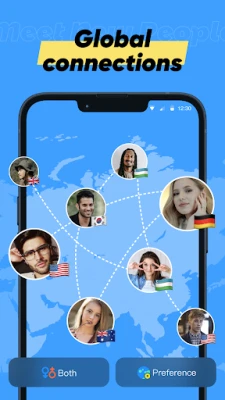
- Global reach – Connect with people from many countries, expanding your social circle beyond local boundaries.
- Interest‑based matching – The app suggests contacts based on shared interests, helping you find conversations that feel relevant.
How it works
After installing Omega, you create a simple profile and can start browsing available users. The interface shows a list of people who are currently online and interested in video chat. Tapping a profile opens a video window, and you can begin talking right away. If you prefer to type, the built‑in chat lets you send messages without ending the video session.
Practical uses
Omega can be useful in several everyday scenarios:
- Language practice – Talk with native speakers to improve pronunciation and listening skills.
- Cultural exchange – Learn about traditions, food, and daily life from people living in other regions.
- Social networking – Meet new friends when traveling, moving to a new city, or simply looking for fresh connections.
- Quick check‑ins – Use short video calls to stay in touch with distant acquaintances without scheduling a formal meeting.
Installation information
The app is available through the standard Android package name ly.omegle.android. Download and install it like any other app from a trusted source. Because the app is free, there are no purchase steps required.
Things to know before installing
- Omega requires an internet connection (Wi‑Fi or mobile data) for video and text communication.
- The app accesses your camera and microphone during calls; you can control these permissions in the Android settings.
- As with any live‑chat service, be mindful of personal information you share with strangers.
Who may find Omega useful?
Anyone interested in spontaneous video conversations can benefit from Omega. It is especially appealing to:
- Students looking to practice a foreign language.
- Travelers who want to connect with locals before or after a trip.
- People who enjoy meeting new friends from different cultures.
- Users who prefer a simple, free solution for video and text chat without additional social‑media layers.
Frequently asked questions
Is Omega free to use?
Yes, the app is offered at no cost.
Do I need to create an account?
A basic profile is required to start video chats, but the process is streamlined and does not involve extensive verification steps.
Can I control who I talk to?
Omega suggests matches based on shared interests, and you can end a conversation at any time if the connection isn’t a good fit.
What privacy measures are in place?
The app follows standard Android permission practices. You can revoke camera or microphone access at any time through your device settings.
Rate the App
User Reviews















Popular Apps










 Games
Games Entertainment
 Communication
 E-mail
 Security
 Tools
Tools Media
Media Internet
 Finance
 Design
 Education
 IT Tools
 Travel & Local
 Android
 Windows
 Linux
Linux