

Latest Version
Latest
September 01, 2026
OCTOGRAM PV PROJECT
Communication
Android
5
Free
it.octogram.android
Report a Problem
More About OctoGram – Alternative Telegram Client
What is OctoGram?
OctoGram is an independent Android application that connects to the Telegram network. Developed by OCTOGRAM PV PROJECT, it provides an alternative way to access Telegram’s messaging services without using the official client.
Main Characteristics
- Free to use – No purchase or subscription is required.
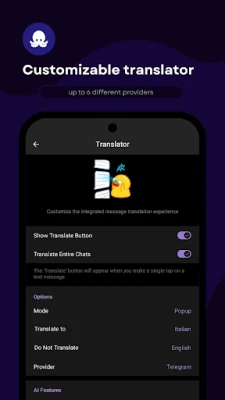
- Independent development – Created by a separate team, offering a distinct interface and set of options.
- Standard Telegram functionality – Supports sending messages, media, and using Telegram groups and channels.
How It Works
When you install OctoGram, it asks for your phone number to register the same way the official Telegram app does. After verification, the app syncs with your existing Telegram account, giving you access to all your chats, contacts, and settings. Because it uses Telegram’s public API, the core messaging features remain consistent with the official service.
Practical Uses
Users may choose OctoGram for several reasons:
- Alternative UI – If you prefer a different visual layout or navigation style, a third‑party client can provide a fresh look.
- Separate installation – Having two Telegram clients on the same device lets you keep work and personal conversations isolated.
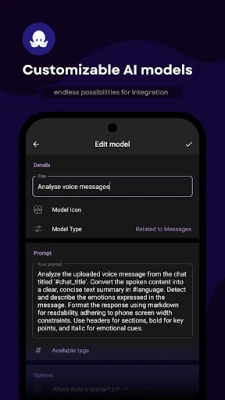
- Experimentation – Developers and enthusiasts often try alternative clients to explore new features or customizations that the official app does not expose.
Installation Information
OctoGram can be installed from the Google Play Store or other reputable Android app marketplaces. Search for the package name it.octogram.android to ensure you download the correct application. After downloading, follow the standard Android installation prompts.
Compatibility
OctoGram is built for Android devices. While specific minimum Android version requirements are not listed, the app follows the general requirements of Telegram’s API, which typically supports Android 5.0 (Lollipop) and newer. Users should verify that their device meets the Play Store’s stated requirements before installing.
Things to Know Before Installing
- Because OctoGram is a third‑party client, its update schedule may differ from the official Telegram app.
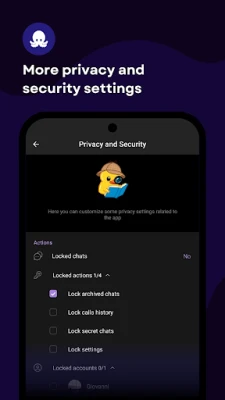
- All messages are still routed through Telegram’s servers, so standard privacy and security policies of Telegram apply.
- Some advanced Telegram features (such as secret chats) may have limited support depending on the client’s implementation.
Who May Find OctoGram Useful?
Anyone who wants a different user interface for Telegram, developers testing alternative client behavior, or users who need a second Telegram installation on the same device can benefit from OctoGram.
Frequently Asked Questions
Is OctoGram safe to use?
OctoGram connects to Telegram’s official API, so the data flow follows the same encryption standards as the official app. However, as with any third‑party client, you should download it from a trusted source and keep it updated.
Do I need a separate Telegram account?
No. OctoGram uses your existing Telegram credentials. You log in with the same phone number you use for the official app.
Can I use OctoGram alongside the official Telegram app?
Yes. Both apps can be installed simultaneously and operate independently.
Will my chats be synchronized between OctoGram and the official app?
Since both clients access the same Telegram account, messages, groups, and channels appear in both applications.
Rate the App
User Reviews











Popular Apps










 Games
Games Entertainment
 Communication
 E-mail
 Security
 Tools
Tools Media
Media Internet
 Finance
 Design
 Education
 IT Tools
 Travel & Local
 Android
 Windows
 Linux
Linux