

Latest Version
Latest
September 09, 2026
Number2Go
Communication
Android
5
Free
io.n2go.app
Report a Problem
More About Number2Go – Get a Second Phone Number on Android
What is Number2Go?
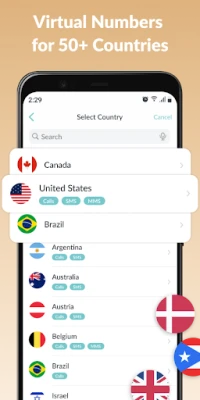
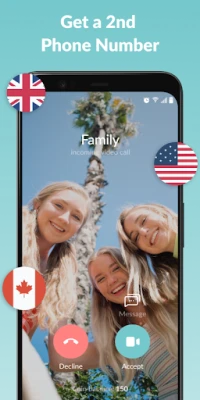
Number2Go is a free Android app that creates virtual phone numbers you can use alongside your primary mobile line. The numbers are hosted in the cloud, so you can make and receive calls or SMS messages without needing an extra SIM card or a separate device.
Main Features
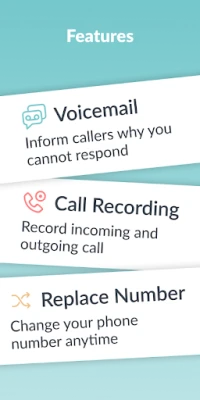
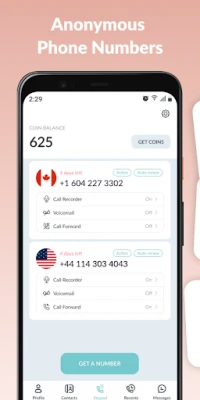
- Multiple virtual numbers – you can add several numbers from different regions and switch between them as needed.
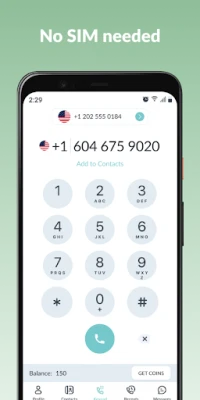
- Call and text support – the app provides a full calling interface and messaging capability for each virtual line.
- No SIM required – all numbers are delivered over data, eliminating the need for additional hardware.
- Instant activation – select a number and start using it within seconds.
- Flexible management – rename, pause, or delete numbers whenever you choose.
How It Works
After installing Number2Go, you choose a country and a local area code. The app reserves a virtual number for you and links it to your Google Play account. Calls and messages are routed through the app’s servers and delivered over your internet connection. Because the service is cloud‑based, you can keep the same numbers even if you change phones, as long as you remain logged in.
Practical Uses
The ability to separate personal and professional communications makes Number2Go useful in many scenarios:
- Work separation – keep a dedicated line for business contacts without exposing your personal number.
- Online marketplaces – use a disposable number when buying or selling items to protect your privacy.
- Travel – obtain a local number in a foreign country to avoid roaming charges.
- Online dating or social apps – share a temporary number instead of your primary line.
- Service platforms – register for services that require a phone number without revealing your main contact.
Installation Information
Number2Go is available through the Google Play Store. The download size is modest, and the app runs on devices that support the standard Android runtime. After installation, you will be prompted to grant the usual permissions for phone and SMS handling, as well as access to the internet.
Things to Know Before Installing
- The app relies on a data connection; a stable Wi‑Fi or mobile data link is required for reliable call quality.
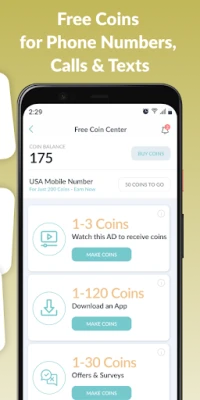
- Virtual numbers are managed through an in‑app balance system; you will need to purchase minutes or messaging credits to place outbound calls or send texts.
- Since the numbers are not tied to a physical SIM, they cannot be used for traditional SMS verification that requires a carrier‑based line.
Who May Find It Useful?
Freelancers, small‑business owners, frequent travelers, and anyone who wants to keep personal and professional communications separate can benefit from Number2Go. The app also appeals to users who value privacy when interacting with online services.
Frequently Asked Questions
Do I need a separate SIM card?
No. All numbers are virtual and operate over your internet connection.
Can I keep a number indefinitely?
Numbers remain active as long as you maintain a positive balance for calls or messages. You can also delete a number at any time.
Is the app compatible with all Android versions?
Number2Go supports the standard Android runtime; it will run on most devices that can install apps from the Play Store.
How is call quality ensured?
Calls are transmitted via VoIP technology. A strong data connection yields the best audio experience.
Rate the App
User Reviews














Popular Apps










 Games
Games Entertainment
 Communication
 E-mail
 Security
 Tools
Tools Media
Media Internet
 Finance
 Design
 Education
 IT Tools
 Travel & Local
 Android
 Windows
 Linux
Linux