
Latest Version
Latest
August 15, 2026
Sorenson Communications, Inc.
Communication
Android
366
Free
com.sorenson.mvrs.android
Report a Problem
More About ntouch – Mobile Video Relay Service for Sign Language
What is ntouch?
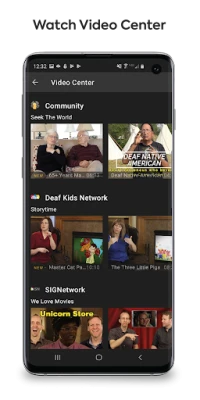
ntouch is a free Android application developed by Sorenson Communications, Inc. It provides a mobile gateway to Sorenson Video Relay Service (SVRS), allowing users who rely on sign language to place video calls that are interpreted by professional SVRS interpreters. The app turns a smartphone or tablet into a portable VRS terminal, so conversations can happen wherever there is an internet connection.
Main capabilities
- Video relay calling: Initiate a video call that connects you with a certified interpreter who translates sign language to spoken language and vice‑versa.
- Secure connection: Calls are routed through Sorenson’s network, which follows industry standards for privacy and data protection.
- On‑the‑go access: The app works on any Android device with a camera and microphone, making it convenient for travel, work, or daily activities.
How it works
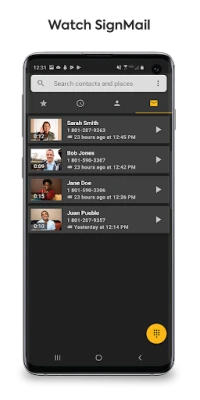
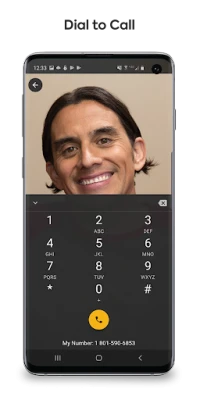
When you open ntouch, you are prompted to sign in with an existing SVRS account. After authentication, the interface presents a simple call screen. You can start a new call by selecting a contact or dialing a number. The app then connects you to an interpreter who joins the video session. You sign, the interpreter speaks, and the other party hears the spoken translation. The process is mirrored for incoming calls, allowing you to receive video relay calls just as easily.
Practical uses
- Everyday communication: Talk with friends, family, or service providers without needing a third‑party relay.
- Emergency situations: Reach emergency services through a VRS interpreter, ensuring clear communication when speed is critical.
- Professional settings: Conduct business calls, attend virtual meetings, or handle customer service interactions while using sign language.
Installation guidance
Download ntouch from the official Android marketplace, then follow the standard installation steps: tap Install, grant camera and microphone permissions when prompted, and launch the app. You will need an active SVRS account; if you do not have one, contact Sorenson Communications for enrollment.
Compatibility notes
The app requires an Android device with a functional front‑facing camera, microphone, and internet connectivity (Wi‑Fi or cellular data). Specific OS version requirements are not publicly listed, but the app is designed for modern Android releases.
Things to consider before installing
- Ensure you have a reliable internet connection; video quality depends on bandwidth.
- Check that your device’s camera and microphone are operational.
- An active SVRS account is required to use the service; the app does not provide account creation.
Who may find ntouch useful?
Anyone who uses American Sign Language (ASL) or other sign languages and needs a real‑time interpreter for phone‑style conversations will benefit from ntouch. This includes students, professionals, travelers, and individuals who rely on VRS for daily communication.
Frequently asked questions
Do I need a separate account for ntouch?
Yes. ntouch works with an existing Sorenson Video Relay Service account. If you are not already enrolled, you will need to apply through Sorenson Communications.
Is there a cost to use the app?
The application itself is free to download. Usage fees are determined by your SVRS subscription plan.
Can I use ntouch without an internet connection?
No. The service relies on an active data connection to stream video between you, the interpreter, and the call recipient.
What languages does the interpreter support?
Interpreters provide translation between sign language and spoken English. Additional language support depends on the interpreter’s qualifications and Sorenson’s network.
Rate the App
User Reviews















Popular Apps










 Games
Games Entertainment
 Communication
 E-mail
 Security
 Tools
Tools Media
Media Internet
 Finance
 Design
 Education
 Android Firmwares
 Travel & Local
 Android
 Windows
 Linux
Linux