


Latest Version
September 17, 2026
Nextline Co
Communication
Android
12
Free
com.nextline.android
Report a Problem
More About Nextline – Second Phone Number
What is Nextline?
Nextline is a free Android app that lets you create and manage an additional phone number on the same device. The extra number works like a regular mobile line, supporting voice calls, SMS, and MMS, while keeping your primary number private.
Main features
- Real second number – Receive calls and messages on a dedicated line that does not require the caller to install any special app.
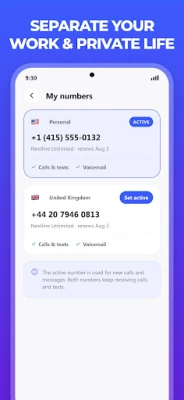
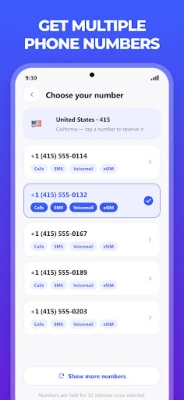
- Multiple numbers – Add more than one secondary number, each with its own inbox and call log.
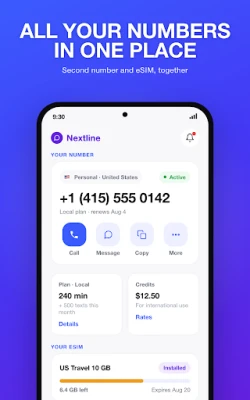
- eSIM integration – View data‑plan details, remaining balance and renewal dates directly in the app.
- Call forwarding – Forward incoming calls to another phone number of your choice.
- Number change – Switch to a different number or area code without extra cost.
- Contact management – Store contacts, send photos or videos, and block unwanted callers.
- Separate notifications – Choose how you are alerted for calls, messages and support messages.
How it works
After installing Nextline, you sign in with a Nextline account. The app then provisions a virtual number that is linked to an eSIM data plan. You can activate the eSIM by scanning a QR code or entering the details manually; the physical SIM in your phone remains untouched. Once activated, the secondary number appears in the app’s main screen alongside usage statistics, allowing you to place calls or send texts directly from the app.
Practical uses
- Keep your personal number private when posting classifieds, selling items, or signing up for online services.
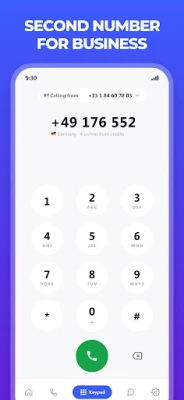
- Separate work‑related communications from personal ones without carrying two devices.
- Travel abroad and use the eSIM data plan for local rates while still receiving calls on your home number.
- Test apps or services that require a phone number without exposing your primary line.
Installation information
Download the app from the Google Play Store, open it, and follow the on‑screen registration steps. The initial setup includes creating a Nextline account, selecting a desired area code, and linking the eSIM plan. Detailed guides are provided for popular devices such as Google Pixel and Samsung models.
Things to know before installing
- The app requires an internet connection for account creation and eSIM activation.
- Calls and messages are routed through the virtual number; standard carrier charges apply only for the eSIM data plan.
- All features are available without a paid upgrade, but the eSIM plan itself may have its own pricing structure.
Who may find it useful?
Frequent travelers, freelancers, small‑business owners, and anyone who wants to keep personal and professional communications separate will benefit from Nextline’s dual‑number capability.
Frequently asked questions
Do I need a separate SIM card?
No. The secondary number works with an eSIM that coexists with your existing physical SIM.
Can I receive SMS verification codes on the second number?
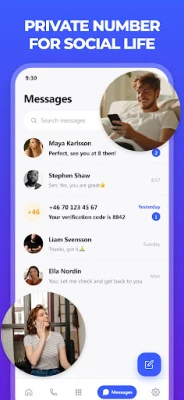
Yes. The number supports standard SMS and MMS, so verification codes are delivered as they would to a regular mobile line.
Is my data plan visible in the app?
The app displays remaining data, renewal date and plan details for the linked eSIM.
What happens if I change my phone?
After installing Nextline on the new device and signing in with the same account, you can re‑activate the eSIM using the provided QR code or manual entry.
Rate the App
User Reviews






![[US] Social Network – Real‑time local connections](https://www.appitika.com/images/17896840845838641.webp)








Popular Apps










 Games
Games Entertainment
 Communication
 E-mail
 Security
 Tools
Tools Media
Media Internet
 Finance
 Design
 Education
 IT Tools
 Travel & Local
 Android
 Windows
 Linux
Linux