Latest Version
Latest
September 03, 2026
Particle Media Inc.
Media
Android
8
Free
com.particlenews.newsbreak
Report a Problem
More About NewsBreak: Local News & Alerts – Stay Informed About Your Community
What is NewsBreak?
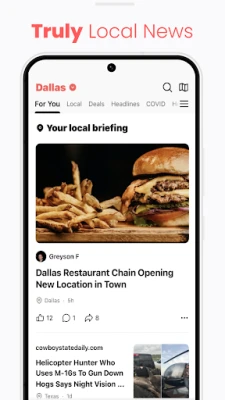
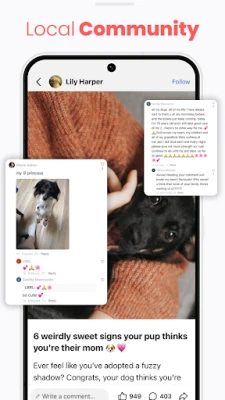
NewsBreak is a free Android application that focuses on delivering news that is relevant to your immediate surroundings. Developed by Particle Media Inc., the app aggregates local stories, weather warnings, traffic reports and other community‑focused information into a single, easy‑to‑read feed.
Main Features
- Localized news feed – Articles are filtered by your chosen location, so you see headlines that affect your town or neighborhood first.
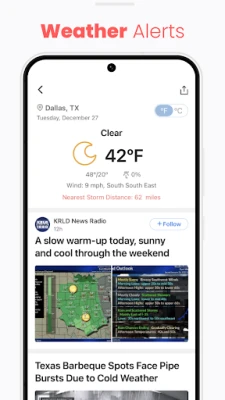
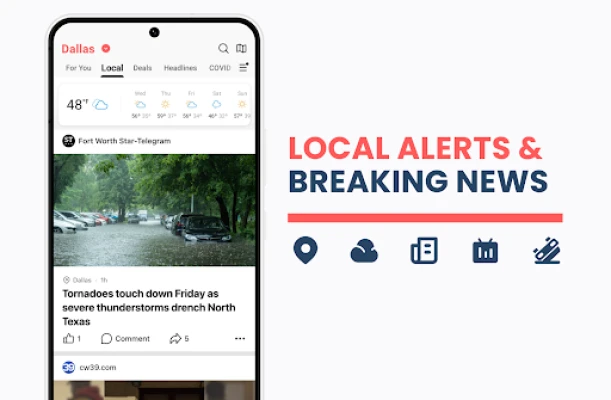
- Weather alerts – Real‑time notifications for severe weather, storms or temperature changes in your area.
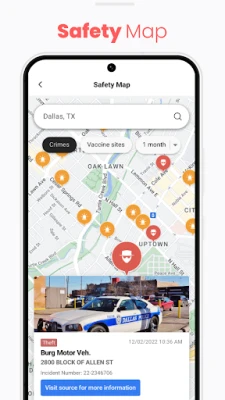
- Traffic and road updates – Quick snapshots of congestion, road closures or construction that could impact your commute.
- Event calendar – A concise list of upcoming local events, from community gatherings to public meetings.
- Customizable notifications – Choose which types of alerts you want to receive and how often.
How It Works
After installing NewsBreak, the app asks for permission to access your device’s location. This information is used solely to match you with the most relevant local sources. The app then pulls content from a network of local news outlets, weather services and municipal feeds. Articles appear in a scrolling list that can be filtered by category (news, weather, traffic, events). You can tap any item to read the full story, view images or watch embedded videos.
Practical Uses
Whether you’re planning a weekend outing, commuting to work, or simply want to stay aware of neighborhood developments, NewsBreak provides a quick snapshot of the information you need. The weather alerts help you prepare for sudden changes, while traffic updates can suggest alternate routes. Community event listings make it easy to discover local activities you might otherwise miss.
Installation Information
Search for NewsBreak: Local News & Alerts in the Google Play Store, then tap Install. The download size is modest, and the app runs on most Android devices that support standard location services. After installation, open the app, grant location access, and select your preferred city or zip code to start receiving localized content.
Things to Know Before Installing
- The app relies on location data to provide accurate local news; you can limit this to coarse location if you prefer more privacy.
- Internet connectivity is required for the latest updates; offline reading is limited to articles already cached on your device.
- Notifications can be customized or disabled at any time in the app’s settings.
Who May Find It Useful?
Residents who want a single source for neighborhood news, commuters who need timely traffic and weather information, and anyone interested in staying connected to local events will benefit from NewsBreak. The app is also helpful for newcomers looking to quickly learn about the community they have moved to.
Frequently Asked Questions
- Do I need a Google account to use NewsBreak? No, the app works without signing in, though a Google account may be required for installation from the Play Store.
- Can I limit the types of alerts I receive? Yes, the settings menu lets you toggle weather, traffic, event or news notifications individually.
- Is my location data shared with third parties? The app uses location solely to match you with local content; any data sharing policies are outlined in the app’s privacy notice.
- Will the app work on older Android versions? NewsBreak supports the range of Android versions that allow standard location and network access; exact minimum version is listed on the Play Store page.
Rate the App
User Reviews










Popular Apps










 Games
Games Entertainment
 Communication
 E-mail
 Security
 Tools
Tools Media
Media Internet
 Finance
 Design
 Education
 IT Tools
 Travel & Local
 Android
 Windows
 Linux
Linux