

Latest Version
Latest
September 03, 2026
Particle Media Inc.
Media
Android
6
Free
com.particlenews.newsbreaklite
Report a Problem
More About NewsBreak Lite – Light‑weight Local News Reader
What is NewsBreak Lite?
NewsBreak Lite is a streamlined version of the NewsBreak news service, focused on delivering the most relevant local stories to Android devices without the overhead of a full‑featured news suite. It targets users who want quick access to headlines, weather warnings and community events while keeping battery and data usage low.
Main features
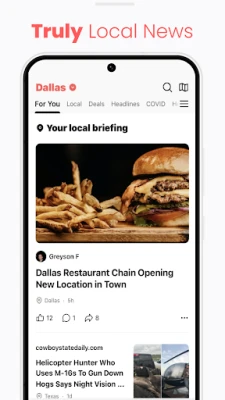
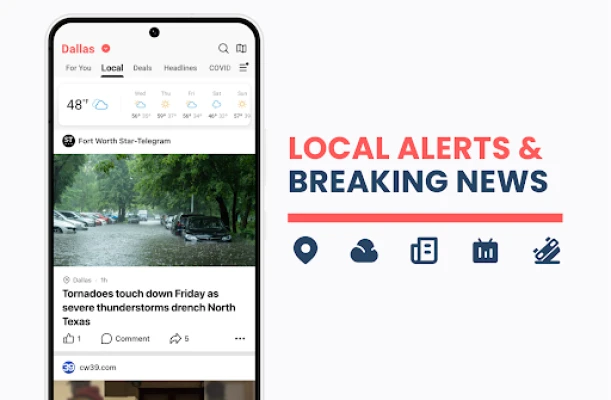
- Local headlines at a glance – The home screen shows a short list of the day’s top stories from your immediate area.
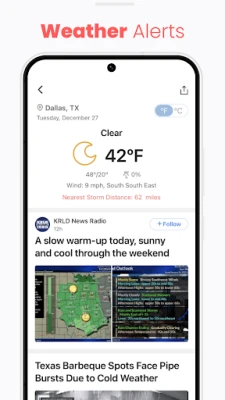
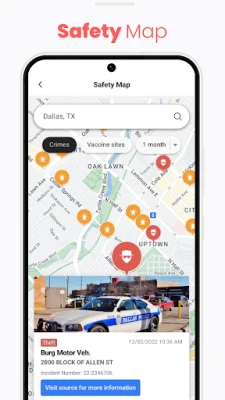
- Weather and traffic alerts – Simple push notifications keep you informed about severe weather, road closures and other time‑sensitive updates.
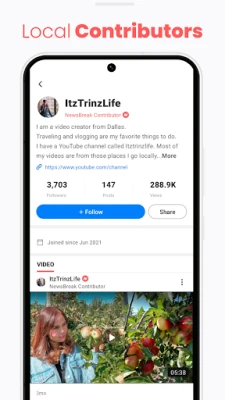
- Community‑focused content – Articles are sourced from local newspapers, broadcasters and municipal feeds, emphasizing news that directly affects neighborhoods.
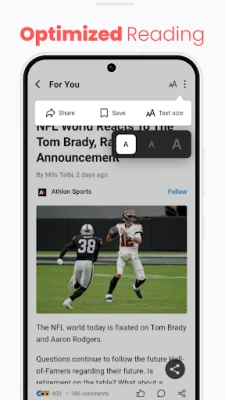
- Minimalist interface – A clean layout reduces visual clutter and speeds up loading times.
- Offline reading – Selected articles can be saved for later access without an internet connection.
How it works
When you first open NewsBreak Lite, the app asks for permission to access your device’s location. This information is used only to select the most relevant local sources. The app then pulls a curated feed from partner publishers and public data services, presenting the headlines in a scrollable list. Tapping a headline opens the full article in an in‑app viewer that respects the lightweight design philosophy.
Practical uses
- Stay informed about school closures, local elections or community meetings without opening multiple websites.
- Receive timely weather warnings that can help you plan your day or commute.
- Quickly check traffic conditions before heading out, especially useful for short‑distance trips.
- Read a brief summary of national or international news when you have a moment, without the distraction of ads or heavy multimedia.
Installation information
The app is distributed as a free download from the Google Play Store. Installation follows the standard Android process: tap “Install,” grant location permission when prompted, and launch the app. No additional configuration is required to start receiving local news.
Compatibility
NewsBreak Lite runs on Android devices that meet the basic system requirements for Google Play apps. Because the app is designed to be lightweight, it works well on older phones and devices with limited storage.
Things to know before installing
- The app relies on location data to personalize content; you can disable location after the initial setup, but the feed may become less localized.
- Content is sourced from third‑party publishers; the app does not create original reporting.
- While the app aims to be low‑impact, occasional data usage will occur as new headlines are fetched.
Who may find it useful?
Anyone who wants a quick, unobtrusive way to stay up to date with local happenings—students, commuters, seniors, or anyone with limited data plans—will benefit from NewsBreak Lite’s focused approach.
Frequently asked questions
Do I need an internet connection to read saved articles?
Yes, you must be online to download articles initially, but once saved they can be opened offline.
Can I customize the types of news I see?
The app offers basic filters for categories such as weather, traffic and community events. More detailed personalization is available in the full NewsBreak app.
Is there a way to turn off push notifications?
Push notifications can be disabled in the Android system settings for the app, or within the app’s own settings screen.
Rate the App
User Reviews








Popular Apps










 Games
Games Entertainment
 Communication
 E-mail
 Security
 Tools
Tools Media
Media Internet
 Finance
 Design
 Education
 IT Tools
 Travel & Local
 Android
 Windows
 Linux
Linux