Latest Version
Latest
August 23, 2026
mimiworks
Communication
Android
180
Free
tw.nekomimi.nekogram
Report a Problem
More About Nekogram – A Customizable Telegram Client
What is Nekogram?
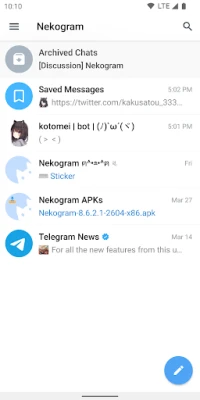
Nekogram is an alternative client for the Telegram messaging service. Developed by mimiworks, it builds on the official Telegram protocol but offers a set of optional adjustments that let users personalize the look and feel of the app without altering core functionality.
Main Features
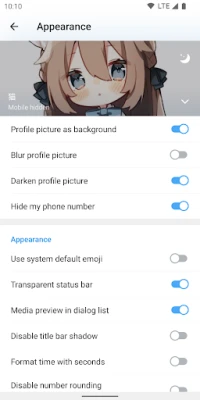
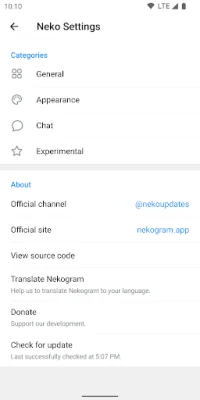
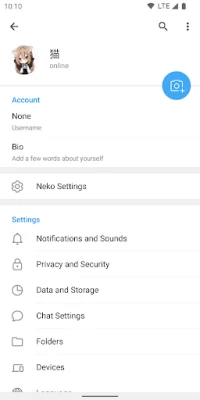
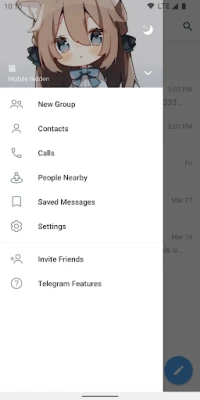
- Customizable appearance – Users can set their own avatar as the drawer header background, enable transparent status bars, and choose system emojis for a more integrated Android experience.
- Chat enhancements – The client lets you adjust sticker size, display folder shortcuts on the forward screen, and automatically pause video playback when the app moves to the background.
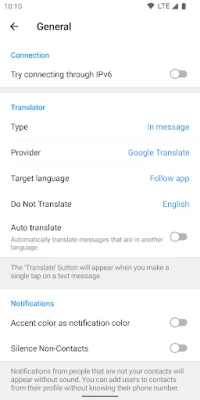
- Built‑in translation – Messages and articles can be translated on the fly using a selection of translation engines, making cross‑language conversations smoother.
How It Works
Like the official Telegram app, Nekogram connects to Telegram’s cloud‑based servers, so all chats, media, and settings stay synchronized across devices. The additional options are implemented locally, meaning they affect only the visual presentation and minor chat behaviours on the device where Nekogram is installed.
Practical Uses
- Users who prefer a darker or more personalized UI can apply custom backgrounds and transparent system bars.
- Frequent travelers or multilingual groups benefit from the quick‑translate feature for incoming messages.
- People who share a lot of media can set a comfortable sticker size and rely on automatic video pausing to save battery when multitasking.
Installation Information
Nekogram is distributed as a free Android application. To install, download the APK from a trusted source, enable installation from unknown sources if required, and follow the standard Android installation prompts. After installation, log in with your existing Telegram account credentials; no new account creation is needed.
Compatibility
The app targets Android devices that support the official Telegram client. Specific minimum Android version information is not provided, but the client runs on most modern smartphones and tablets that can install standard Android applications.
Things to Know Before Installing
- Because Nekogram is a third‑party client, updates are managed independently of the official Telegram app.
- All messages are still stored on Telegram’s servers; Nekogram does not introduce separate cloud storage.
- Features such as custom backgrounds or translation are optional and can be toggled in the settings menu.
Who May Find Nekogram Useful?
Anyone who enjoys Telegram’s core messaging capabilities but wants a bit more control over the interface will appreciate Nekogram. It is especially appealing to users who like to personalize their chat environment or need quick translation tools without leaving the conversation.
Frequently Asked Questions
Is Nekogram safe to use?
It uses the same encrypted connection as the official Telegram client. However, because it is not an official app, you should download it from a reputable source and keep it updated.
Can I use Nekogram alongside the official Telegram app?
Yes. Both apps can be installed simultaneously and will access the same Telegram account data.
Do the customizations affect other Telegram users?
No. Visual changes are local to your device and do not alter how your messages appear to contacts.
Will my chats be backed up?
All chat history is stored in Telegram’s cloud, so it remains available regardless of which client you use.
Rate the App
User Reviews















Popular Apps










 Games
 Entertainment
 Communication
 E-mail
 Security
 Tools
 Media
 Internet
 Finance
 Design
 Education
 Android Firmwares
 Travel & Local
 Android
 Windows
 Linux