
Latest Version
Latest
August 17, 2026
nandbox Inc.
Communication
Android
51
Free
com.nandbox.nandbox
Report a Problem
More About nandbox Messenger – video chat
What is nandbox Messenger?
nandbox Messenger is a free Android messaging client developed by nandbox Inc. It focuses on giving users the ability to separate their online presence into distinct profiles while still using the same phone number. The app combines text chat, voice and video calling, and community‑oriented channels into one package.
Main features
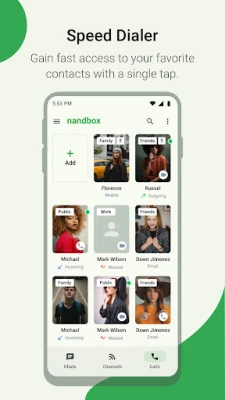
Multiple personal profiles
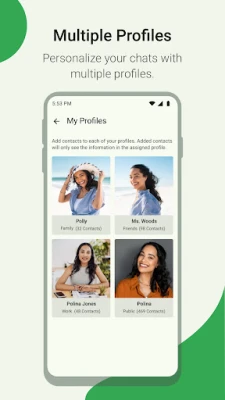
You can create up to four independent profiles – for example, work, family, friends and a public persona. Each profile has its own picture, status and contact list, so you can share the right information with the right audience without switching devices or logging in multiple times.
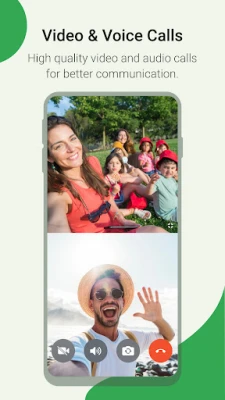
Voice and video calls
The app includes built‑in support for one‑to‑one voice and video calls. Calls are placed over the internet, so they work wherever you have a data connection.
Interactive channels
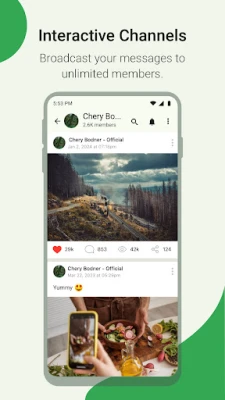
Channels act like broadcast groups that can be either private or public. They accept an unlimited number of subscribers, allowing you to reach a large audience with a single message. Channel owners can set up admin roles to help manage content and participants.
Large group chats
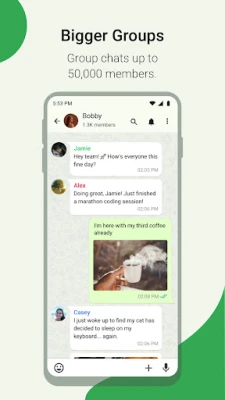
Group conversations can host up to 10,000 members. Within a group you can share text, images, locations and contacts. QR‑code scanning makes it easy for others to join, and administrators have tools for moderation and notifications.
Message editing
If you send something by mistake, you can recall or edit the message, helping keep conversations tidy.
How it works
After installing the app, you register with your phone number. The system then lets you set up the four profiles you need. Each profile appears as a separate entry in the contact list, and you can switch between them from the main screen. Channels and groups are created from the same interface; you choose whether a channel is public or private and invite participants or share the QR code.
Practical uses
- Professional separation: Keep work contacts separate from personal chats without juggling multiple accounts.
- Family coordination: A dedicated family profile makes it simple to share updates and photos with relatives only.
- Community outreach: Use public channels to broadcast announcements, event details or newsletters to an unlimited audience.
- Large‑scale events: Organise conferences, webinars or fan clubs with group chats that can accommodate thousands of participants.
Who may find it useful?
Anyone who wants to manage distinct social circles from a single phone will appreciate the profile system. Small businesses and community organizers can benefit from the channel and large‑group capabilities. Users who rely on voice or video calls as part of their daily communication will also find the integrated calling feature convenient.
Things to know before installing
- The app is free to download and use.
- It requires an active internet connection for messaging, calls and channel updates.
- All profiles share the same phone number, so you do not need separate SIM cards.
- Because the app supports large groups and channels, you may receive a high volume of messages in active communities.
Frequently asked questions
Can I use the same phone number for all four profiles?
Yes. The app links all profiles to the single number you register with.
Is there a limit to how many channels I can create?
No. You can create as many channels as you need, and each can have unlimited subscribers.
Do voice and video calls cost extra?
Calls use your data connection; there are no additional fees from the app itself.
How do I add someone to a group?
You can invite contacts directly or share the group’s QR code for quick joining.
Rate the App
User Reviews















Popular Apps










 Games
Games Entertainment
 Communication
 E-mail
 Security
 Tools
Tools Media
Media Internet
 Finance
 Design
 Education
 Android Firmwares
 Travel & Local
 Android
 Windows
 Linux
Linux