
Latest Version
Latest
August 31, 2026
Gabb Wireless, Inc.
Communication
Android
7
Free
com.gabbwireless.mygabb
Report a Problem
More About MyGabb – Parental Control & GPS Tracker for Gabb Devices
What is MyGabb?
MyGabb is a free Android application created by Gabb Wireless, Inc. It serves as a companion tool for families that use Gabb’s line of child‑focused phones and watches. The app lets parents monitor device usage, view real‑time location, and configure safety settings without exposing children to typical smartphone distractions.
Main Features
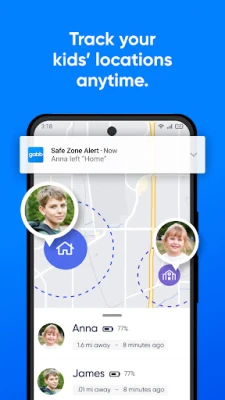
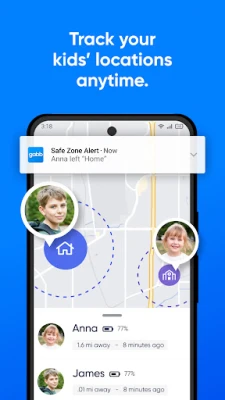
- Location tracking – See where the device is on a map in real time.
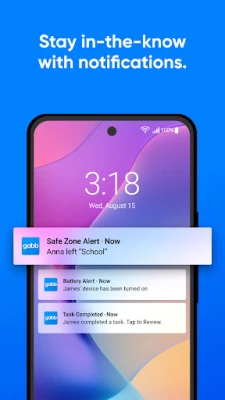
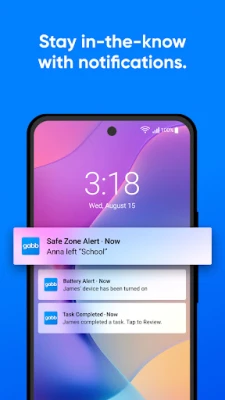
- Safe zones – Define geographic areas (home, school, etc.) and receive alerts when the device enters or leaves those zones.
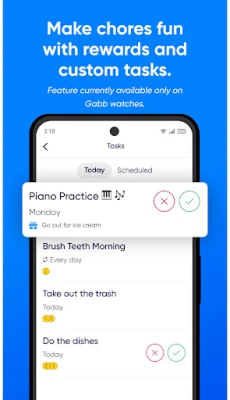
- Contact management – Approve or restrict who the child can call or message.
- Device pairing – Connect the app to a Gabb phone or watch for seamless management.
- Parental controls – Adjust settings such as messaging limits and usage permissions from a single screen.
How It Works
After installing MyGabb, you create a parent account and link it to the child’s Gabb device using a simple pairing code. Once connected, the app pulls location data from the device’s built‑in GPS and displays it on an interactive map. Safe zones are drawn by selecting points on the map; the app stores those boundaries and monitors movement automatically. All contact changes are synchronized with the device, ensuring that only approved numbers appear in the child’s address book.
Practical Uses
- Confirm that your child has arrived at school safely.
- Get notified if a device leaves a designated area, such as a playground.
- Limit communication to family members and trusted friends.
- Provide peace of mind while allowing children a degree of independence.
Installation Information
Search for “MyGabb” in the Google Play Store, tap Install, and grant the permissions required for location and device management. The app is free to download and use. After installation, follow the on‑screen prompts to set up your parent profile and pair with your child’s Gabb device.
Compatibility
MyGabb is designed for Android smartphones that can run the Google Play Store. Specific version requirements are not published, but the app works with recent Android releases that support location services and Bluetooth pairing.
Things to Know Before Installing
- The app works only with Gabb‑branded devices; it cannot manage other phone brands.
- Location accuracy depends on GPS signal strength and may vary indoors.
- All data is stored in accordance with Gabb Wireless’s privacy policy; review it if you have concerns about data handling.
Who May Find MyGabb Useful?
Parents of children aged 5‑18 who use Gabb phones or watches will benefit most. The app is also helpful for guardians, babysitters, or family members who need to stay informed about a child’s whereabouts and communication options.
Frequently Asked Questions
Do I need an internet connection for location tracking?
Yes. The app requires an active data connection on the parent’s device to receive location updates from the child’s device.
Can I set multiple safe zones?
Yes. You can create as many zones as needed and assign custom alerts for each.
Is there a cost for using MyGabb?
The app itself is free. Any data charges incurred by the child’s Gabb device are billed through the device’s service plan.
How do I remove a contact?
Open the contact management section in the app, select the contact, and choose “Remove.” The change syncs to the child’s device instantly.
Rate the App
User Reviews










Popular Apps










 Games
Games Entertainment
 Communication
 E-mail
 Security
 Tools
Tools Media
Media Internet
 Finance
 Design
 Education
 IT Tools
 Travel & Local
 Android
 Windows
 Linux
Linux