

Latest Version
Latest
September 07, 2026
Hiya
Communication
Android
31
Free
com.mrnumber.blocker
Report a Problem
More About Mr. Number: Spam Call Blocker – Stop Unwanted Calls
What is Mr. Number?
Mr. Number is a free Android application developed by Hiya that helps you identify and block unwanted phone calls. It focuses on reducing interruptions from telemarketers, fraudsters, and unknown numbers, giving you more control over who can reach you.
Main features
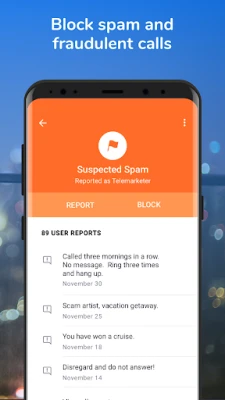
- Call blocking – Block individual numbers, entire area codes, or whole countries with a few taps.
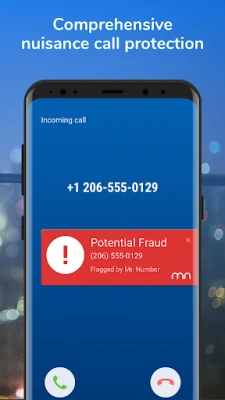
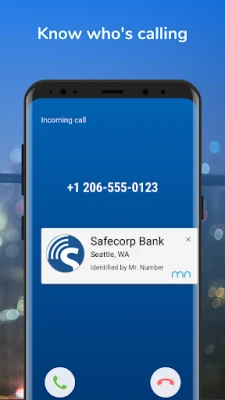
- Spam identification – Incoming calls are checked against a database of known spam and scam numbers, and the caller’s name or label is displayed.
- Private/unknown number handling – Calls from hidden or unknown callers can be sent directly to voicemail.
- Report spam – If you receive a suspicious call, you can report it to help improve the community‑wide spam database.
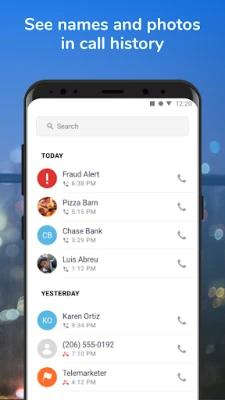
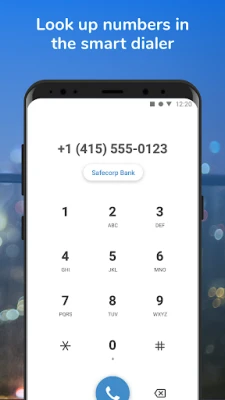
- Caller lookup – Recent calls in your phone’s history are automatically looked up, so you can see who called before deciding to block.
How it works
When a call arrives, Mr. Number checks the incoming number against its internal list of reported spam and fraud numbers. If a match is found, the app can automatically block the call or show a warning, depending on your settings. You can also create custom block lists for specific numbers, area codes, or regions.
Practical uses
- Prevent telemarketing calls from interrupting work or personal time.
- Reduce exposure to potential phone scams by blocking known fraud numbers.
- Keep your voicemail free of unwanted messages from unknown callers.
- Help improve community protection by reporting new spam numbers.
Installation information
Mr. Number is available for free on the Google Play Store. Search for the package name com.mrnumber.blocker or the app name, then tap Install. The app requires standard permissions to read your call log and manage incoming calls, which are necessary for its blocking and lookup functions.
Things to know before installing
- The app relies on an online database that is regularly updated; an internet connection is needed for the most accurate spam detection.
- Blocking rules are applied locally on your device; you can adjust or disable them at any time in the app’s settings.
- Some carriers may have their own call‑blocking services that could overlap with Mr. Number’s features.
Who may find it useful?
Anyone who receives frequent unwanted calls—whether for personal, professional, or senior‑care reasons—can benefit from Mr. Number. It is especially helpful for users who travel internationally and want to block calls from specific regions.
Frequently asked questions
Do I need to be online for the app to block calls?
Basic blocking of numbers you have manually added works offline. Real‑time spam detection and caller lookup require an internet connection.
Can I block calls from a whole country?
Yes, the app lets you add country‑wide block rules by selecting the appropriate area code range.
Is my personal data shared?
Mr. Number only uses call information necessary for blocking and reporting. Details about reported spam numbers are aggregated and anonymized.
Rate the App
User Reviews















Popular Apps










 Games
Games Entertainment
 Communication
 E-mail
 Security
 Tools
Tools Media
Media Internet
 Finance
 Design
 Education
 Android Firmwares
 Travel & Local
 Android
 Windows
 Linux
Linux