
Latest Version
Latest
August 16, 2026
Microsoft Corporation
Communication
Android
220
Free
com.microsoft.emmx
Report a Problem
More About Microsoft Edge – Fast, Secure Browsing for Android
What is Microsoft Edge?
Microsoft Edge is a web browser developed by Microsoft Corporation for Android devices. It offers a modern browsing experience that combines speed, built‑in security, and a set of productivity tools designed to make everyday web tasks smoother.
Main Features
- Speed and performance – Optimized rendering engine delivers quick page loads and smooth scrolling.
- In‑private browsing – A mode that doesn’t retain your history, cookies, or form data after the session ends.
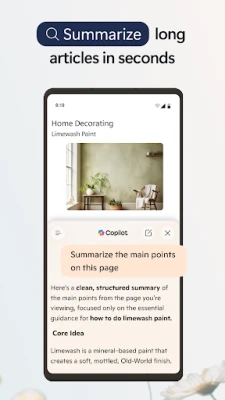
- Read Aloud – Converts web articles into spoken words, letting you listen while multitasking.
- Tab organization – Group tabs by topic with a single tap, helping you keep related pages together.
- Built‑in tracking protection – Blocks known trackers to protect your privacy while you surf.
How It Works
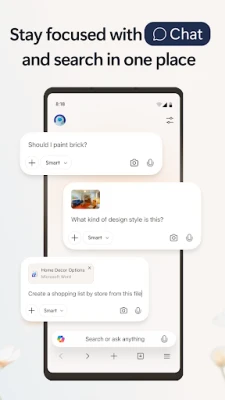
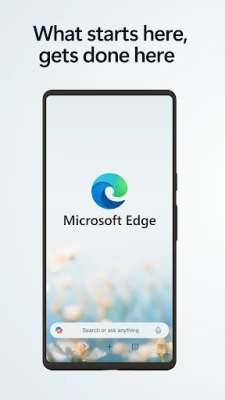
When you open Edge, the home screen presents a clean layout with easy access to your favorite sites, recent tabs, and a search bar. The browser uses Microsoft’s rendering technology to interpret web content efficiently. As you navigate, Edge automatically applies tracking prevention and offers suggestions for faster navigation based on your browsing habits.
Practical Uses
- Research and reading – Open multiple tabs, group them by subject, and use Read Aloud to listen to long articles while you work on other tasks.
- Privacy‑focused browsing – Enable In‑private mode when you need a session that leaves no trace on the device.
- Quick information lookup – The integrated search bar provides instant suggestions, reducing the time spent typing full queries.
Installation Information
Microsoft Edge can be downloaded from the Google Play Store. Search for "Microsoft Edge" or use the package name com.microsoft.emmx. The app is free to install and does not require a Microsoft account to browse, though signing in unlocks sync features across devices.
Compatibility
The browser is designed for Android smartphones and tablets. It adapts to different screen sizes and supports the latest Android versions that are commonly in use. Specific minimum OS requirements are listed on the Play Store page.
Things to Know Before Installing
- Edge stores browsing data locally unless you enable sync with a Microsoft account.
- The app may request permission to access the internet and to read/write to storage for downloading files.
- Some features, such as syncing favorites, require a free Microsoft account.
Who May Find It Useful?
Anyone looking for a reliable alternative to the default Android browser will benefit from Edge’s performance and privacy tools. It is especially handy for users who already use Microsoft services, as it integrates smoothly with Outlook, OneDrive, and other Microsoft apps.
Frequently Asked Questions
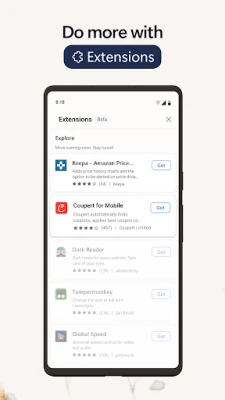
Does Edge support extensions on Android?
At present, the Android version does not support browser extensions the way desktop versions do.
Can I sync my bookmarks and passwords?
Yes, by signing in with a Microsoft account you can sync favorites, passwords, and reading lists across devices.
Is the browser’s data usage heavy?
Edge includes data‑saving options that compress pages when enabled, helping to reduce bandwidth consumption.
Rate the App
User Reviews















Popular Apps










 Games
Games Entertainment
 Communication
 E-mail
 Security
 Tools
Tools Media
Media Internet
 Finance
 Design
 Education
 Android Firmwares
 Travel & Local
 Android
 Windows
 Linux
Linux