

Latest Version
Latest
September 18, 2026
messenger!
Communication
Android
3
Free
messenger.messenger.messenger.messenger
Report a Problem
More About Messenger – Text Messages SMS
What is Messenger – Text Messages SMS?
Messenger – Text Messages SMS is a free Android application that lets you manage traditional SMS conversations directly from your device. Developed by messenger!, the app focuses on delivering a straightforward texting experience without relying on data or Wi‑Fi connections.
Main features
- Offline SMS support – Send and receive standard text messages even when you are not connected to the internet.
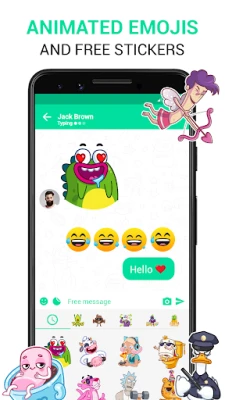
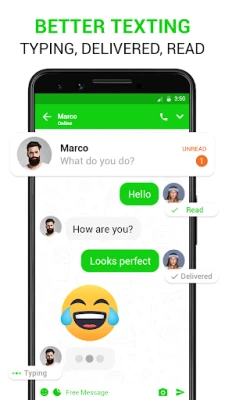
- Simple user interface – An uncluttered layout makes it easy to read and compose messages quickly.
- Basic customization – Choose from a few built‑in themes and adjust font size to suit your preferences.
- Lightweight design – The app occupies minimal storage, leaving more space for other content on your device.
How it works
When you open Messenger – Text Messages SMS, the app accesses the device’s native SMS service. You can start a new conversation by selecting a contact from your address book or by entering a phone number manually. Messages are sent through your carrier’s SMS network, so no additional data charges apply beyond your regular mobile plan.
Practical uses
- Stay in touch while traveling in areas with limited mobile data.
- Communicate with contacts who prefer traditional texting over messaging apps.
- Use a dedicated app for work‑related SMS to keep personal and professional messages separate.
Installation information
To install the app, locate it in the Appitika store, tap the Install button, and follow the on‑screen prompts. The installation process follows the standard Android package installation flow.
Things to know before installing
- The app requires permission to read and send SMS messages; this is necessary for its core functionality.
- Since it uses the carrier’s SMS service, standard messaging rates from your mobile provider will apply.
- There are no in‑app purchases; all features are available for free.
Who may find it useful?
Anyone who needs a reliable way to send text messages without depending on internet connectivity can benefit from this app. It is especially handy for users who prefer a dedicated SMS tool, seniors who appreciate a simple layout, or travelers who want to avoid data‑heavy messaging platforms.
Frequently asked questions
Do I need an internet connection to use the app?
No. The app works with your carrier’s SMS network, so it functions offline.
Is the app safe to use?
The app requests only the permissions required for sending and receiving SMS. As with any messaging app, avoid sharing sensitive personal information unless you trust the recipient.
Can I send multimedia messages (MMS) with this app?
The primary focus is on text‑only SMS. Support for MMS is not advertised, so you may need a different app for multimedia messaging.
Rate the App
User Reviews





![[US] Social Network – Real‑time local connections](https://www.appitika.com/images/17896840845838641.webp)









Popular Apps










 Games
Games Entertainment
 Communication
 E-mail
 Security
 Tools
Tools Media
Media Internet
 Finance
 Design
 Education
 IT Tools
 Travel & Local
 Android
 Windows
 Linux
Linux