

Latest Version
September 16, 2026
Bright Solved
Communication
Android
70
Free
chat.messenger.textmessage.sms.messages.messaging.app
Report a Problem
More About Messenger SMS Text Messages – Simple Android SMS Chat
What is Messenger SMS Text Messages?
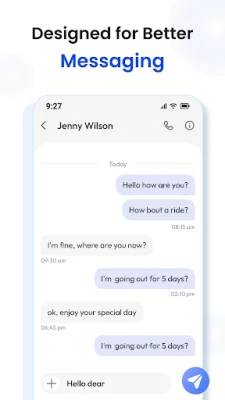
Messenger SMS Text Messages is a free Android application developed by Bright Solved. It focuses on providing a straightforward interface for sending and receiving standard SMS messages while offering tools that help keep your conversation list tidy and readable.
Main features
- Basic SMS sending and receiving – works with the device’s native SMS service.
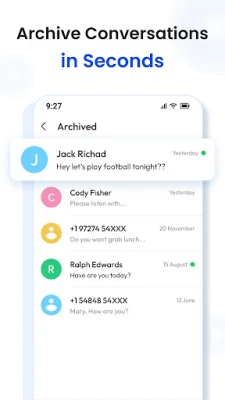
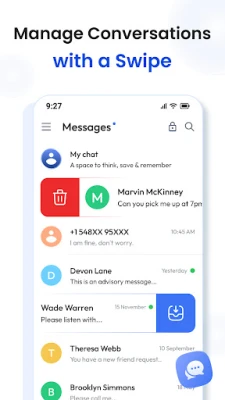
- Archive and swipe actions – quickly archive, delete, block, or mark messages as read/unread with simple gestures.
- Adjustable font size – choose from small to extra‑large text for comfortable reading.
- Theme options – switch between light, dark, or follow the system theme.
- Multiple language support – the interface adapts to a range of languages.
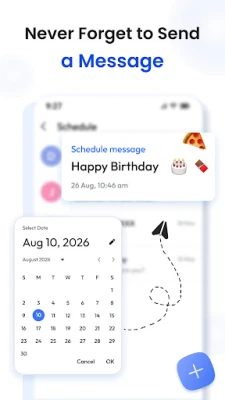
- Message scheduling – set a future time for an SMS to be sent.
- Backup & restore – export your conversations and import them later if needed.
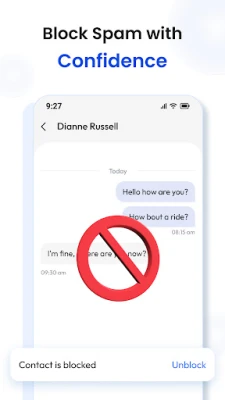
- Number blocking – prevent unwanted SMS from specific contacts.
How it works
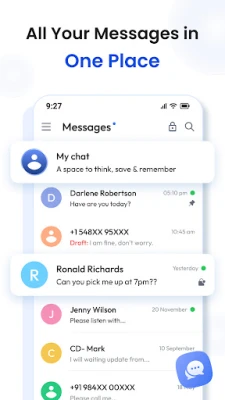
After installing the app, you grant it permission to access your device’s SMS functions. The main screen displays all existing SMS threads, grouped by contact. From there you can start a new conversation, reply to incoming messages, or use the swipe menu to perform quick actions. Settings let you adjust font size, choose a theme, and enable or disable features such as scheduled sending or backup.
Practical uses
- Keep personal and work SMS separate by archiving older chats.
- Schedule reminders or birthday wishes to be sent at a specific time.
- Block spam numbers without needing a separate app.
- Read messages comfortably in low‑light environments using dark mode and larger fonts.
Installation information
The app is available for free on the Android platform. Download it from a trusted source, open the APK, and follow the standard installation prompts. Once installed, open the app and accept the required SMS permissions to start using it.
Things to know before installing
- The app relies on the device’s native SMS service; it does not provide its own messaging network.
- All features are built around standard SMS, so data‑based messaging services (e.g., RCS, WhatsApp) are not supported.
- Backup and restore functions work with local files; they do not automatically sync to cloud services.
Who may find it useful?
Anyone who prefers a dedicated SMS client with a clean layout will benefit. It is especially handy for users who receive a high volume of texts and need quick ways to organize, schedule, or block messages without switching between multiple apps.
Frequently asked questions
Do I need an internet connection to send SMS?
No. SMS messages are sent through your carrier’s cellular network, so an active data connection is not required.
Can I restore messages from a backup?
Yes. The backup feature creates a file on your device that can be imported later to restore your conversation history.
Is the app compatible with Android 5.0 and newer?
The exact minimum Android version is not listed, but the app targets recent Android releases and should run on most devices that support standard SMS functionality.
Rate the App
User Reviews















Popular Apps










 Games
 Entertainment
 Communication
 E-mail
 Security
 Tools
 Media
 Internet
 Finance
 Design
 Education
 Android Firmwares
 Travel & Local
 Android
 Windows
 Linux