


Latest Version
September 12, 2026
Messenger Messages
Communication
Android
6
Free
com.sms.messenger
Report a Problem
More About Messenger SMS – Private Text Messaging
What is Messenger SMS?
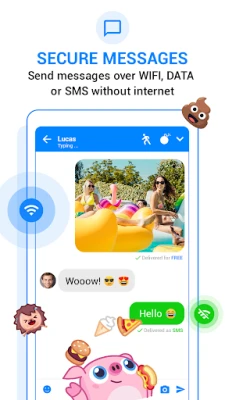
Messenger SMS is an Android application that replaces or supplements the default messaging client on your device. It handles traditional SMS and MMS traffic while also offering a chat‑style interface for internet‑based conversations.
Main Features
- Standard SMS/MMS support – Send and receive text messages and multimedia messages without leaving the app.
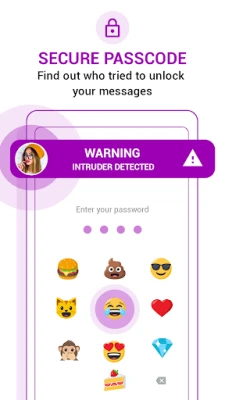
- Privacy options – The app includes optional PIN or emoji locks for individual chats and a vault‑style area where selected messages can be hidden.
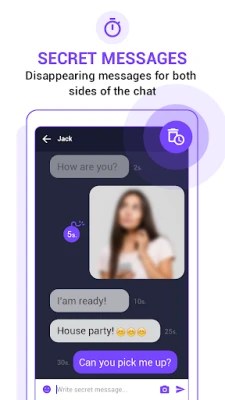
- Disappearing messages – Users can enable a mode where messages are removed from the conversation after they are viewed.
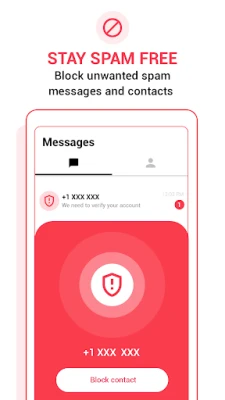
- Spam filtering – Basic filtering helps keep unwanted promotional or scam messages out of the inbox.
- Media sharing – Attach photos, videos, emojis and stickers to messages.
- Offline drafting – Compose messages while offline; they are sent automatically once a network connection is available.
How It Works
After installation, Messenger SMS can be set as the default messaging app. It integrates with the system’s SMS service, so incoming texts appear in the app’s inbox. For internet‑based chats, the app creates a separate conversation thread that uses data or Wi‑Fi. Privacy tools such as chat locks and the message vault are accessed from the app’s settings menu.
Practical Uses
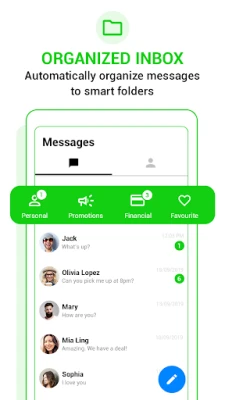
- Keeping personal conversations separate from work‑related messages.
- Sending multimedia content without switching between apps.
- Reducing clutter by filtering spam messages.
- Protecting sensitive chats with a lock or disappearing‑message mode.
Installation Information
The app is available for free on the Google Play Store. Installation follows the standard process: tap Install, grant the required permissions for sending and receiving SMS, and optionally set the app as the default messenger.
Things to Know Before Installing
- The app requires permission to read, send and receive SMS messages.
- Privacy features such as PIN locks are optional and must be configured by the user.
- Standard carrier charges for SMS/MMS apply when using the cellular network.
Who May Find It Useful?
Anyone who wants a single place to manage both SMS/MMS and internet‑based chats, especially users who value extra privacy controls for their messages.
Frequently Asked Questions
Can I use Messenger SMS alongside my existing messaging app?
Yes. You can keep the default app and use Messenger SMS for specific contacts or set it as the default if you prefer.
Does the app block all spam messages?
It includes basic spam filtering, but no solution can guarantee 100 % block rate. Users can manually block numbers as needed.
Are there any hidden fees?
The app itself is free. However, sending SMS or MMS through your carrier may incur normal charges.
Rate the App
User Reviews
Other Apps in This Category














Popular Apps










 Games
Games Entertainment
 Communication
 E-mail
 Security
 Tools
Tools Media
Media Internet
 Finance
 Design
 Education
 IT Tools
 Travel & Local
 Android
 Windows
 Linux
Linux