

Latest Version
Latest
August 12, 2026
Meta Platforms, Inc.
Communication
Android
254
Free
com.facebook.talk
Report a Problem
More About Messenger Kids – Safe Messaging for Children
What is Messenger Kids?
Messenger Kids is a messaging application designed specifically for children. Developed by Meta Platforms, Inc., it provides a space where kids can send text, photos, videos, and drawings to friends and family members that have been approved by a parent or guardian.
Main Features
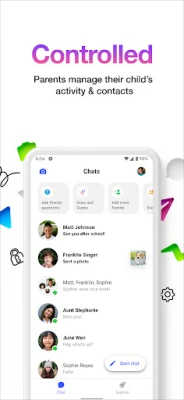
- Parent‑controlled contacts: Adults manage the contact list, adding or removing people as needed.
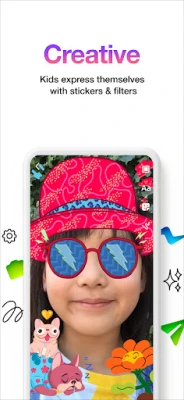
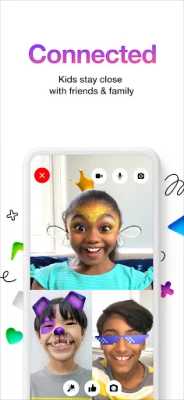
- Kid‑friendly filters and effects: A selection of stickers, emojis, and simple visual filters make conversations playful.
- Drawing tools: Children can doodle directly onto messages, adding a personal touch.
- No phone number required: Accounts are created without needing a personal mobile number, keeping the process simple for families.
- Usage limits: Parents can set daily or bedtime limits to help manage screen time.
How It Works
When a parent installs Messenger Kids, they create a profile for each child and approve the contacts the child can interact with. The child then logs in with a simple username and password. All messages are routed through the app’s servers, and parents can view conversation history and receive notifications if a child blocks a contact.
Practical Uses
The app is useful for families who want a safe way for children to stay in touch with relatives, classmates, or friends, especially when they are away from home. It can also serve as a low‑pressure introduction to digital communication, teaching basic etiquette under adult oversight.
Installation Information
Messenger Kids is available for free on the Google Play Store. To install, search for the app by its name, tap “Install,” and follow the on‑screen prompts to set up parental controls. No additional purchases are required.
Things to Know Before Installing
- All contacts must be added by a parent; children cannot add new friends on their own.
- The app does not contain in‑app purchases or advertisements.
- Parents receive alerts when a child blocks a contact, allowing them to review the situation.
Who May Find It Useful?
Parents of children aged 5‑12 who want a controlled environment for digital communication will find Messenger Kids particularly helpful. It is also suitable for grandparents or other family members who want a simple way to stay connected with younger relatives.
Frequently Asked Questions
Do I need a Facebook account to use Messenger Kids?
No. The app operates independently of a personal Facebook profile, though it is developed by Meta.
Can I see the messages my child sends?
Yes. Parents have access to a dashboard where they can view conversation history and manage contacts.
Is the app free?
The download and core functionality are free, and there are no in‑app purchase options.
Rate the App
User Reviews















Popular Apps










 Games
Games Entertainment
 Communication
 E-mail
 Security
 Tools
Tools Media
Media Internet
 Finance
 Design
 Education
 Android Firmwares
 Travel & Local
 Android
 Windows
 Linux
Linux