

Latest Version
Latest
September 14, 2026
Maxlabs Personalization Tools
Communication
Android
4
Free
com.cutestudio.led.color.sms
Report a Problem
More About Messenger - Color SMS
What is Messenger - Color SMS?
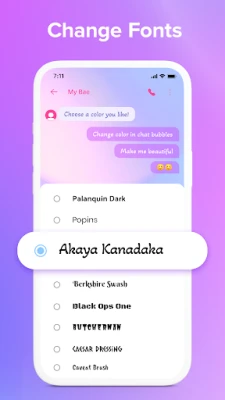
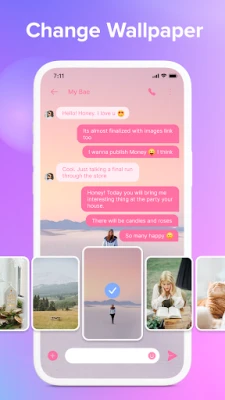
Messenger - Color SMS is a lightweight Android application designed for sending and receiving standard SMS and MMS messages. Developed by Maxlabs Personalization Tools, the app focuses on giving users the ability to personalize the look of their messaging experience without altering the core functionality of text messaging.
Main features
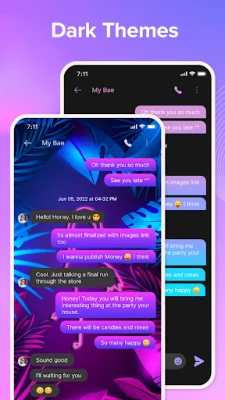
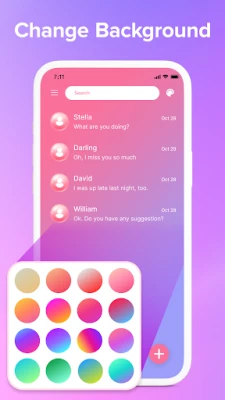
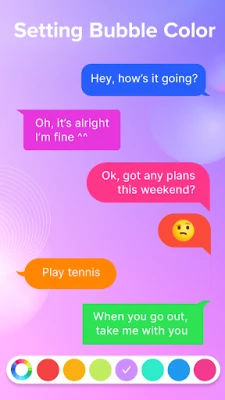
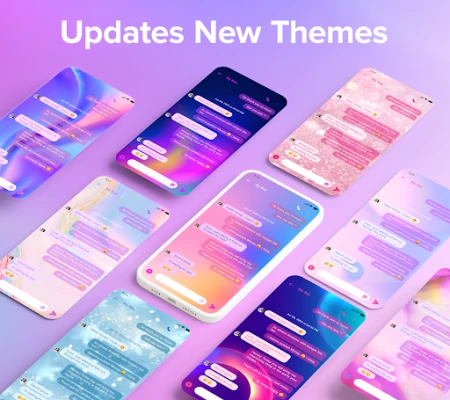
- Colorful themes: Choose from a selection of color schemes and dark‑mode options to match your device’s aesthetic.
- Standard SMS/MMS support: Send and receive plain text messages as well as multimedia messages such as photos, videos, and audio clips.
- Message management: Read, copy, forward, and delete messages directly from the conversation view.
- Simple interface: An uncluttered layout that keeps the focus on the conversation, making it easy to navigate on any screen size.
How it works
When you install Messenger - Color SMS, it registers as the default SMS app if you choose to do so during setup. Once active, the app handles all incoming and outgoing SMS/MMS traffic, applying the selected theme to the conversation screens. The app does not replace your carrier’s messaging service; it simply provides a different visual layer on top of the existing SMS infrastructure.
Practical uses
The app is useful for anyone who wants a more personalized texting experience. Whether you prefer bright colors to brighten your day or a dark theme for low‑light environments, Messenger - Color SMS lets you adjust the appearance without affecting message delivery. It also works well for users who appreciate a clean, distraction‑free interface for everyday communication.
Installation information
To install, locate the app in the Appitika store and tap the install button. The app will request permission to access your contacts and SMS messages, which are required for basic operation. After installation, you can open the app, select a theme, and optionally set it as the default messaging app in your device settings.
Things to know before installing
- The app does not provide end‑to‑end encryption; it handles standard carrier‑based SMS/MMS.
- All standard messaging fees from your carrier still apply.
- Because the app focuses on visual customization, advanced messaging features such as scheduled sending or built‑in spam filters are not included.
Who may find it useful?
Anyone who uses SMS as a primary communication method and enjoys customizing the look of their apps will benefit from Messenger - Color SMS. It is especially appealing to users who want a simple, free alternative to more feature‑heavy messaging apps.
Frequently asked questions
- Can I use this app alongside other messaging apps? Yes. You can keep other messaging apps installed; Messenger - Color SMS will handle only SMS/MMS traffic.
- Does the app work on all Android versions? The app requires a version of Android that supports the standard SMS APIs. Specific version requirements are not listed, so it is best to try installation on your device.
- Is my data safe? The app accesses your contacts and messages only to display them within the app. It does not claim additional security beyond the normal SMS protocol.
Rate the App
User Reviews















Popular Apps










 Games
Games Entertainment
 Communication
 E-mail
 Security
 Tools
Tools Media
Media Internet
 Finance
 Design
 Education
 IT Tools
 Travel & Local
 Android
 Windows
 Linux
Linux