




Latest Version
September 14, 2026
Messages SMS Text Messenger
Communication
Android
62
Free
messages.textsms.organizer
Report a Problem
More About Messages – Text SMS Organizer
What is Messages – Text SMS Organizer?
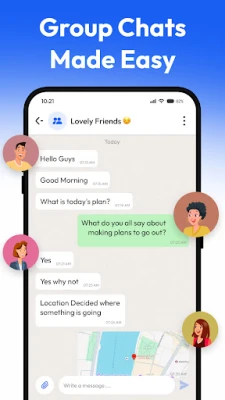
Messages – Text SMS Organizer is a free Android application designed to help you keep your text messaging experience tidy and efficient. It focuses on organizing incoming and outgoing SMS without adding unnecessary bloat, giving you quick access to the conversations that matter most.
Main features
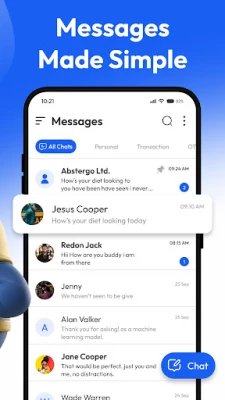
- Smart categorisation – The app groups messages into logical sections such as personal, transactional and promotional, making it easier to locate a specific conversation.
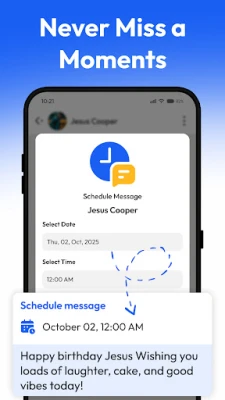
- Message scheduling – You can compose a text and set a future time for it to be sent, which is handy for reminders, birthday wishes or timed updates.
- Archiving – Older or less‑frequent chats can be moved to an archive, keeping the main inbox uncluttered while still preserving the history.
- Spam and unwanted‑message blocking – The app includes basic filters that detect common spam patterns and let you block numbers that send unwanted content.
- Quick reply after calls – When you finish a phone call, a shortcut appears that lets you send a brief follow‑up message without opening the full messaging interface.
How it works
After installation, the app requests permission to read and send SMS, which is required for its core functions. Once granted, it scans your existing messages and automatically assigns them to the appropriate categories. You can fine‑tune the categorisation rules in the settings if you prefer a different arrangement.
To schedule a message, tap the compose button, write your text, then choose a date and time from the picker. The app stores the pending message locally and sends it at the specified moment, even if the screen is off.
Archiving is performed by a long‑press on a conversation, followed by selecting the archive option. Archived threads are accessible from a separate tab, where you can restore them to the main inbox at any time.
Practical uses
- Keep work‑related SMS separate from personal chats, reducing the chance of missing important information.
- Set up scheduled reminders for appointments, bill payments or recurring events without needing a separate calendar app.
- Reduce inbox noise by automatically moving promotional offers to a dedicated folder or blocking them entirely.
- Send a quick “On my way” or “Thanks for calling” message right after a phone call, saving time and effort.
Installation information
The application is available as a free download from the Appitika store. Installation follows the standard Android process: tap the install button, accept the requested permissions, and the app will appear in your app drawer once the download completes.
Things to know before installing
- The app requires permission to read and send SMS messages; this is essential for categorisation, scheduling and quick‑reply features.
- It does not replace your default messaging app; instead, it works alongside it, offering additional organisational tools.
- Battery impact is minimal, as the app runs primarily in the background only when processing incoming messages or sending scheduled texts.
Who may find it useful?
Anyone who receives a high volume of SMS and wants a clearer view of their conversations can benefit from this tool. It is particularly helpful for professionals who separate client communications, for users who receive many promotional offers, and for anyone who likes to plan messages in advance.
Frequently asked questions
Can I use the app as my default SMS messenger?
No. Messages – Text SMS Organizer is intended to complement your existing messaging app, providing organisational features without replacing the core messaging interface.
Will scheduled messages be sent if my phone is turned off?
Scheduled messages are sent when the device is powered on and has network connectivity. If the phone is off at the scheduled time, the app will attempt to send the message as soon as the device becomes active.
How does the spam filter work?
The filter looks for common keywords and patterns associated with unsolicited messages. You can add or remove numbers from a block list manually in the settings.
Is my data shared with third parties?
The app processes messages locally on the device. No personal SMS content is transmitted to external servers unless you explicitly share it through the app’s built‑in sharing options.
Rate the App
User Reviews















Popular Apps










 Games
 Entertainment
 Communication
 E-mail
 Security
 Tools
 Media
 Internet
 Finance
 Design
 Education
 Android Firmwares
 Travel & Local
 Android
 Windows
 Linux