

Latest Version
Latest
September 17, 2026
PinShot Apps.
Communication
Android
13
Free
com.messages.firstapp.betasms
Report a Problem
More About Messages: Text, SMS & MMS – Simple Messaging for Android
What is Messages: Text, SMS & MMS?
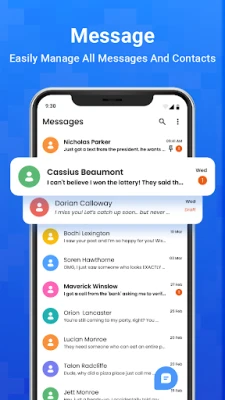
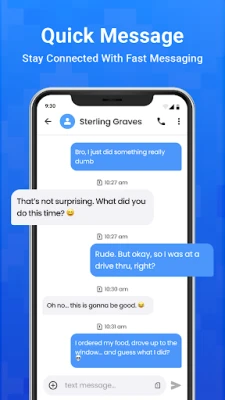
Messages: Text, SMS & MMS is a free Android application developed by PinShot Apps. It replaces the default messaging client with a clean interface that supports standard SMS and MMS communication. The app focuses on ease of use, allowing you to stay in touch with contacts without extra frills.
Main features
- Standard messaging – Send and receive SMS and MMS through your mobile carrier.
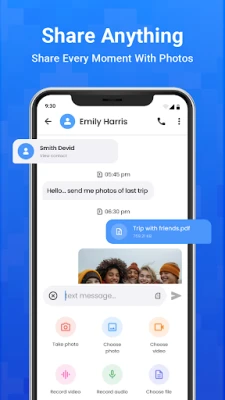
- Media sharing – Attach photos, videos, audio clips and emojis to your messages.
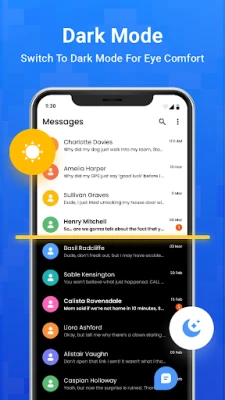
- Theme options – Choose light or dark mode and select from a few built‑in color schemes.
- Quick reply – Respond to incoming messages directly from the notification shade.
- Conversation organization – Chats are displayed chronologically with a simple search function.
- Dual SIM handling – If your device has two SIM cards, you can select which line to use for each message.
How it works
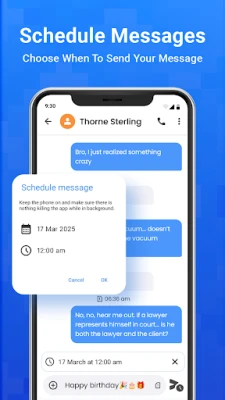
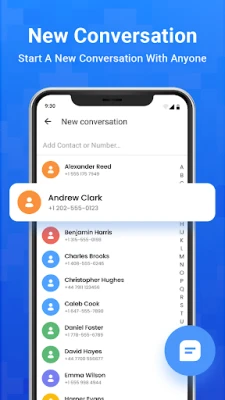
After installation, the app registers as the default SMS handler. It then accesses the system’s messaging database, presenting your existing conversations in its own view. When you compose a new message, you choose a contact, type your text, and optionally add media or an emoji. The app sends the data to your carrier just like the built‑in messenger, so no special network configuration is required.
Practical uses
- Keeping a separate, clutter‑free inbox for personal or work contacts.
- Sending photos or short video clips without leaving the messaging screen.
- Using dark mode to reduce eye strain in low‑light environments.
Installation information
The app can be installed from the standard Android package manager. Once downloaded, you will be prompted to set it as the default messaging app; you can change this setting later in the device’s app preferences.
Things to know before installing
- The app relies on your mobile carrier for SMS/MMS delivery; it does not provide internet‑based messaging.
- All standard permissions required for sending and receiving messages will be requested at first launch.
- Backup and restore functions are not included; you may need a separate backup solution for message history.
Who may find it useful?
Anyone who wants a straightforward alternative to the pre‑installed messaging client, especially users who appreciate basic theme customization and quick‑reply capabilities. It is also suitable for dual‑SIM devices that need clear control over which line is used for each message.
Frequently asked questions
Do I need an internet connection to send messages?
No. SMS and MMS are transmitted through your mobile carrier’s network, so a data connection is not required.
Can I block spam messages?
The app includes a simple block option that prevents messages from selected numbers from appearing in your inbox.
Is the app compatible with Android 5.0 and newer?
Compatibility depends on the device’s Android version and the presence of required system services. The app will not install on versions that lack basic messaging APIs.
Rate the App
User Reviews






![[US] Social Network – Real‑time local connections](https://www.appitika.com/images/17896840845838641.webp)







Popular Apps










 Games
Games Entertainment
 Communication
 E-mail
 Security
 Tools
Tools Media
Media Internet
 Finance
 Design
 Education
 IT Tools
 Travel & Local
 Android
 Windows
 Linux
Linux