

Latest Version
September 06, 2026
Photo - Picture keyboard
Communication
Android
35
Free
messenger.smsapp.messages.messaging.text
Report a Problem
More About Messages: Text SMS Home – Simple SMS Management
What is Messages: Text SMS Home?
Messages: Text SMS Home is a free Android application that focuses on handling your standard SMS conversations. It provides a straightforward environment for viewing, replying to, and organizing text messages without the clutter of extra social‑media features.
Main Features
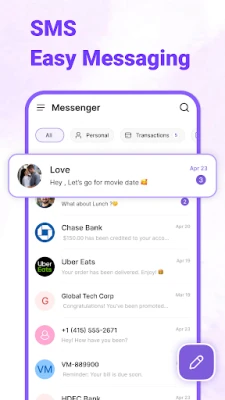
- Clear conversation view – Threads are displayed in a simple list, making it easy to follow the flow of each chat.
- Quick reply – Tap a thread and start typing; the app opens a minimal compose screen for fast responses.
- Emoji support – Insert emojis directly from the keyboard to add a personal touch.
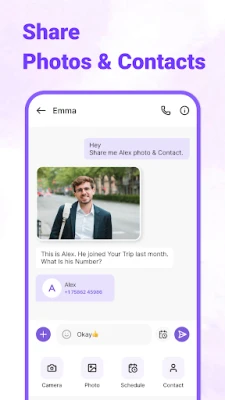
- Image and contact sharing – Attach photos or share a contact card from within the message window.
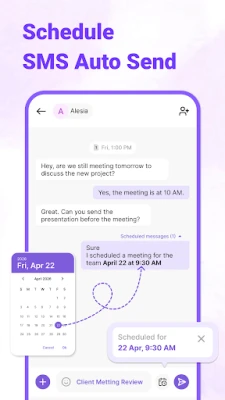
- Message scheduling – Prepare a text in advance and set a future time for it to be sent.
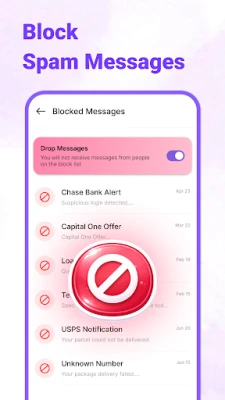
- Block unwanted numbers – Add numbers to a block list to keep spam out of your inbox.
- Backup and restore – Export your SMS history and restore it later, useful when changing devices.
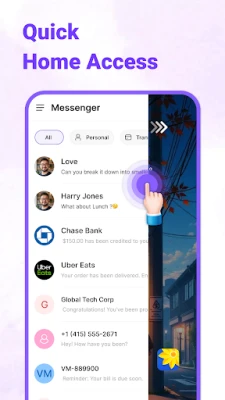
- Home‑screen shortcuts – Create widgets or shortcuts for quick access to recent chats.
How It Works
After installation, the app registers as the default SMS handler if you choose. It then reads existing messages from the system database and presents them in its own UI. Sending a new SMS follows the same path as the native messaging app, using the device’s carrier service. Features such as scheduling and backup are managed locally; no external accounts are required.
Practical Uses
- Keep personal and work‑related texts separate by using distinct threads.
- Schedule birthday wishes or reminders without needing a separate calendar app.
- Quickly share a photo taken on the spot during a conversation.
- Reduce interruptions by blocking numbers that send promotional or spam messages.
Installation Information
The app can be installed from the standard Android package installer. It requires permission to read and write SMS messages, access storage for backups, and display notifications for incoming texts. No additional configuration is needed beyond granting these permissions.
Who May Find It Useful?
Anyone who prefers a dedicated, no‑frills SMS experience will benefit. It is especially handy for users who want basic scheduling, backup, or a clean home‑screen widget without the overhead of full‑featured messaging suites.
Frequently Asked Questions
Do I need an internet connection to send SMS?
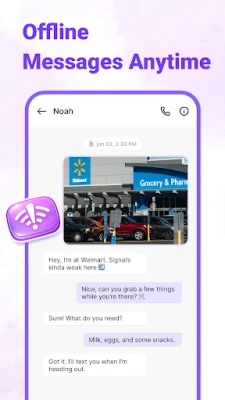
No. SMS messages are sent through your carrier’s network, so the app works offline as long as you have cellular service.
Can I use the app alongside my existing messaging app?
Yes. You can set Messages: Text SMS Home as the default for SMS only, while keeping other apps for instant‑messaging services.
How are backups stored?
Backups are saved as a file on your device’s internal storage. You can copy the file manually to another location or cloud service if desired.
Is there a limit to how many messages I can schedule?
The app does not impose a specific limit; scheduled messages are stored in a local queue until they are sent.
Rate the App
User Reviews















Popular Apps










 Games
Games Entertainment
 Communication
 E-mail
 Security
 Tools
Tools Media
Media Internet
 Finance
 Design
 Education
 Android Firmwares
 Travel & Local
 Android
 Windows
 Linux
Linux